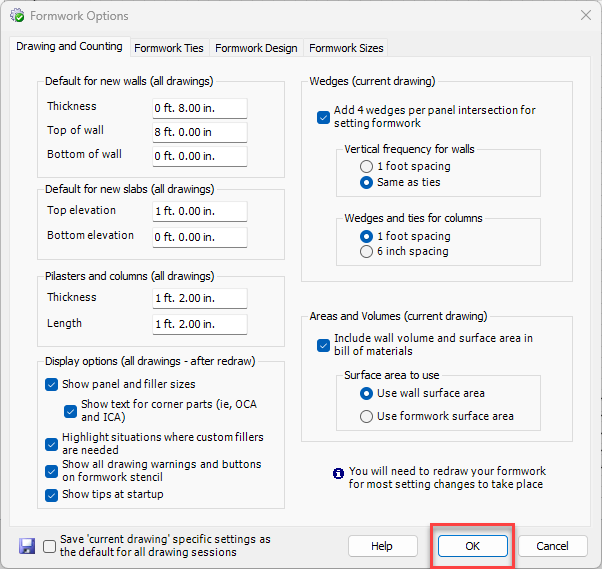
The Drawing and Counting tab in the Formwork Options dialog enables you to determine the default settings for new Walls, Slabs, Pilasters and Columns. Once you set these defaults, anytime someone creates one of these drawing shapes, Handset Designer will apply the configured default dimensions to the shapes. For a complete description of all items in the Drawing and Counting tab, refer to Drawing and Counting Tab.
WARNING! This software is intended for use by qualified formwork designers and competent persons as defined by OSHA. Use by unqualified persons may result in DEATH, SERIOUS PERSONAL INJURY OR PROPERTY DAMAGE. Loading determined by this software is based on the load-carrying capacity of panels, fillers, ties, and other hardware. The total loads on individual components as well as the loading of the formwork assembly must be considered. Bracing and platform design is to be performed by a competent person before proceeding with the work.
To configure default settings for Walls, Slabs, Pilasters and Columns:
Click the Handset Designer tab and click Formwork Options.
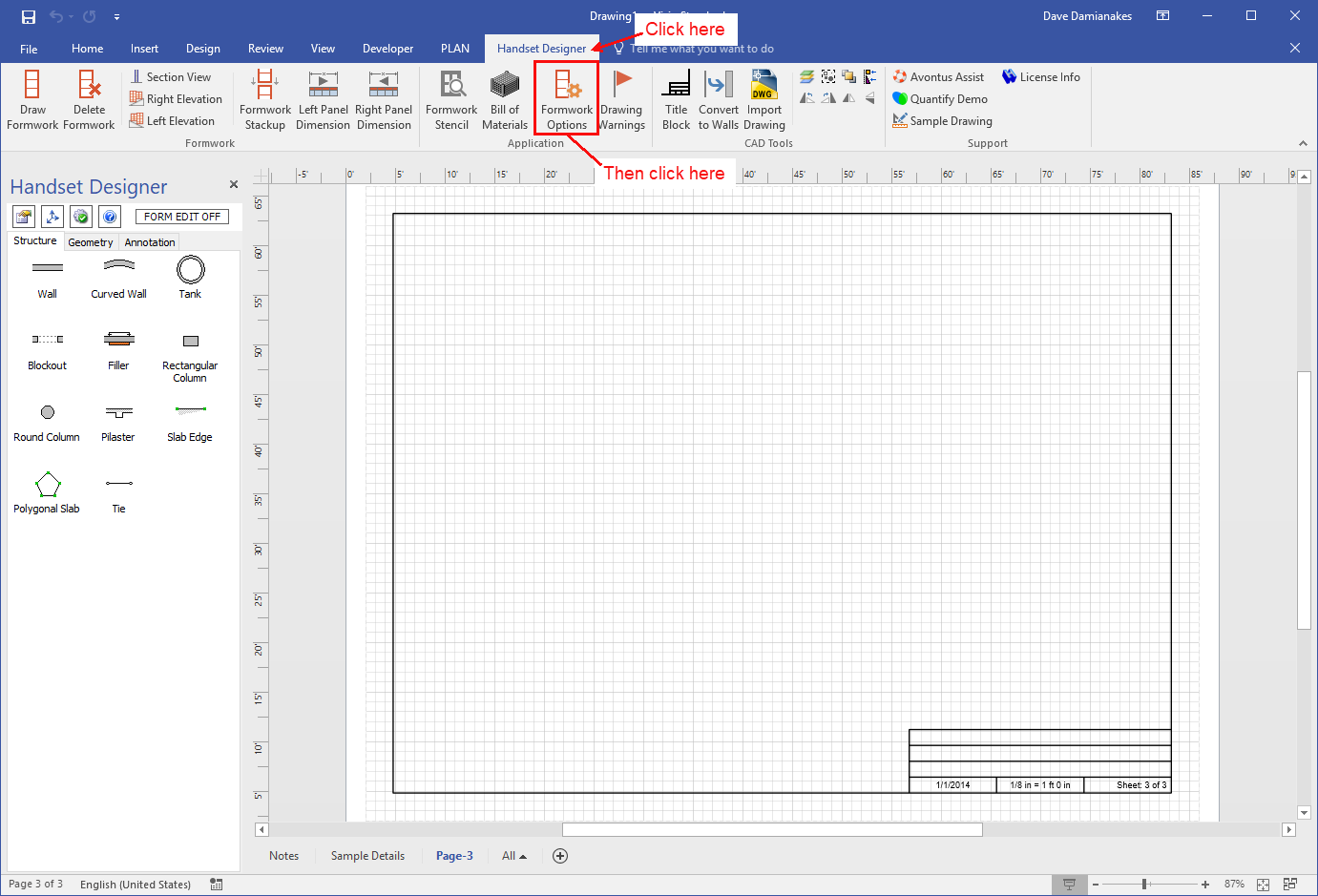
The Formwork Options dialog appears, with the Drawing and Counting tab selected.
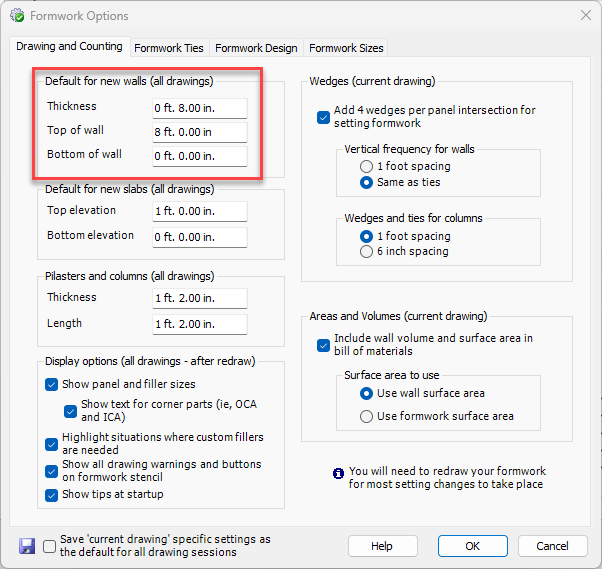
As necessary:Configure default dimensions for newly drawn Walls in the Default for new Walls area:
Click in the Thickness text field and enter the appropriate default Wall thickness.
Click in the Top of wall text field and enter the appropriate default Wall height.
Click in the Top of wall text field and enter the appropriate default bottom elevation for Walls.
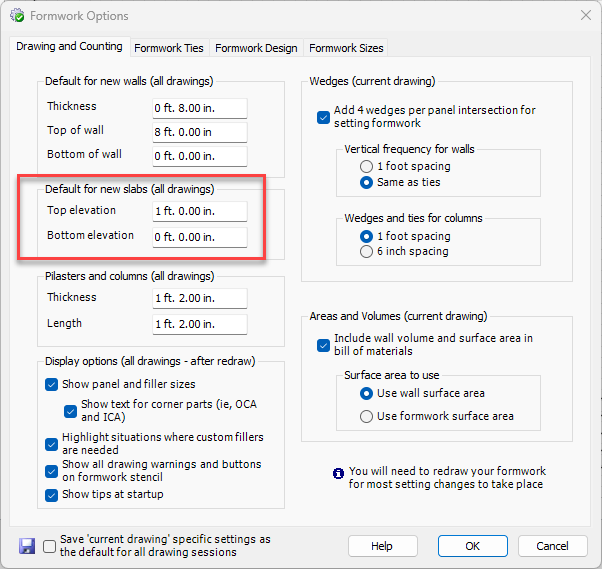
Configure default thickness of newly drawn Slabs in the Default for New Slabs area:
Click in the Top elevation text field and enter the appropriate default Slab height.
Click in the Top of wall text field area and enter the appropriate default bottom elevation for Walls.
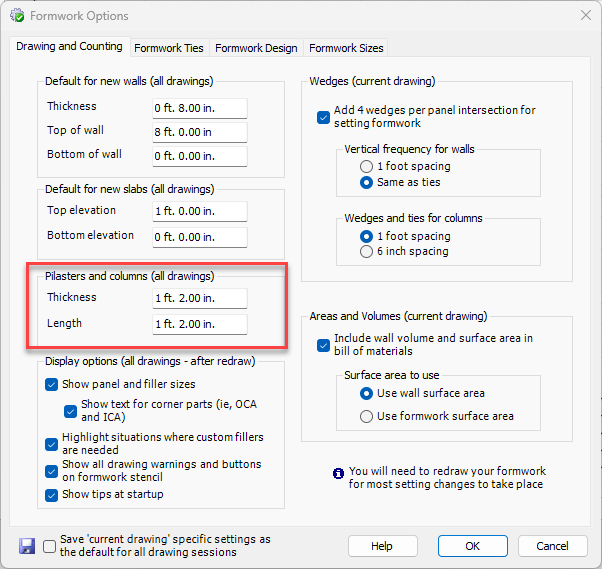
Configure default dimensions of newly drawn Pilasters and Columns in the Pilasters and columnsarea:
Click in the Thickness text field enter the appropriate default thickness for Pilasters and Columns,
Click in the Length text field area and enter the appropriate default length for Pilasters and Columns.
If you are done, click OK.