You can edit multiple Bays at once. This is to save time if multiple Bays were to require the same type of plank.
Select the Bays to edit. You can click and drag or hold ctrl and select your bays
Select Bay Details
Change a setting, such as the Plank Type
Click Apply
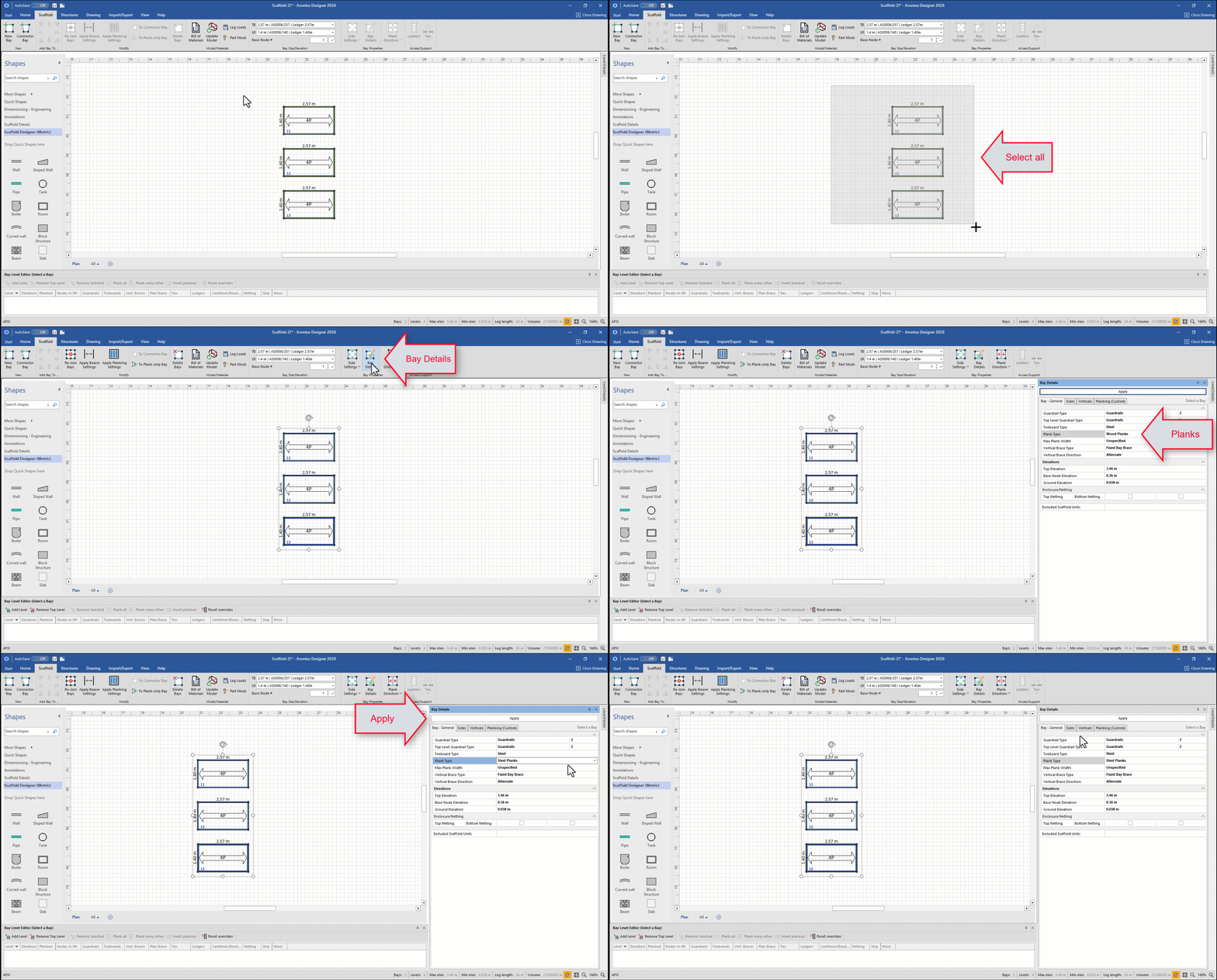
All bays should now be set to the selected Plank Type