You can use the Ties drop-down to modify the appearance of Ties on Corner Bays.
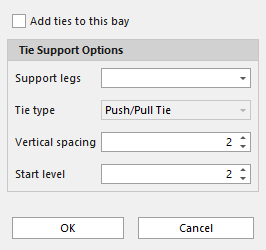
Add Tie to this bay - Select the checkbox to add ties to the selected corner bay
Support legs - Select which legs to attach the ties to
Tie type - Select the type of tie to use
Vertical Spacing -Use the Vertical Spacing dropdown to determine on which levels Avontus Designer will place tie support
Start Level - The level at which the ties will start to be added to the Corner Bay