Scaffolds can be inspected manually or scaffolds can be inspected at a specified time or period of time. Inspection templates can be created and assigned to Scaffolds. For example, you can create an inspection template that’s designed for any wooden planked scaffolds, and then assign that template to the relevant Scaffolds.
To inspect a Scaffold:
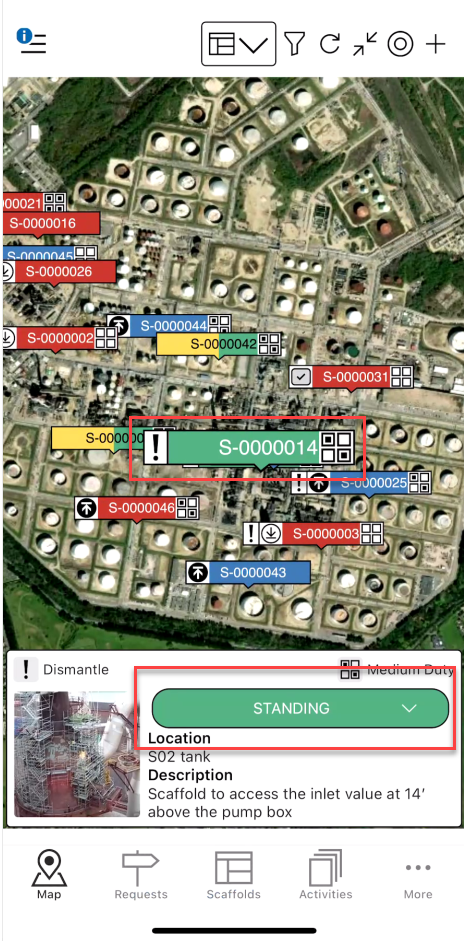
Select the Scaffold to be inspected, and tap Standing
Note: This only needs to be done if you are manually inspecting a scaffold
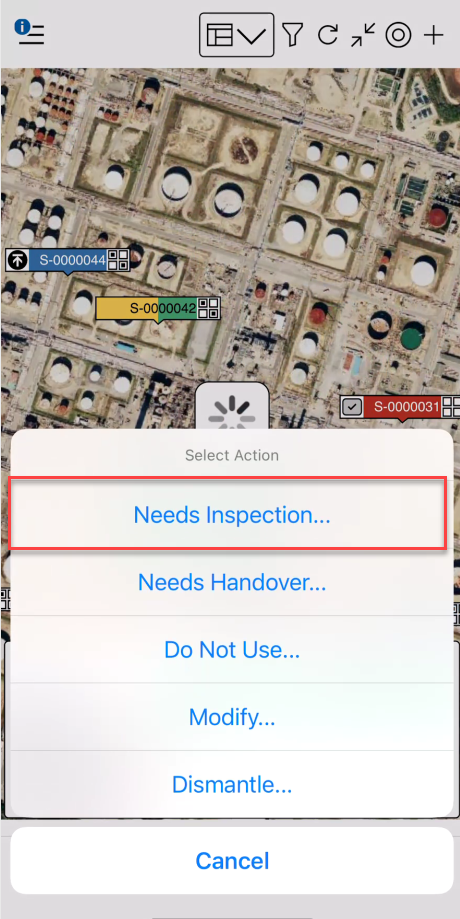
Tap Needs Inspection
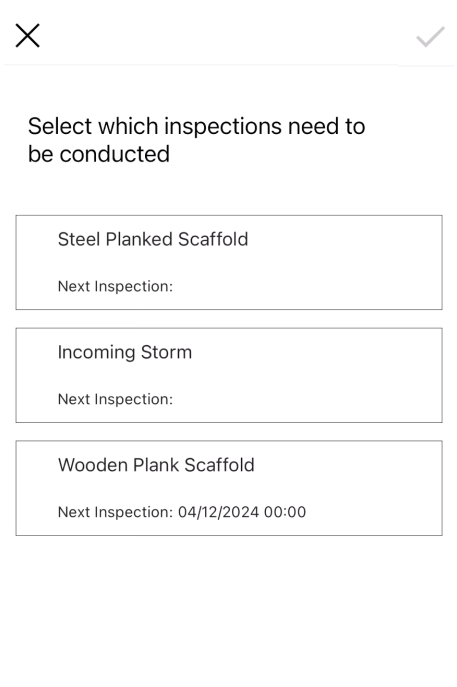
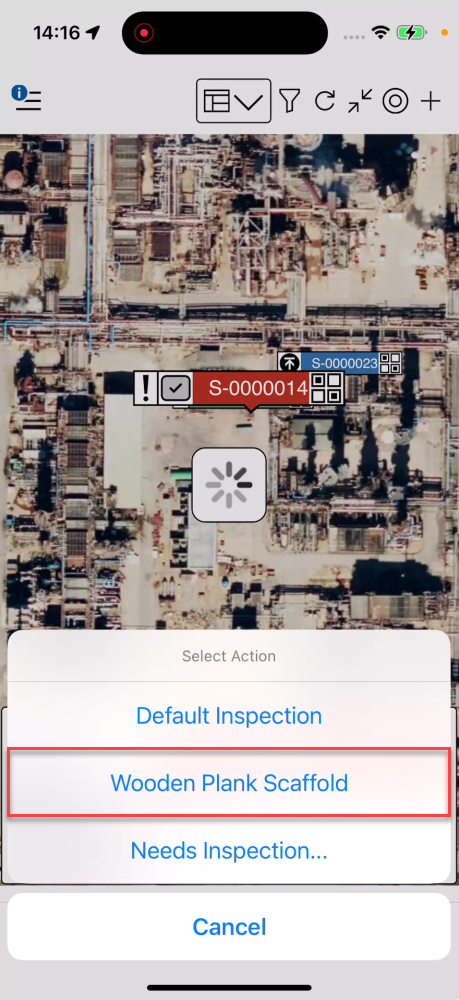
Select the Inspection type
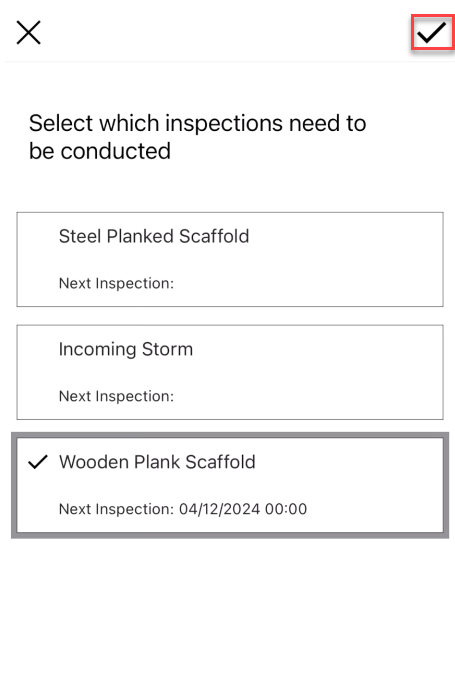
 4. Tap the tick icon
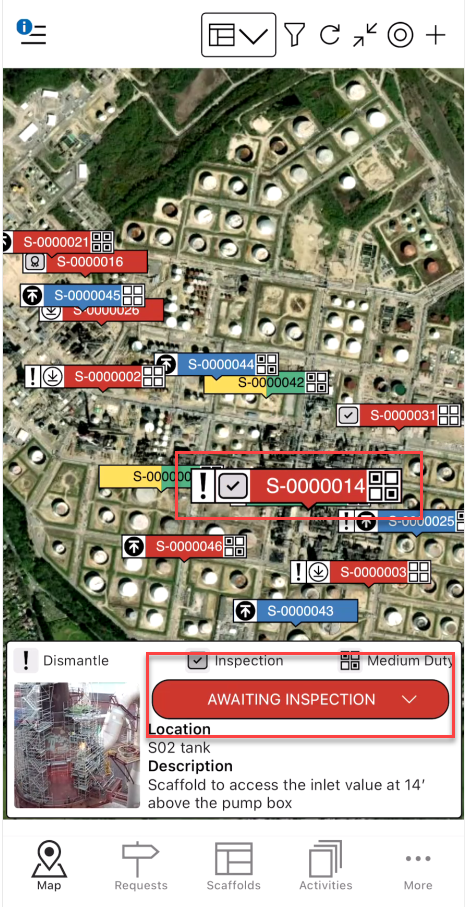
Tap the Scaffold pin
Tap Awaiting Inspection
Select the inspection template
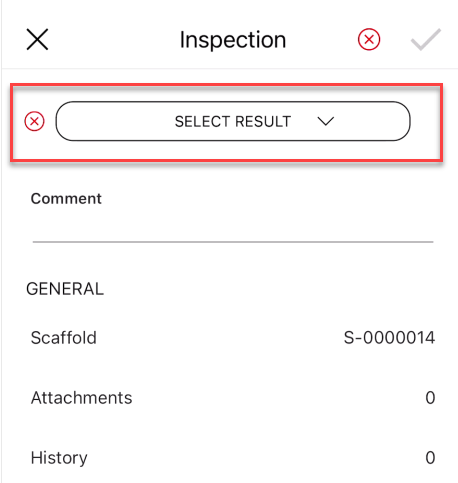
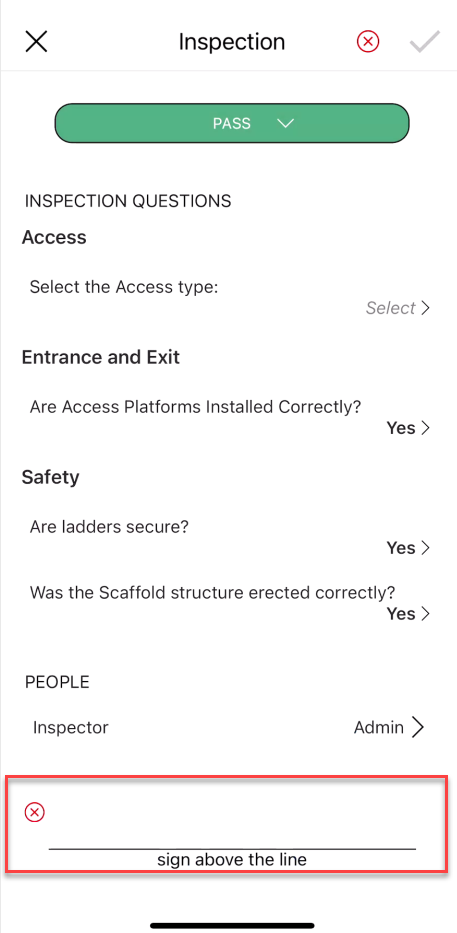
Complete the inspection form including:
The result
Any required inspection questions
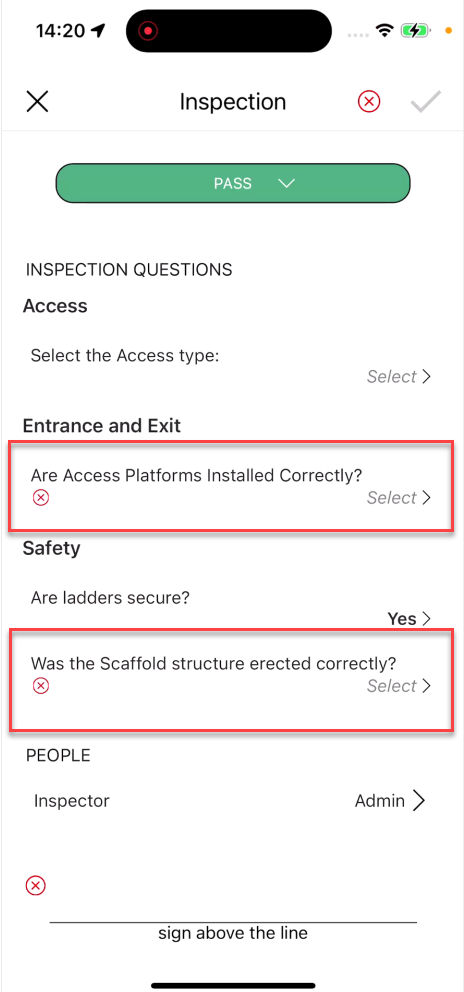
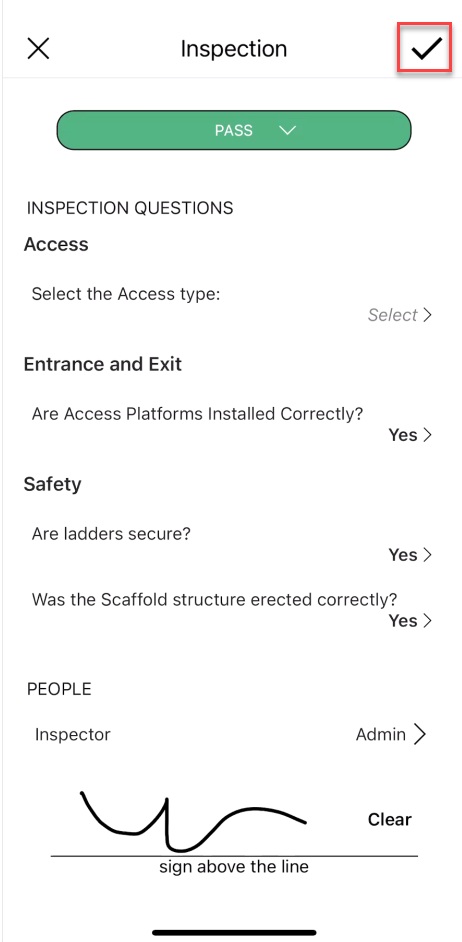
Provide the inspector and provide a signature
Tap the tick icon
The Scaffold will be in the Standing Status. However, the Scaffold could also be in the Awaiting Inspection status if any further inspections need to be performed on the same scaffold. Complete the remaining inspection if required.