Quantify makes it easy for you to select one or more Shipments and print a Shipping report for them.
To print a Shipping report for selected shipments:
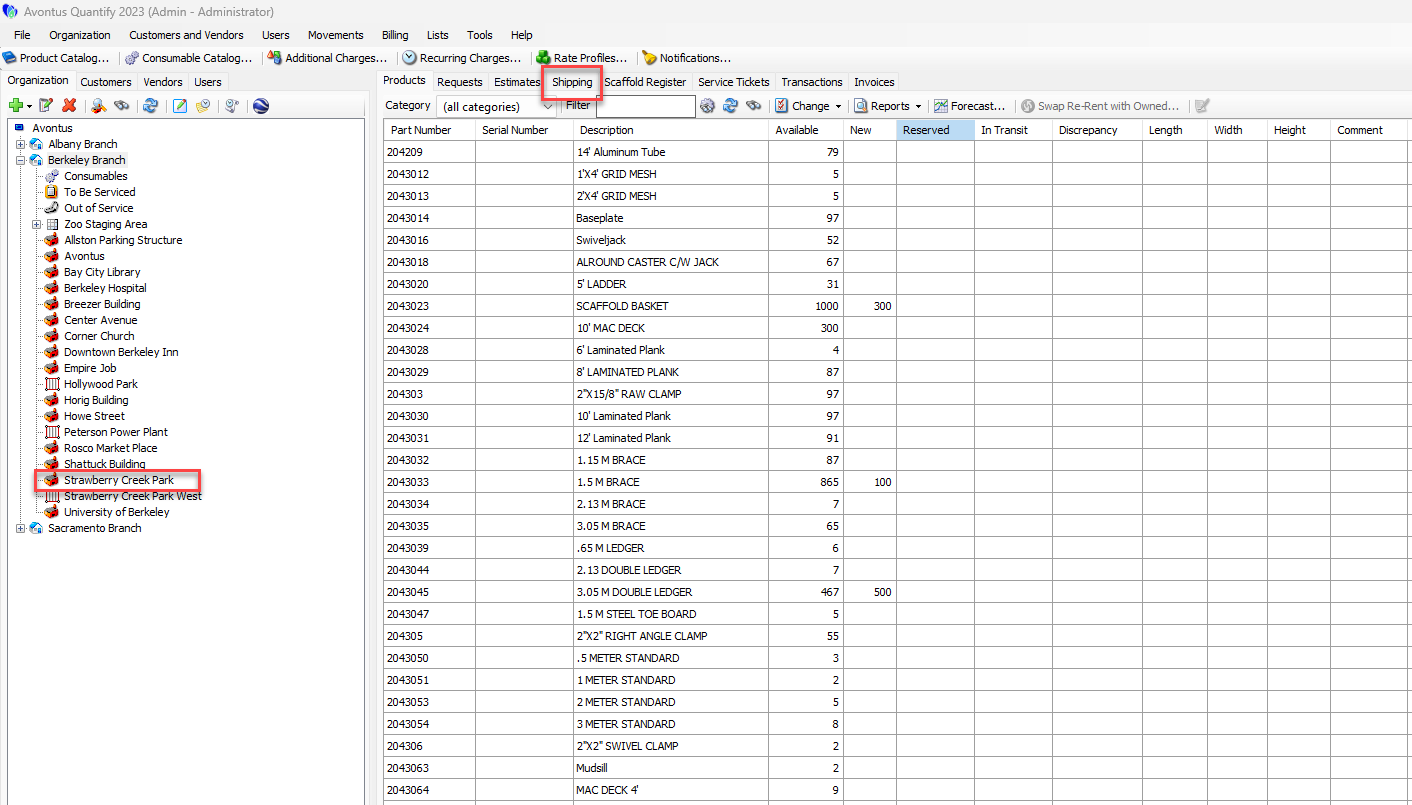
Locate and click the appropriate location and click the Shipping tab.
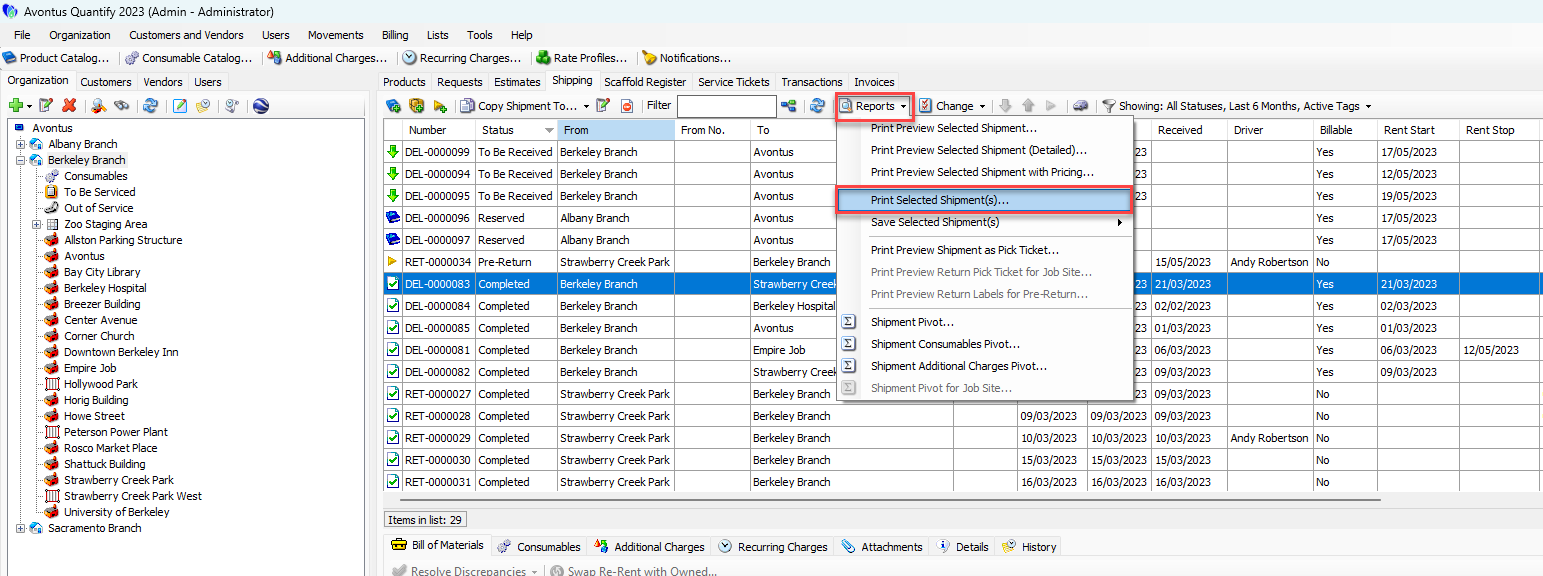
Click the appropriate Shipment(s), then click the Reports dropdown and select Print Selected Shipment(s).
Note: To select multiple, consecutive Shipments, press the Shift key and select the first and last Shipments in the series. To select multiple, non-consecutive Shipments, hold down the Ctrl key while selecting each desired Shipment.
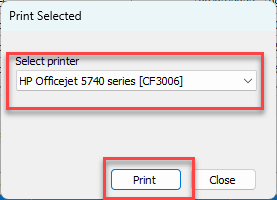
The Print Selected dialog appears.Click the Select Printer dropdown and select the appropriate printer.
Click Print.
Quantify prints the report on the selected printer.