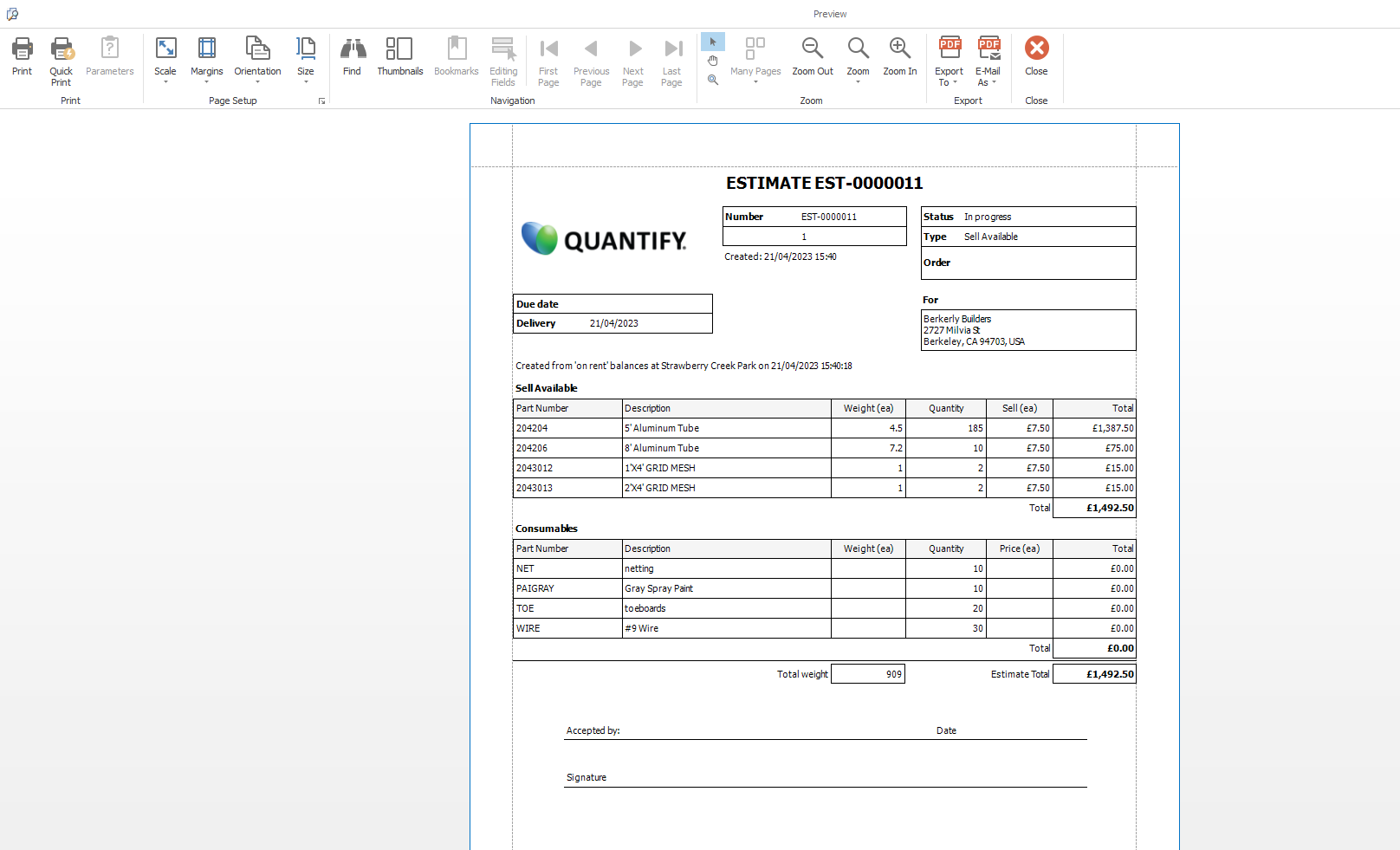
Quantify's Print Preview feature enables you easily print any Estimate. The procedures below show you how to do that.
To print an Estimate:
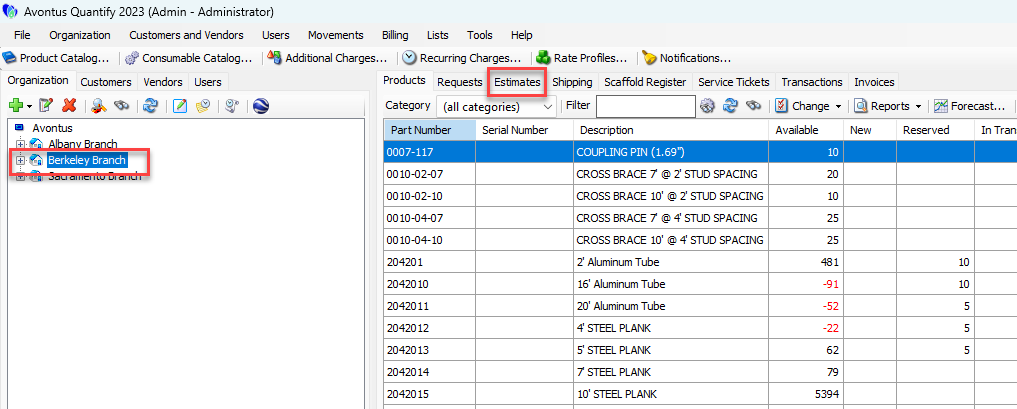
Click the appropriate location in the Organization Tree, then click the Estimates tab.
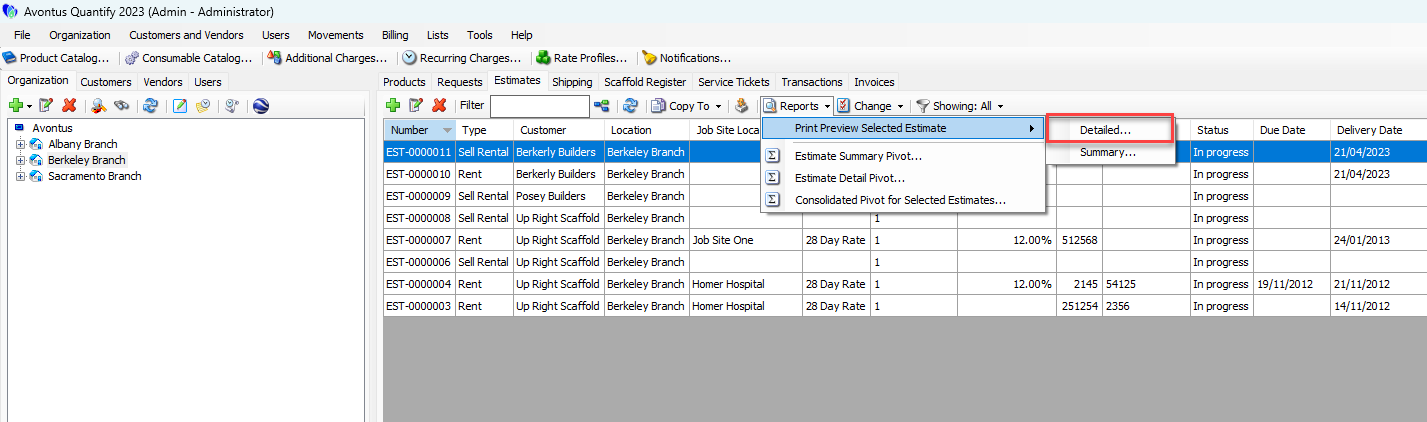
Click the Reports dropdown and select Detailed or Summary from the Print Preview Selected Estimate sub-menu.
The Preview dialog appears.Click the Print icon.
Note: You can also export the Estimate into Excel or PDF file format.