If the requested scaffold is not needed, or incorrectly set up, the Request can be rejected.
To do this:
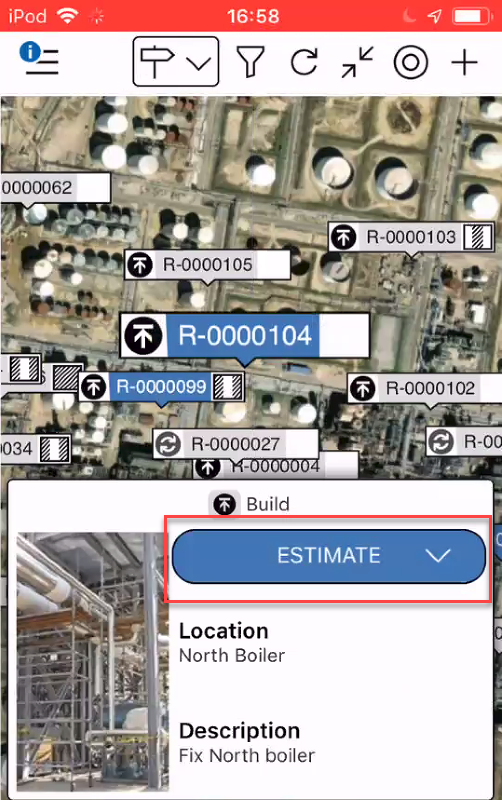
Go to the Map screen and locate the request to reject.
Open the request by tapping on the pin in the Map screen.
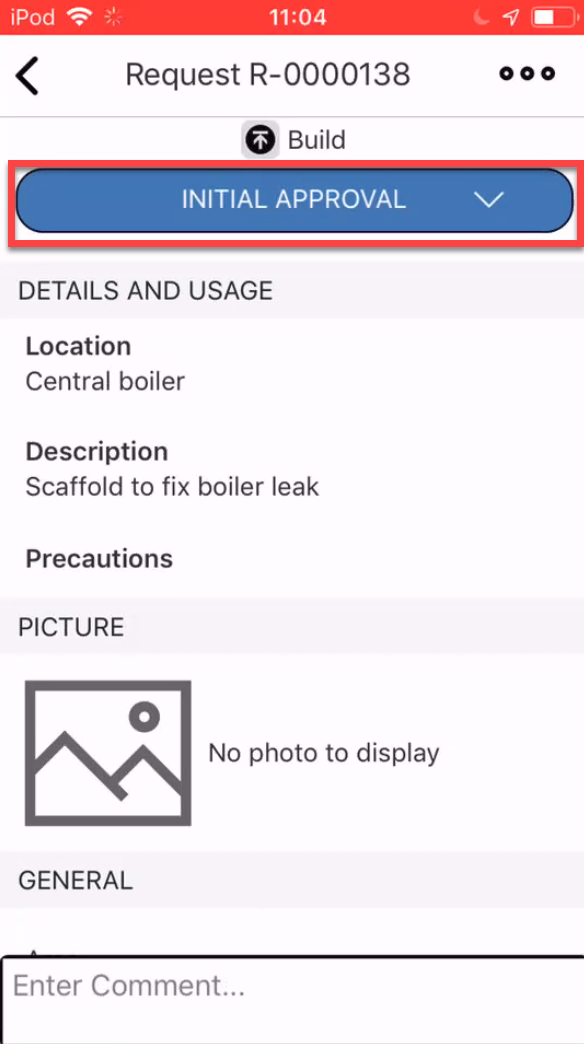
Tap on the status
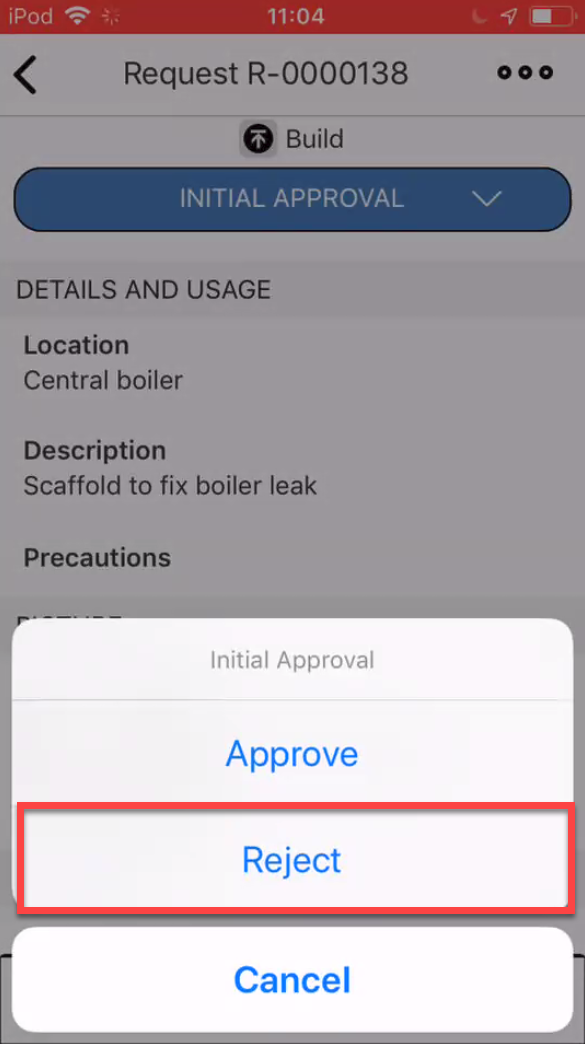
Tap Reject and the request will be removed from the Map screens.
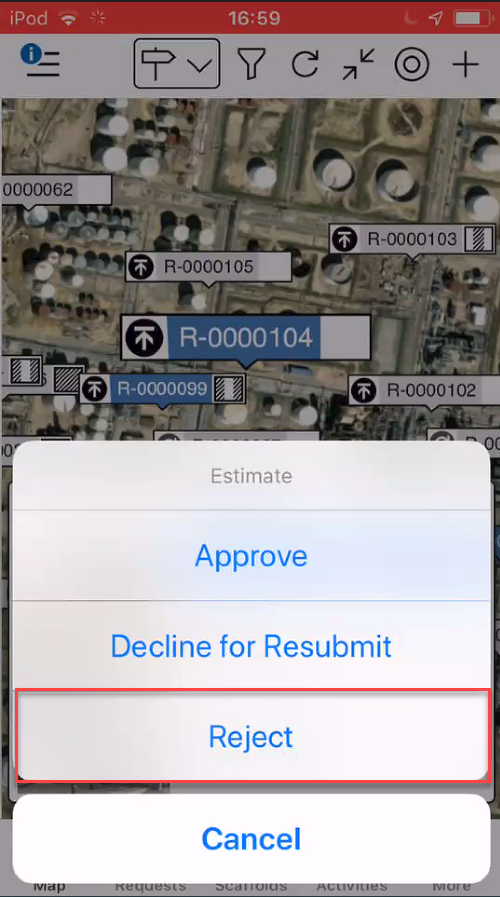
Note: You can do this at any stage in the process
The Request will be rejected and removed from the mobile app.
You can also do this via the Requests screen.
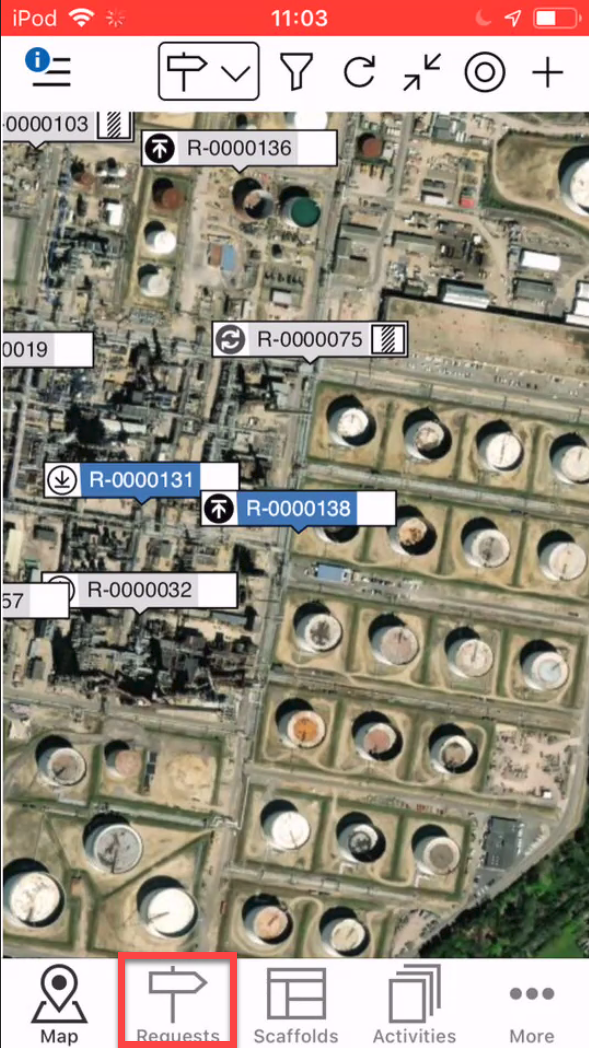
From any screen, tap the Requests button
Tap the Request to Reject
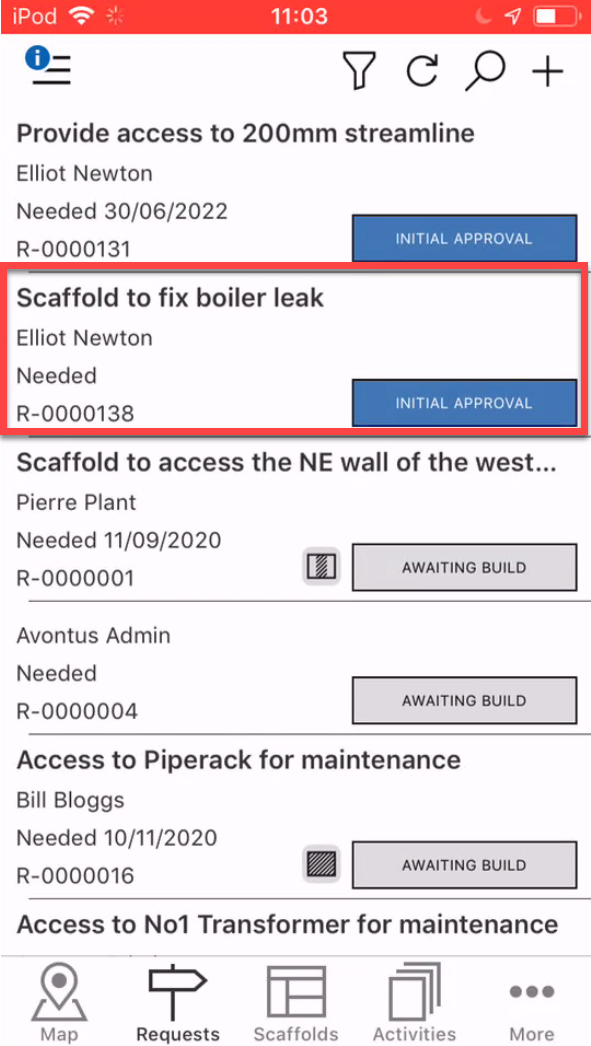
Tap the status
Select Reject
The request will be rejected, and removed from the mobile app.
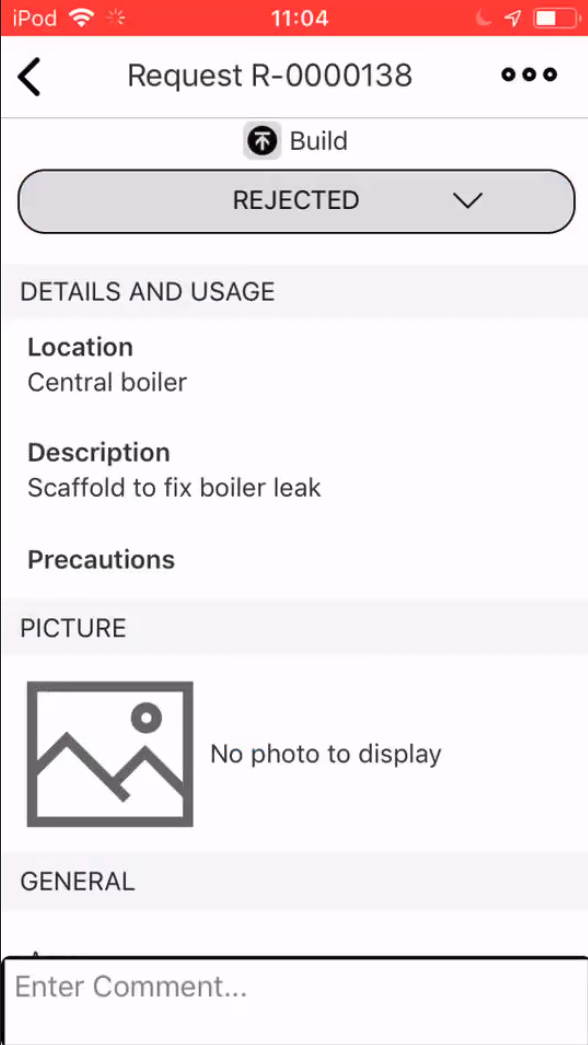
Once you exit from the Request Details of the rejected request, you will not be able to access it on the mobile application.