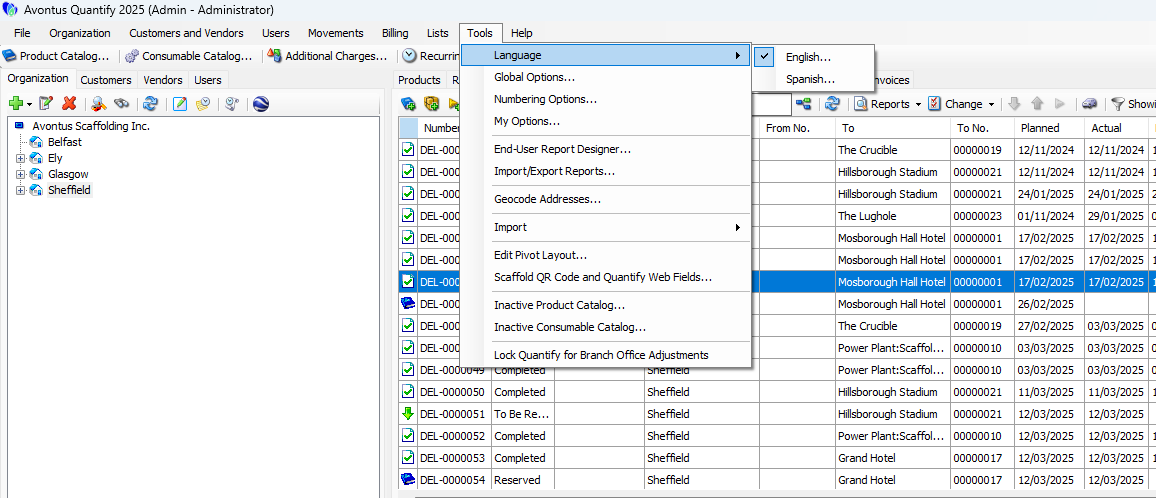
Quantify enables you to determine whether the words in the interface appears in English or Spanish. English is Quantify's primary language. Translation is performed by machine and not always perfectly accurate.
To select the language for the Quantify interface:
- Click the Tools menu and select the language from the Language sub-menu.
- Restart Quantify.
Once Quantify restarts, it will display the interface in the language you selected.