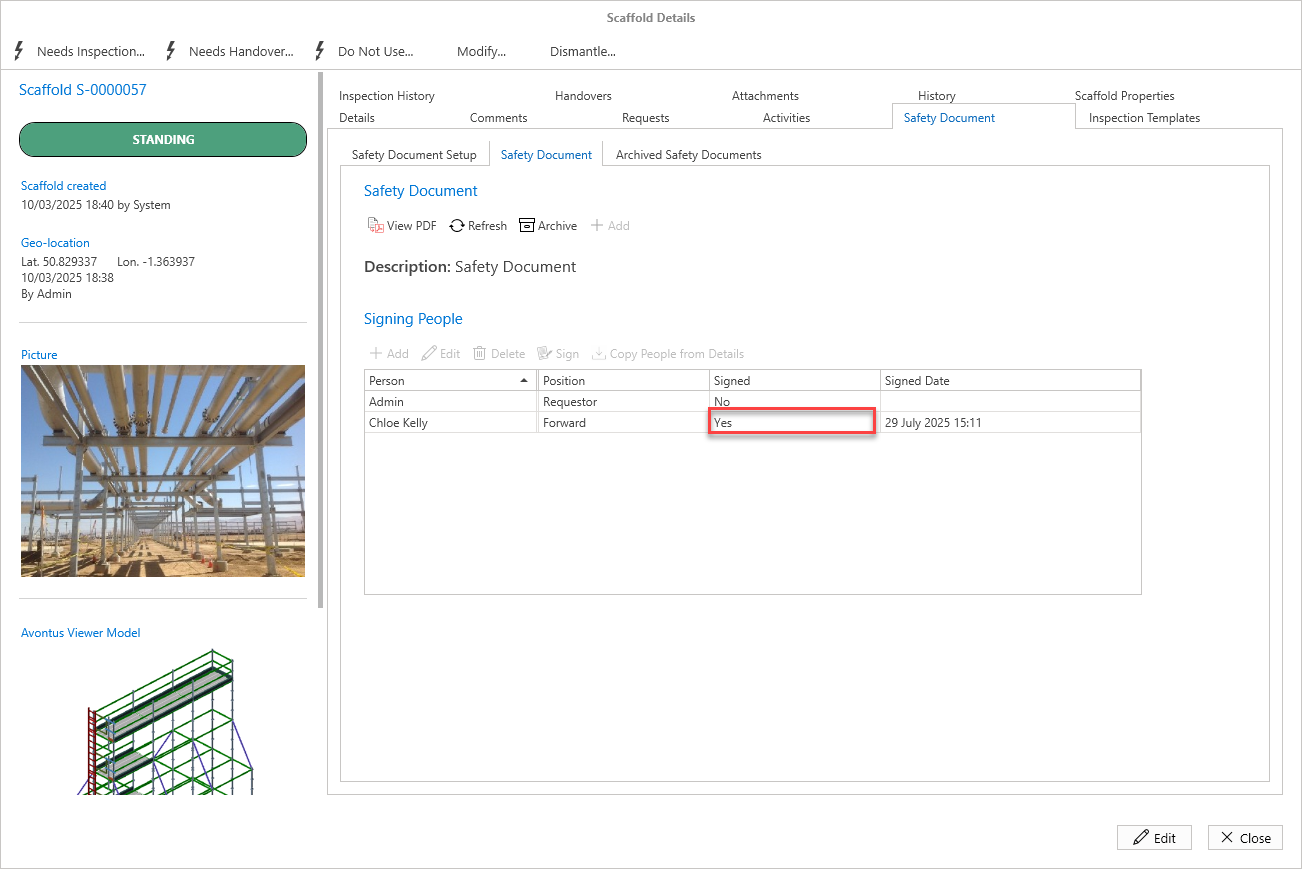
Users who have been selected as a signee on a Safety Document will be able to sign the document on the Request or Scaffold associated with the Safety Document.
To do this
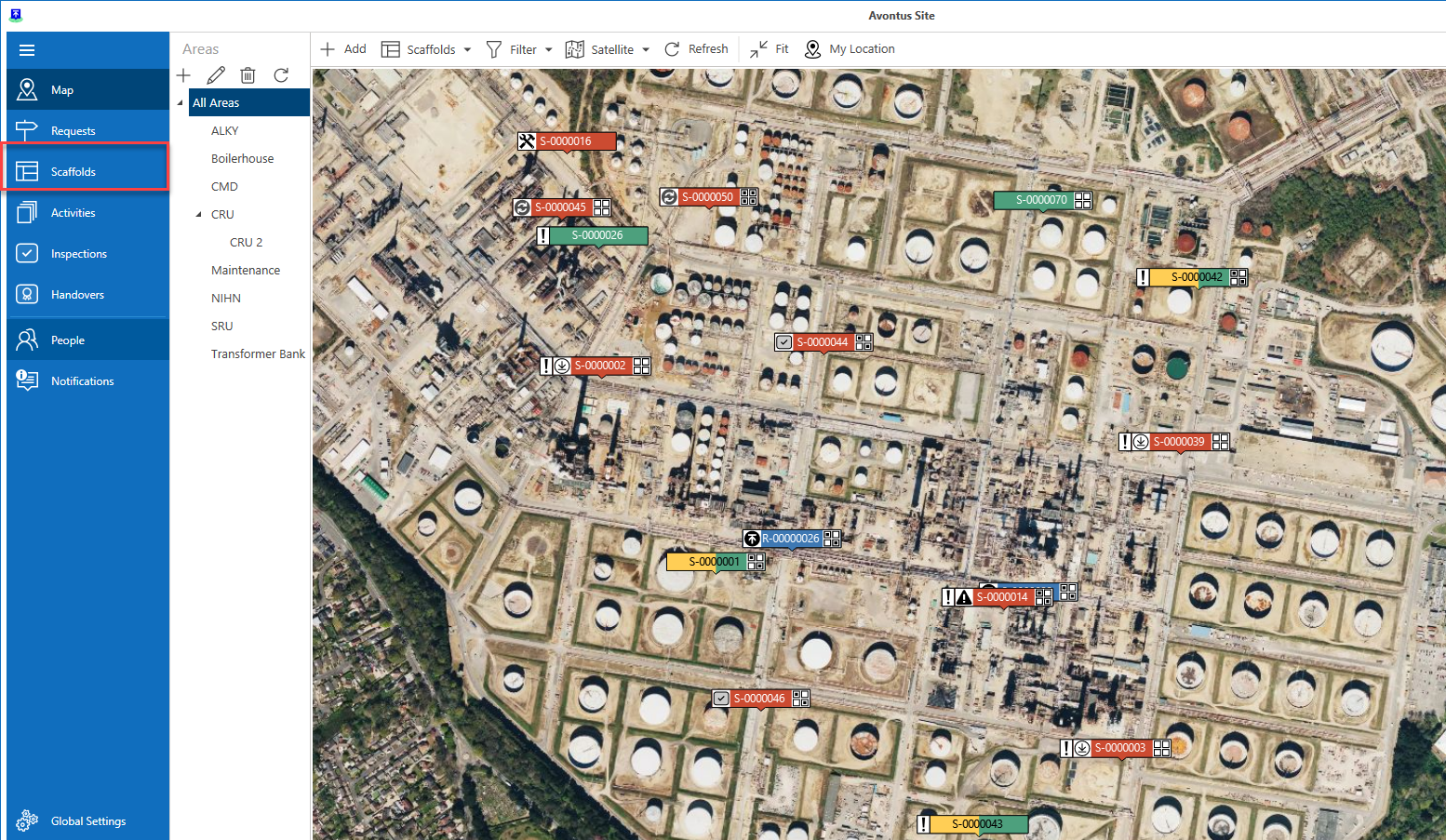
Select Scaffolds
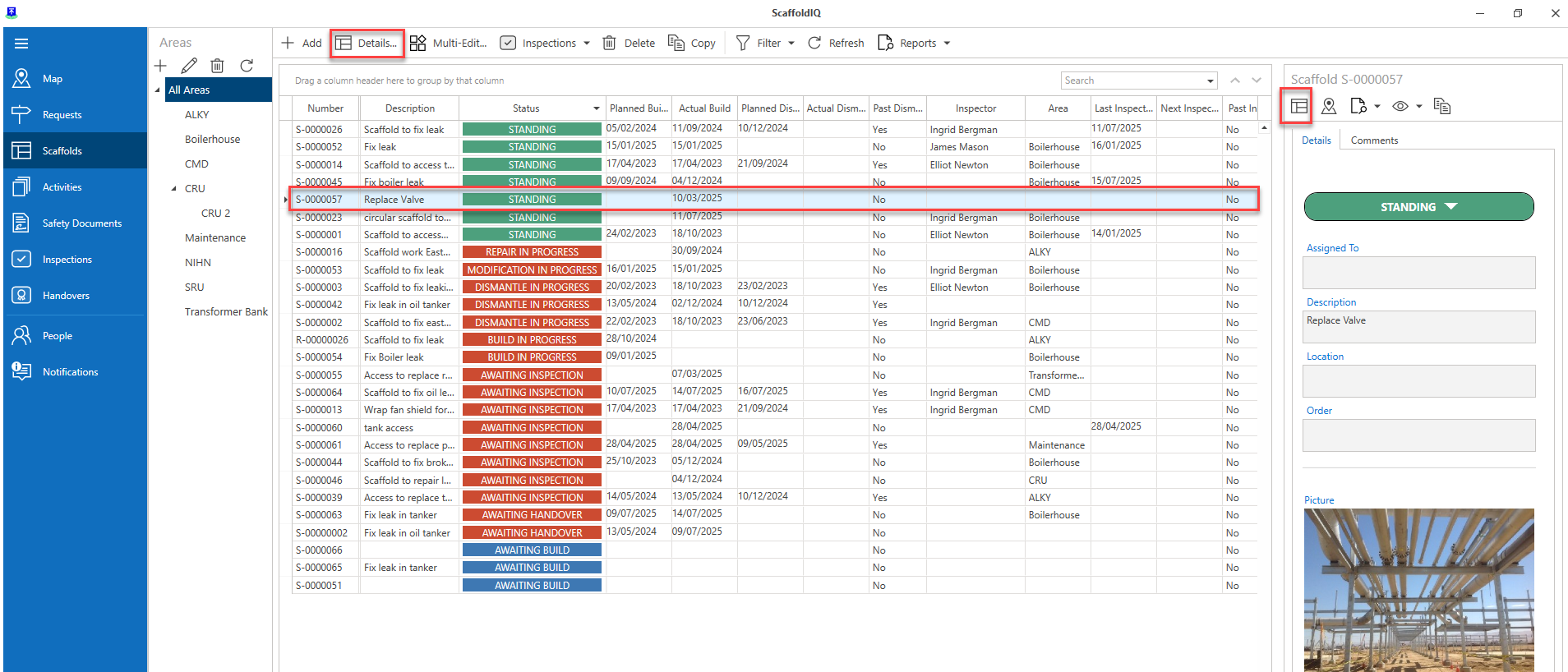
Open the Scaffold Details
Select the Safety Document Template tab
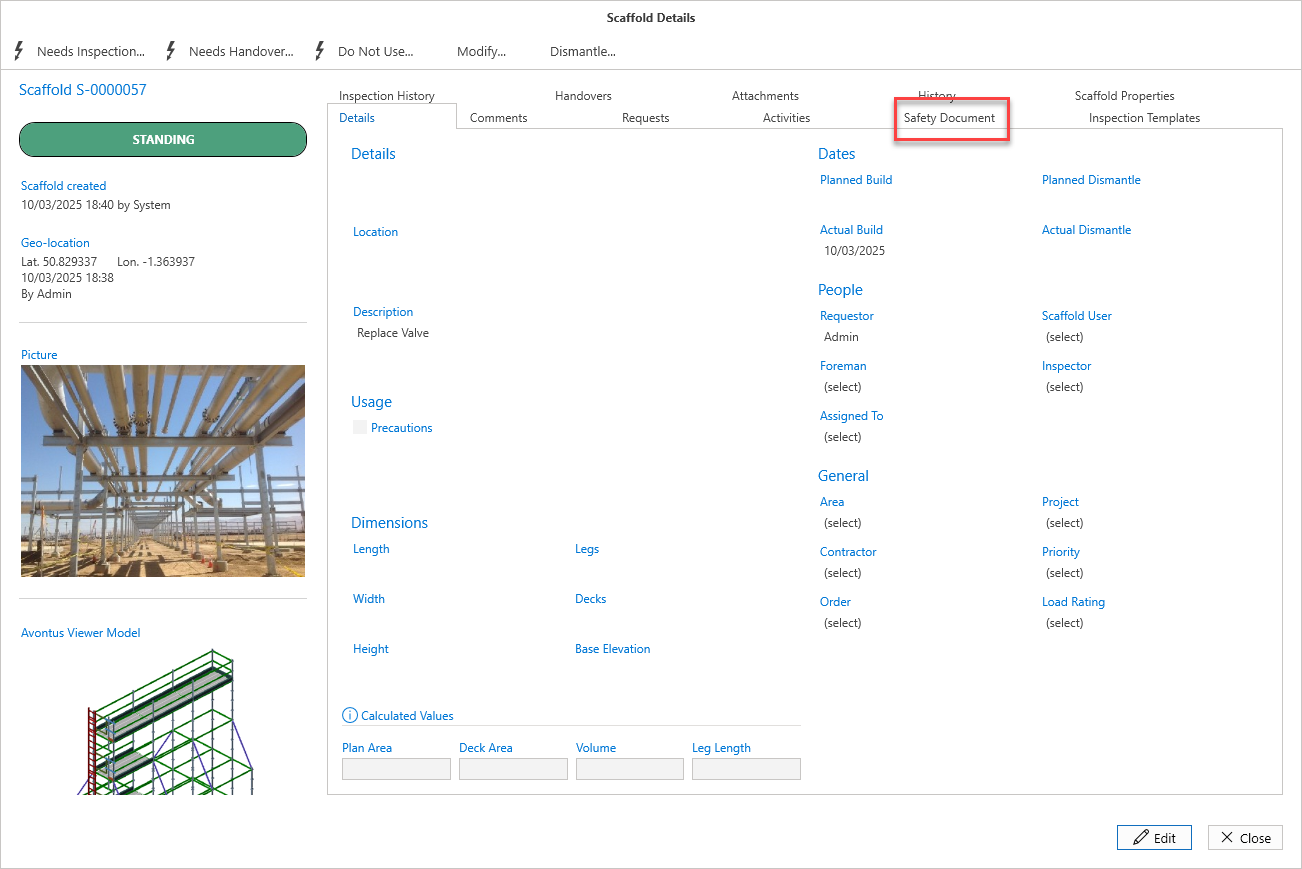
4. Click the Safety Document tab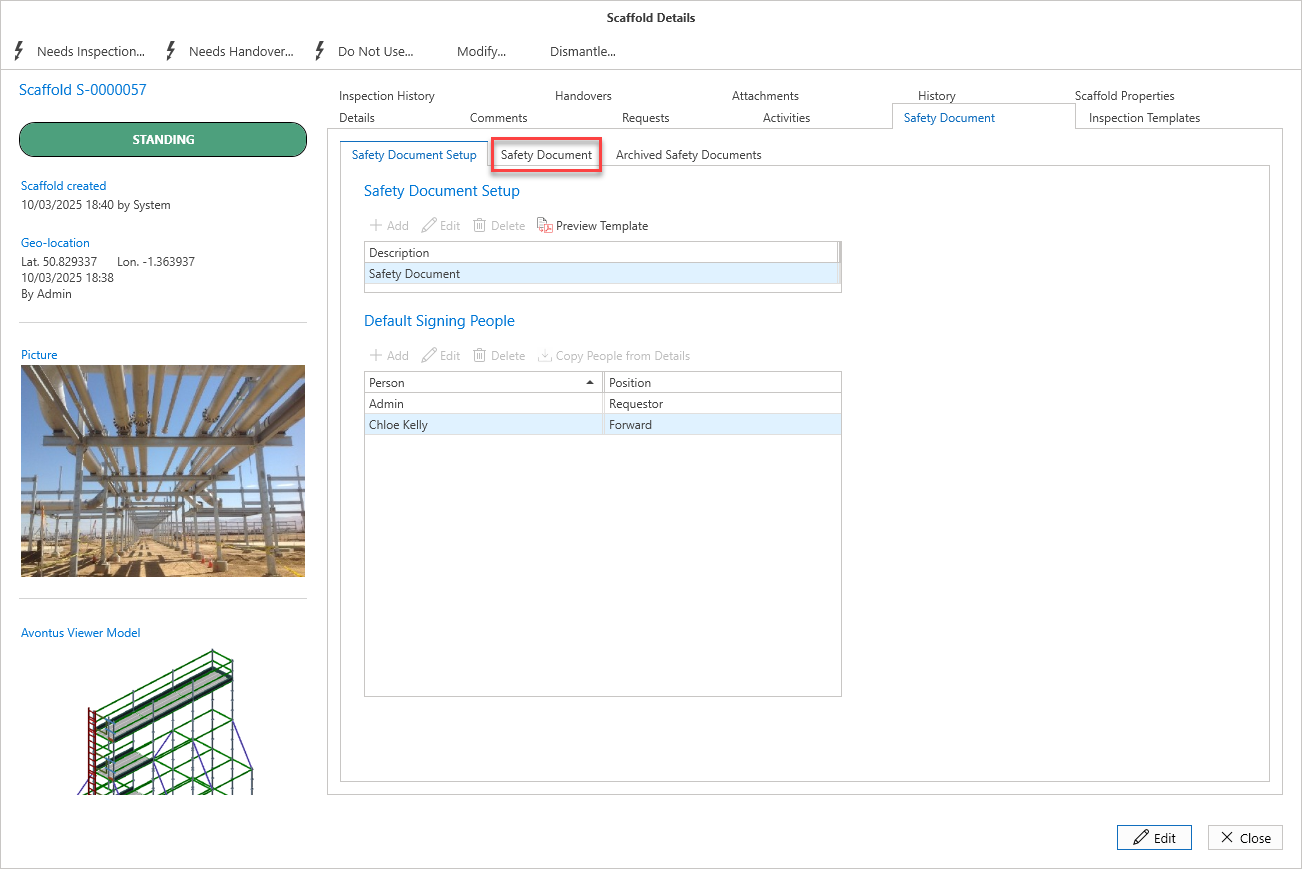
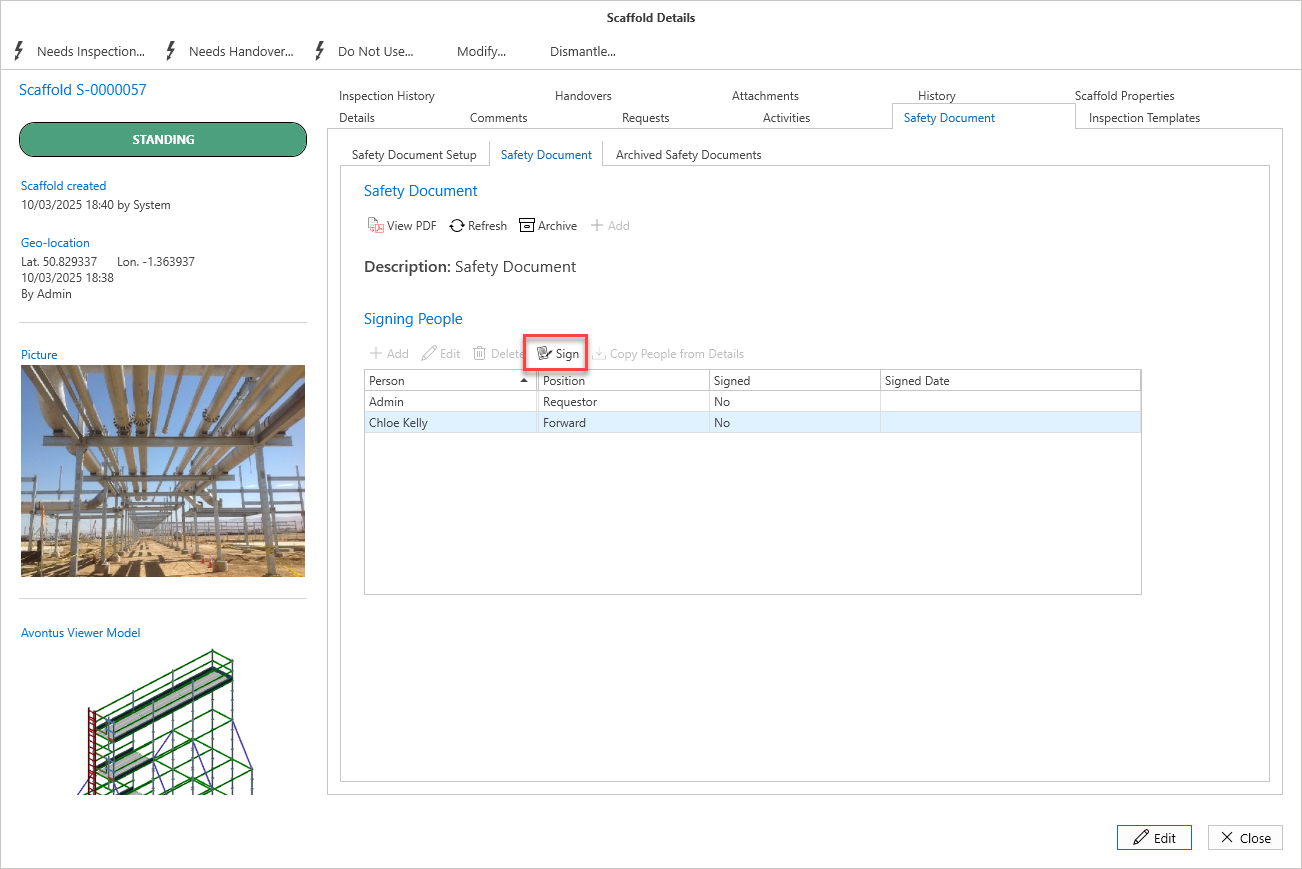
Select a user and click Sign
Provide a signature and click OK
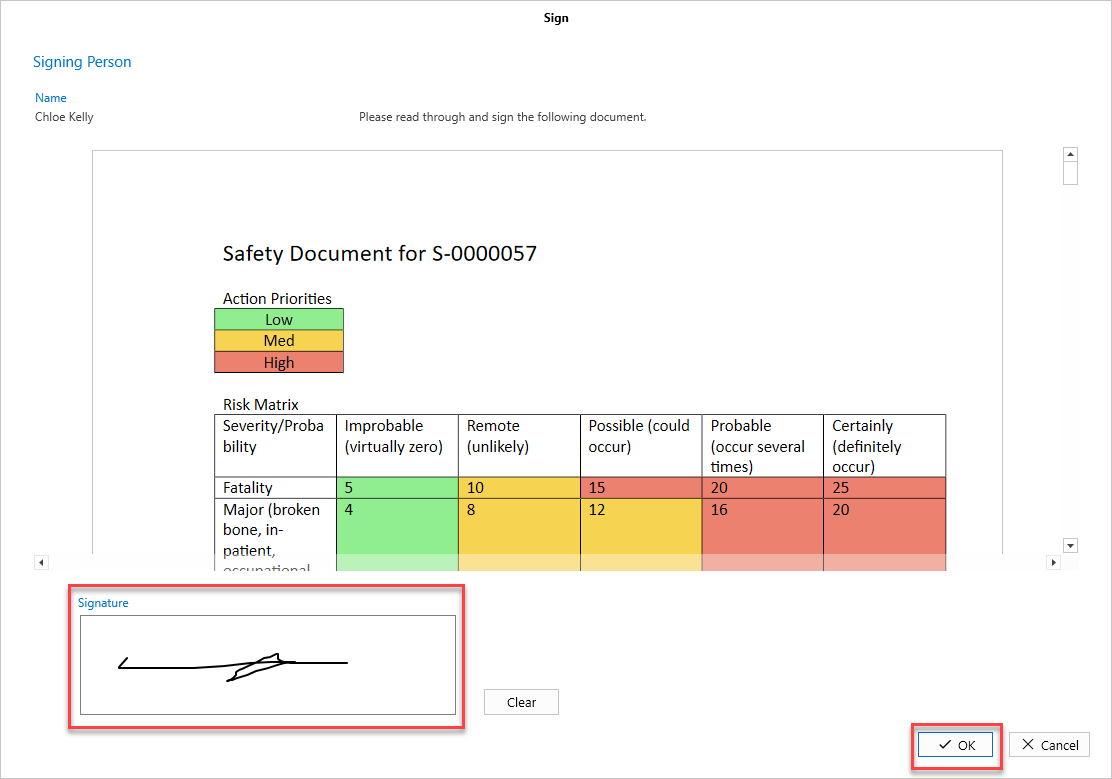
The Signed column will change from No to Yes for the selected user.