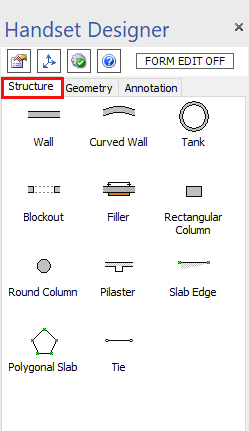
The Structure tab, located in the Handset Designer pane, contains the different objects and drawing tools you can use to draw building structures. Handset Designer recognizes these objects as Formwork items and will draw Formwork around them when you select Draw Formwork in the Formwork group in the Handset Designer ribbon.
Note: If you use other objects available in Visio, such as lines and shapes not contained in this tab, they will not be included in the Formwork that Handset Designer draws.
To use the objects from this tab, simply drag and drop the desired object onto the drawing page. You can control most object dimensions and details using either drag and drop controls, the Shape Data popup or the Size & Position popup.
Each object has a specific purpose or use and, as a result, interacts differently with drawn Formwork. For more information about these objects, refer to Using the Structure Tab to Place Drawing Elements.