When taxes are charged in Quantify, the Tax Codes between Quantify and QuickBooks must be matched and then linked. The taxes in a Quantify Invoice will be posted to tax agencies in QuickBooks. If a Tax Code doesn't exist in QuickBooks, Quantify displays the message below. The Tax Code must be added to QuickBooks before synching can occur.

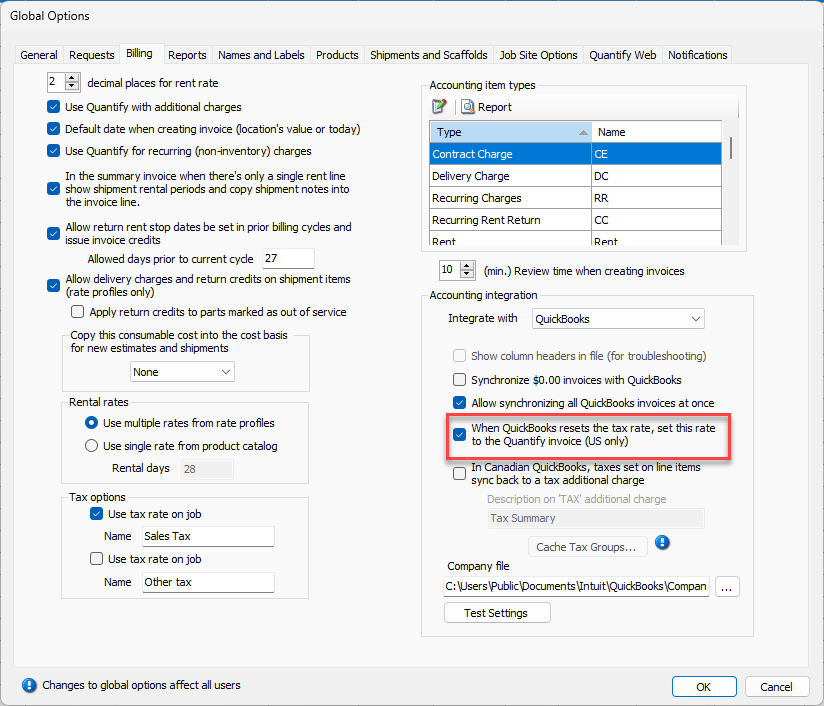
The Accounting Integration option When QuickBooks Resets the Tax Rate, Set This Rate to the Quantify invoice controls whether the tax rate set in QuickBooks will override the Quantify tax rate after sync has occurred.