You can use the New Direct Ship dialog to create a new Shipment, from a Branch Office to a Job Site or Group, from a Branch Office to another Branch Office, from a Job Site or Group to a Branch Office or a Job Site or Group to another Job Site or Group.
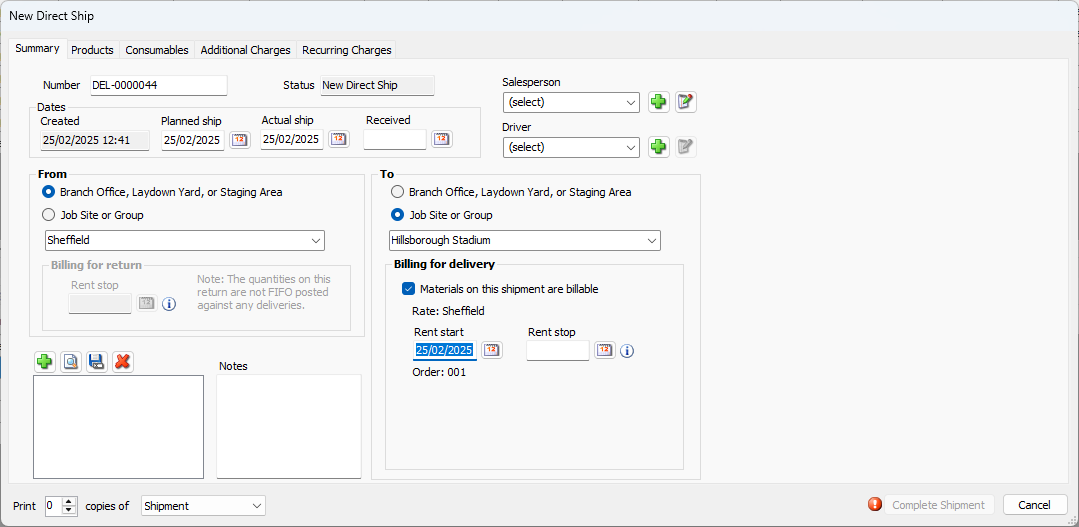
This dialog contains up to six tabs:
Summary | Use this tab to configure summary information about the Shipment: shipment number, ship dates, origin and destination points, etc. |
Products | Use this tab to determine what Products are being shipped, in what amounts and at what costs. |
Consumables | Use this tab to determine what Consumables are being shipped, in what amounts and at what costs. |
Additional Charges | Use this tab to determine what Additional Charges to include in the Shipment. Additional charges include cutting fees, delivery, dismantle, freight, etc. |
Recurring Charges | Use this tab to determine what Recurring Charges to include in the Shipment. Recurring Charges include crane daily charge, crane & daily charge, rent, etc. |
Shipment Properties | Use this tab to determine custom Shipment and destination properties. |