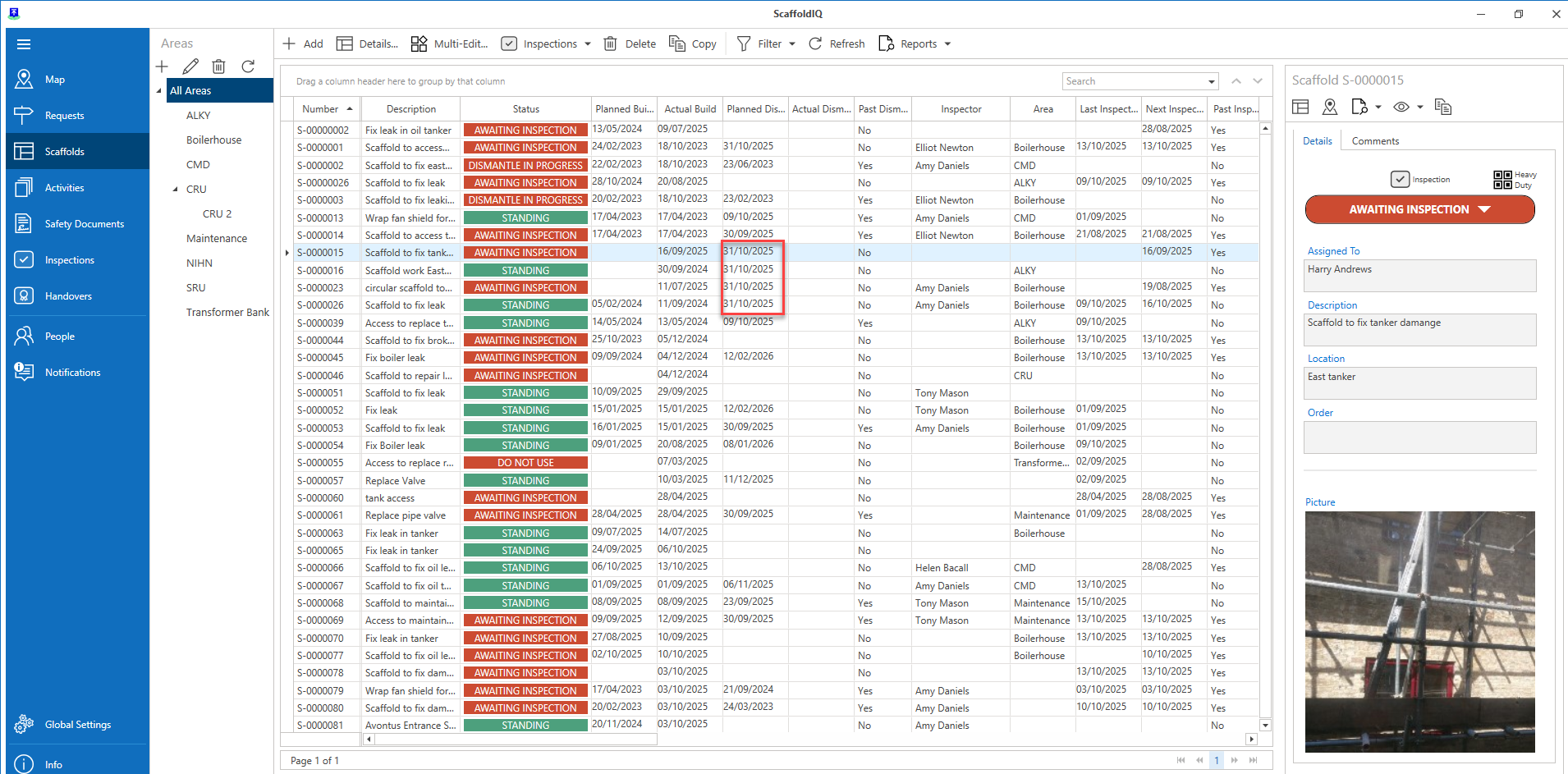
In the Scaffolds screen, it is possible to update multiple scaffolds in a single action. This could be used to change multiple Planned Build Dates. You have a limited number of fields you can change when using the multi-edit feature.
This includes
Planned Build Date
Actual Build Date
Planned Build Date
Actual Build Date
Next Inspection Date
Order Number
Area
To do this.
In the Scaffolds screen, select each scaffold you wish to edit by holding Ctrl and then clicking your chosen scaffolds.
Note: You can select a scaffold, hold Shift and click another scaffold to select all scaffolds between the selected scaffolds.Click Multi-Edit.
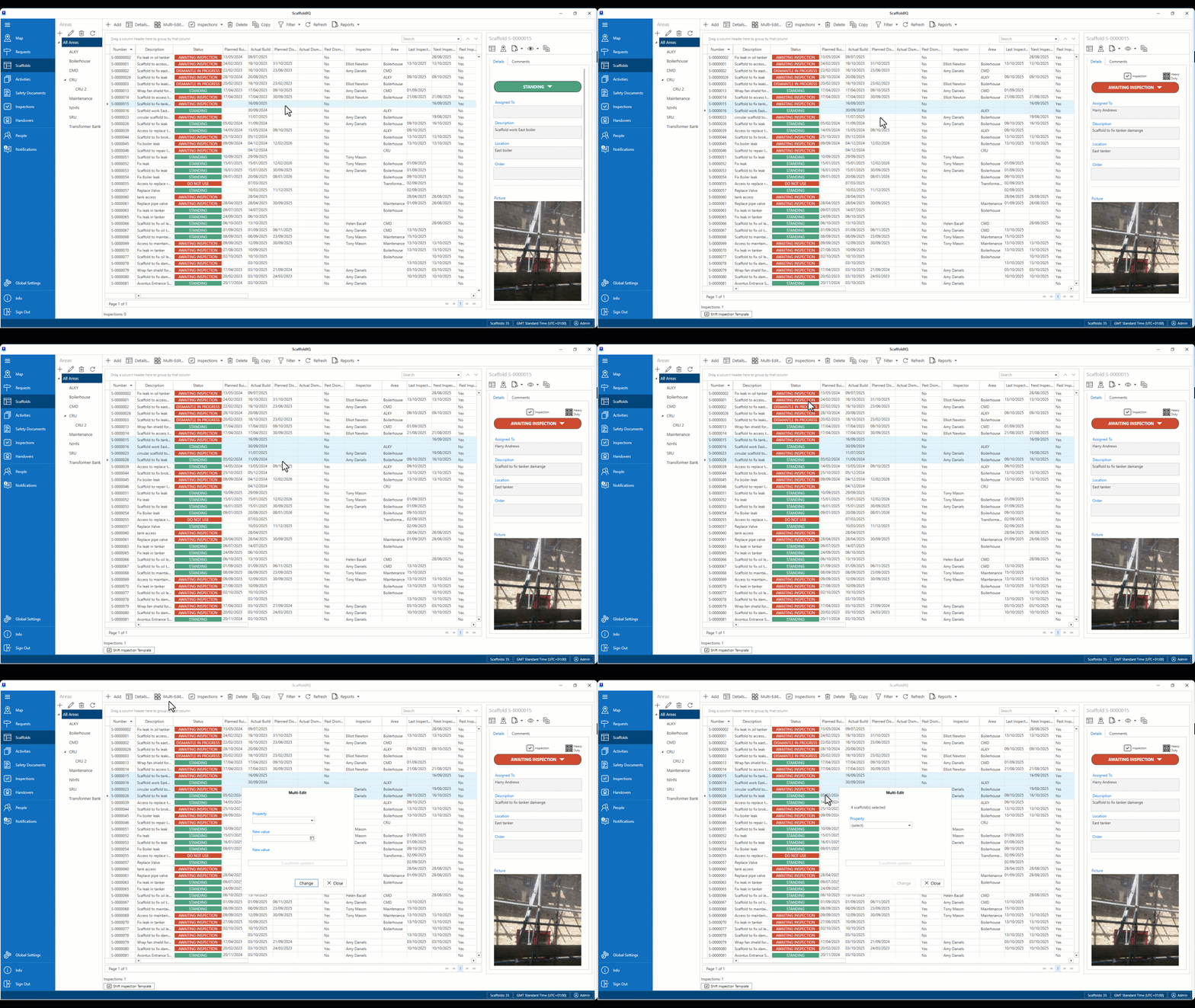
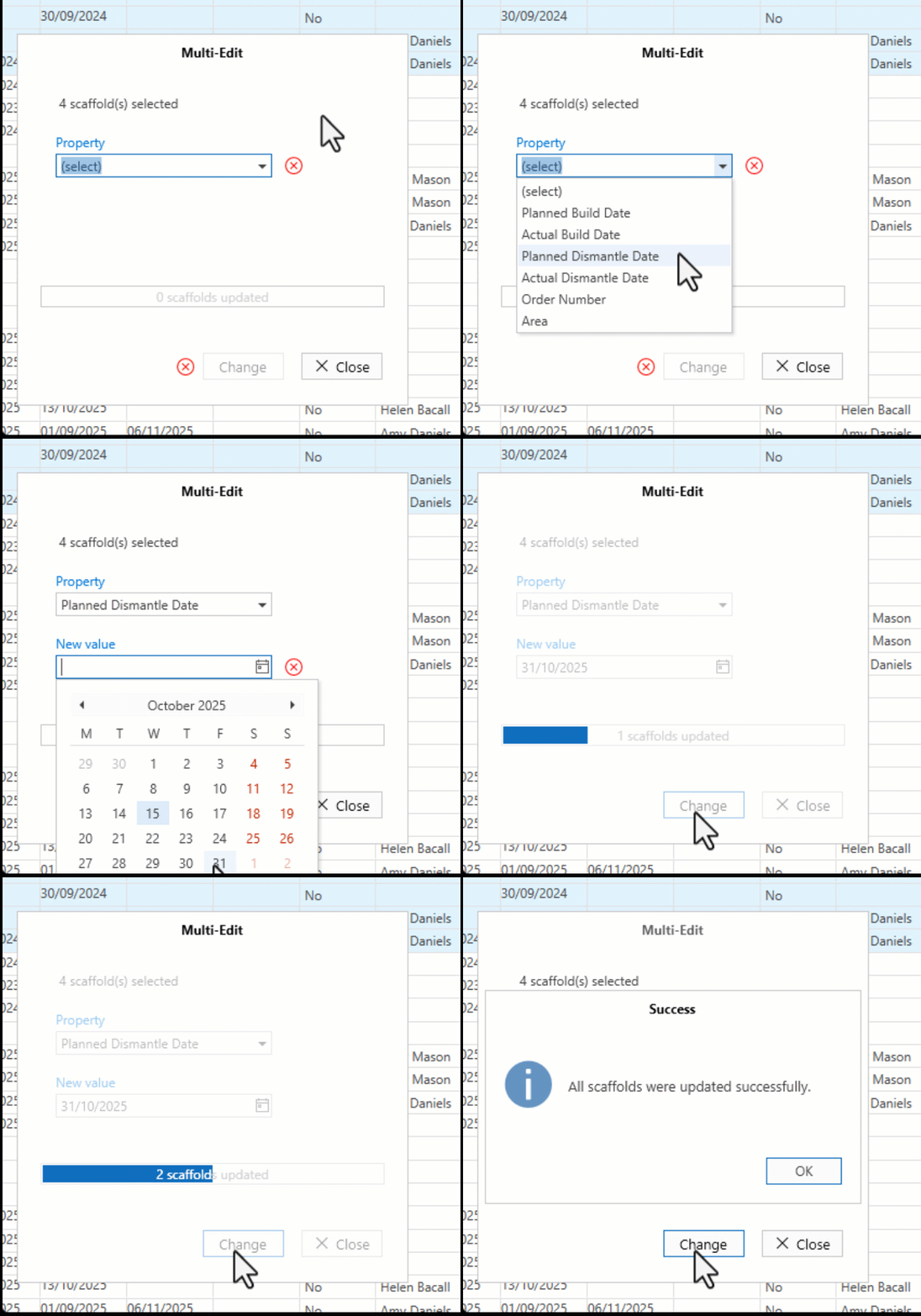
Select the property to change.
Specify the new value.
Click Change
Click OK
The scaffolds will be updated.