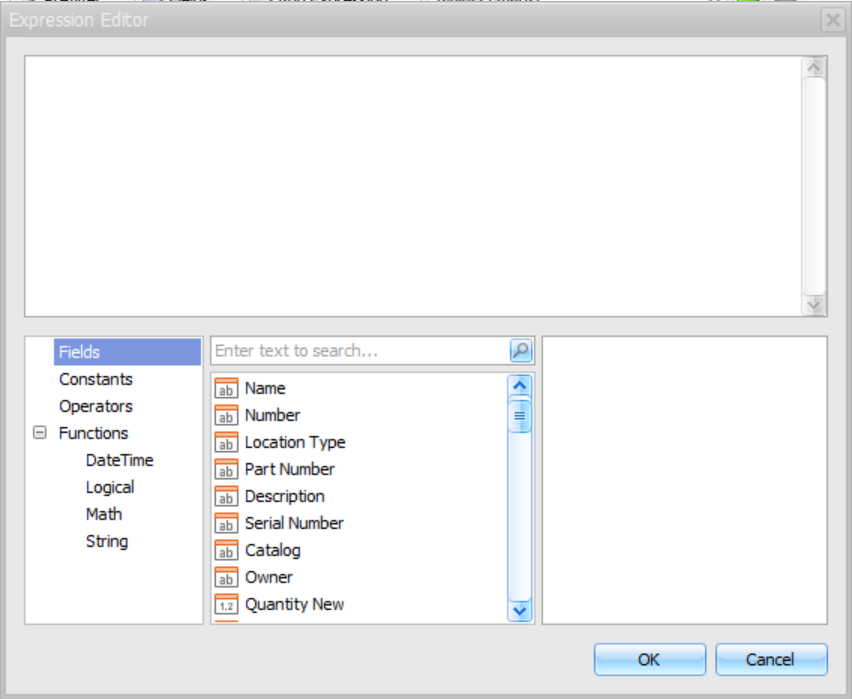
The Expression Editor enables you to create and edit various Boolean or regular expressions in controls. An expression is a string that, when parsed and processed, evaluates some value.
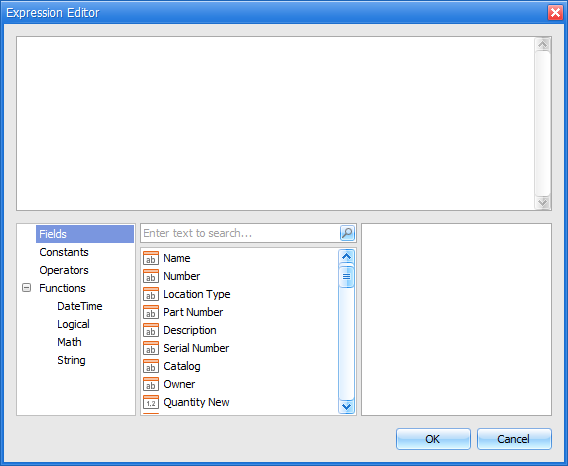
Expressions consist of column/field names, constants, operators and functions. Column/field names must be wrapped with brackets. The following are examples of regular expressions:
"[Quantity] * [UnitPrice] * (1 - [BonusAmount])"
Boolean expressions:
"[Country] == 'USA'"
You can enter or edit expressions manually or use the Editor's controls to select functions, operators, fields and constants. To do this, click a category, which exposes a list of functions, operators, fields or constants that you can select. The Expression Editor supports numerous standard functions, enabling you to easily perform different string, date-time, logical and math operations over data. You can access the available functions by selecting the Functions category.
The following pivot reports enable you to add one or more expressions to your report:
Product Pricing Pivot
Product Quantity Pivot
Scaffold Pivot
Activity Pivot
Inspections Due for Non-Completed Scaffolds Pivot
Accessing the Expression Editor
To access the Expression editor:
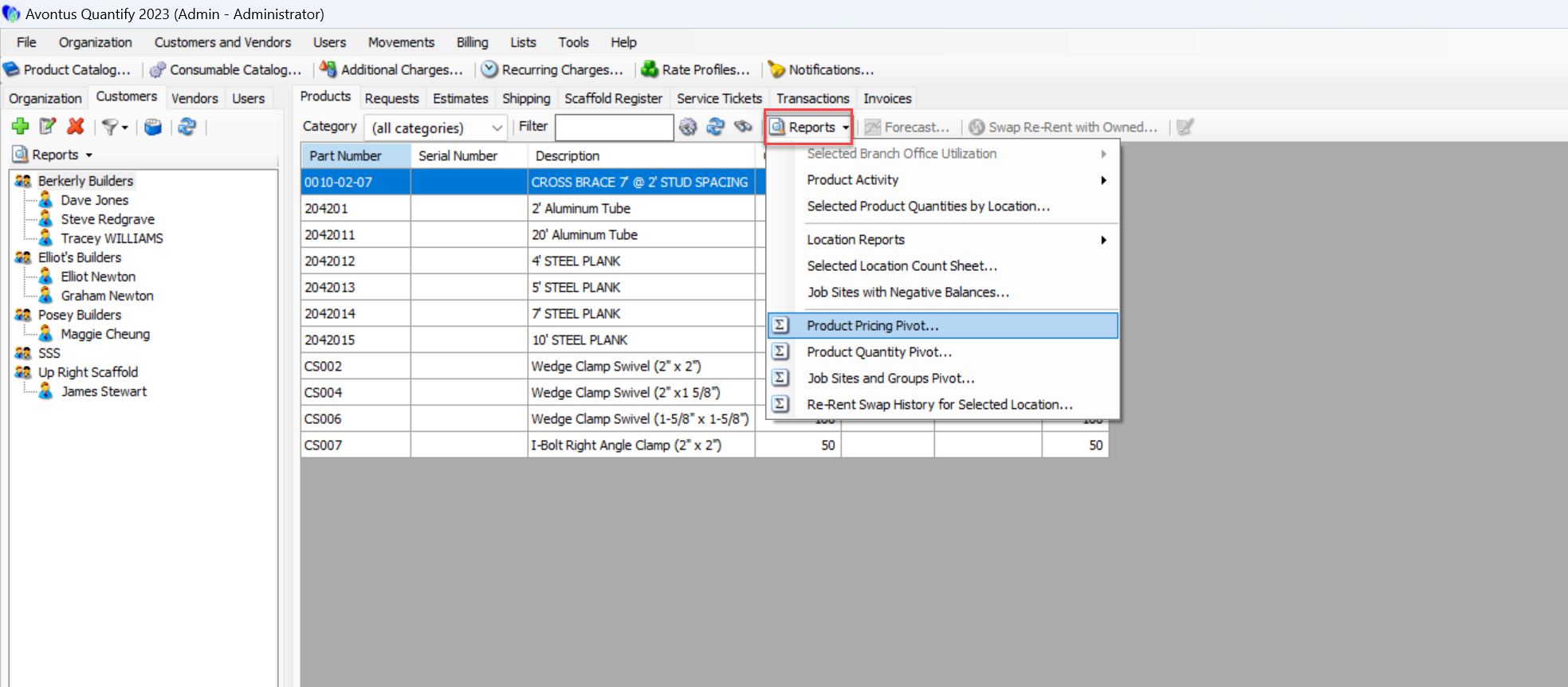
Under Reports, select Product Pricing Pivot
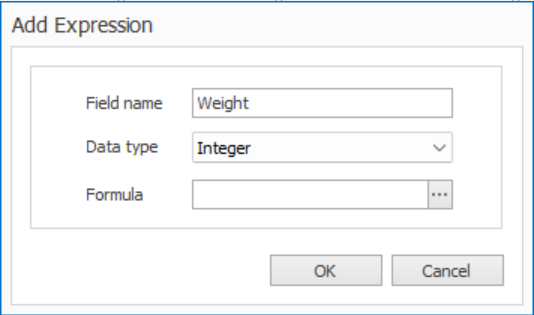
Select Add Expression
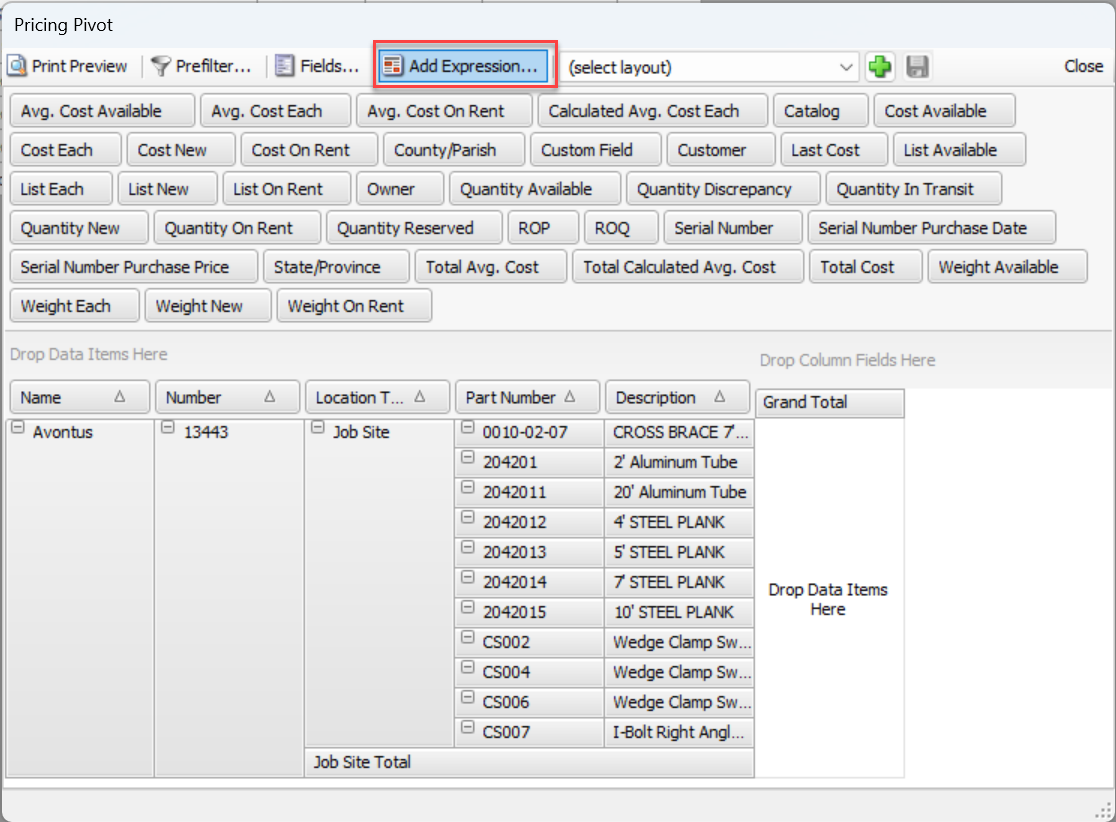
Enter a Field Name
Select a Data Type
Click ...
The Expression Editor will appear.