You can launch Avontus Designer drawing files attached to Quantify and Quantify Web dialogs (for example: Estimates, Shipments, Requests, etc.) in Avontus Designer, if Avontus Designer and Quantify are both installed. This enables you to view the scaffolds in 3D. If Avontus Designer isn't installed, you can use Microsoft Visio to open these files.
Note: If you do not have Microsoft Visio, you can download Microsoft Visio 2016 Viewer, which enables you to view Avontus Designer drawings with Internet Explorer.
To view an Avontus Designer drawing from Quantify/Quantify Web:
Note: The example below is an Avontus Designer drawing attached to a Quantify Estimate.
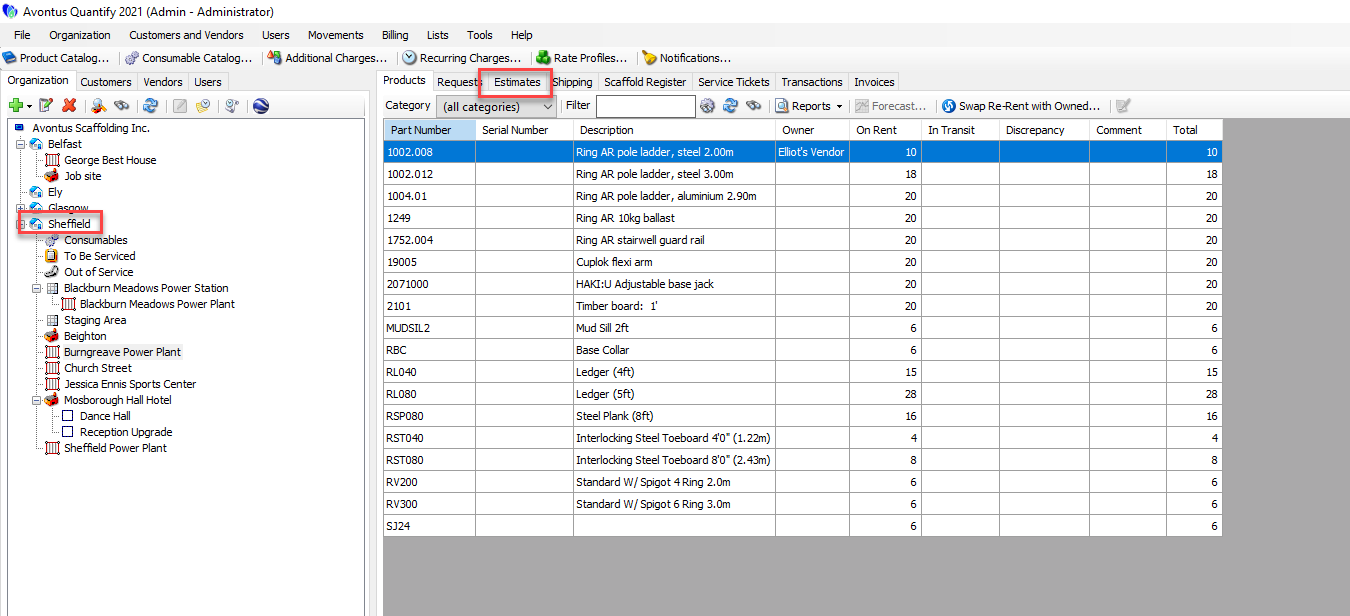
Click the appropriate node in the Organization Tree, then click the Estimates tab.
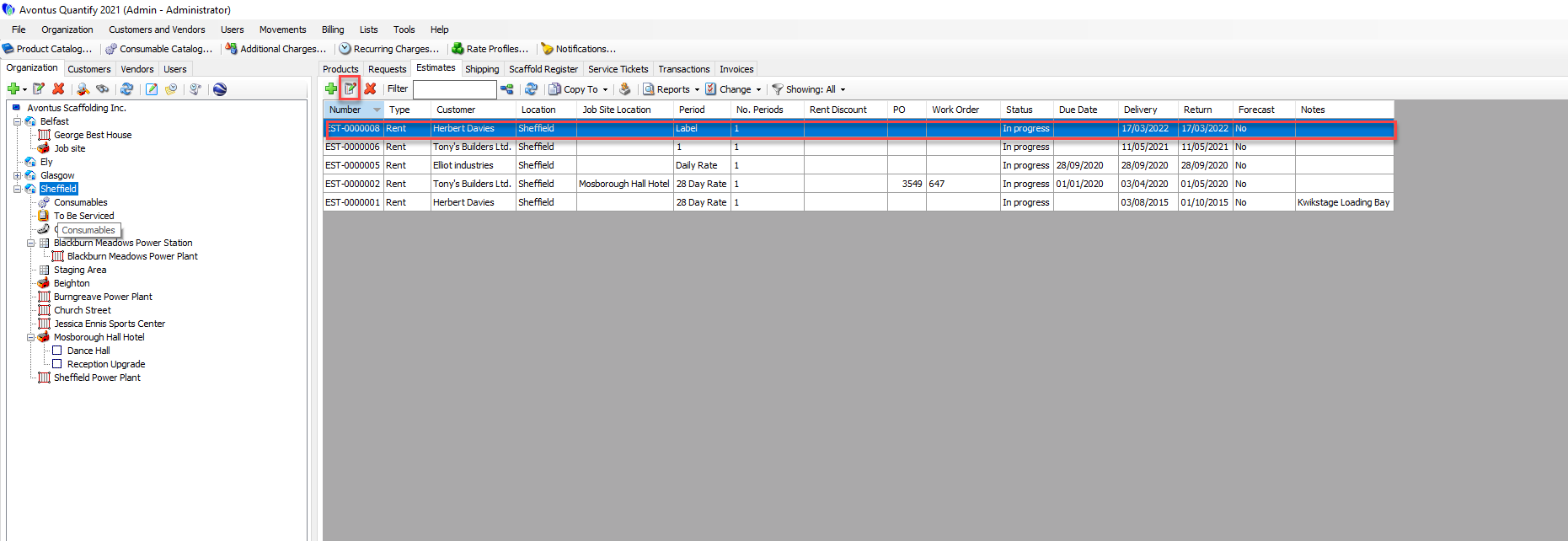
Click the Edit button (or double-click on the Estimate).
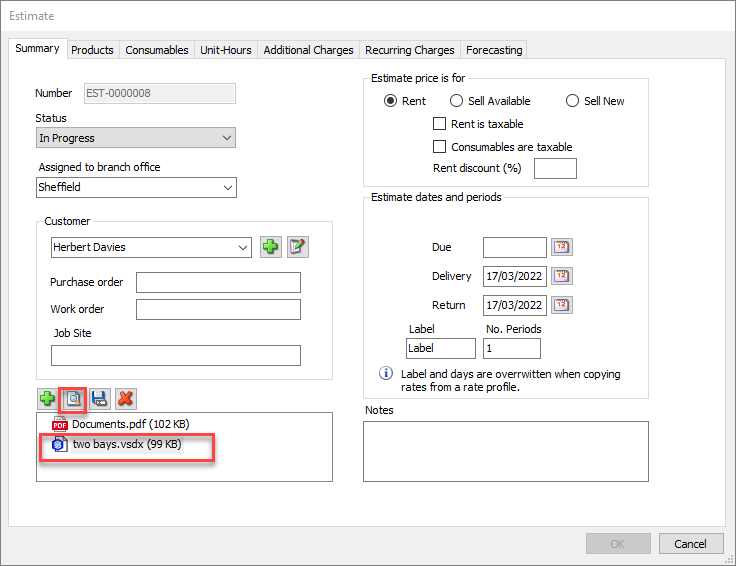
The Estimates dialog appears.Click the drawing, then click the View Selected Attachment button (
 ).
).
Note: You can also double-click on the attachment
The drawing opens in Avontus Designer if Avontus Designer is installed.
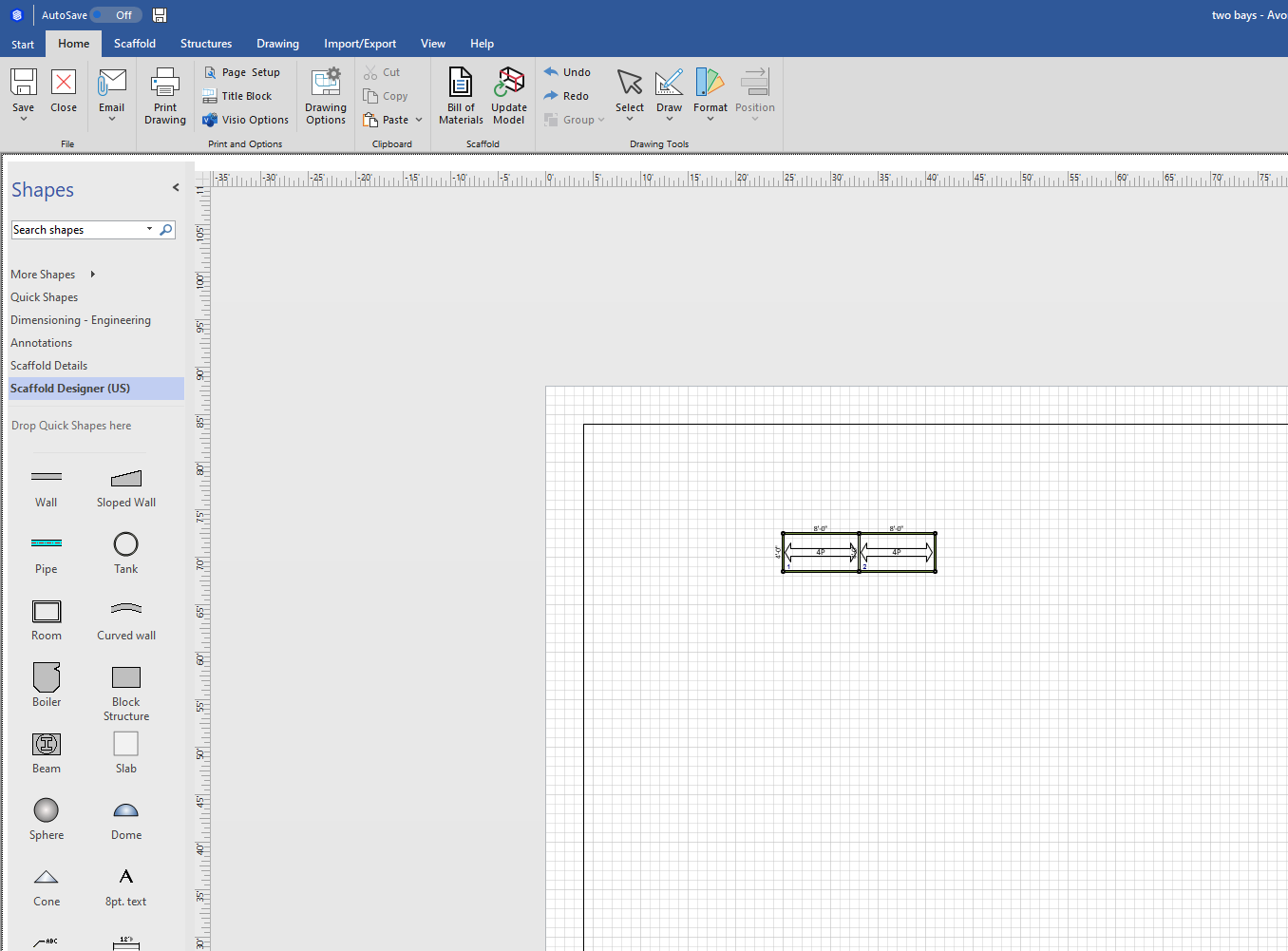
You can now use Avontus Designer features to view the drawing in 3D.