.png "image(45).png")
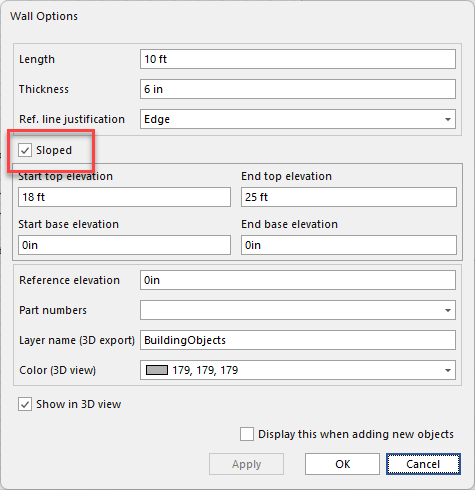
Sloped Walls are nearly identical to Walls in their characteristics, however, Sloped Walls enable you to create a slope by configuring the start bottom elevation, the start top elevation, the end bottom elevation and the end top elevation. Click the Sloped checkbox to change the wall from a sloped wall to a standard wall.
Avontus Designer enables you to convert any standard Wall you add to a Drawing Page into a Sloped Wall, without having to drag and drop the Sloped Wall drawing object.
To convert a standard Wall to a Sloped Wall:
Note: You will need to have Shape Data enabled
Right-click and select the appropriate Walls
Click the Sloped Wall droo-down and select Ture
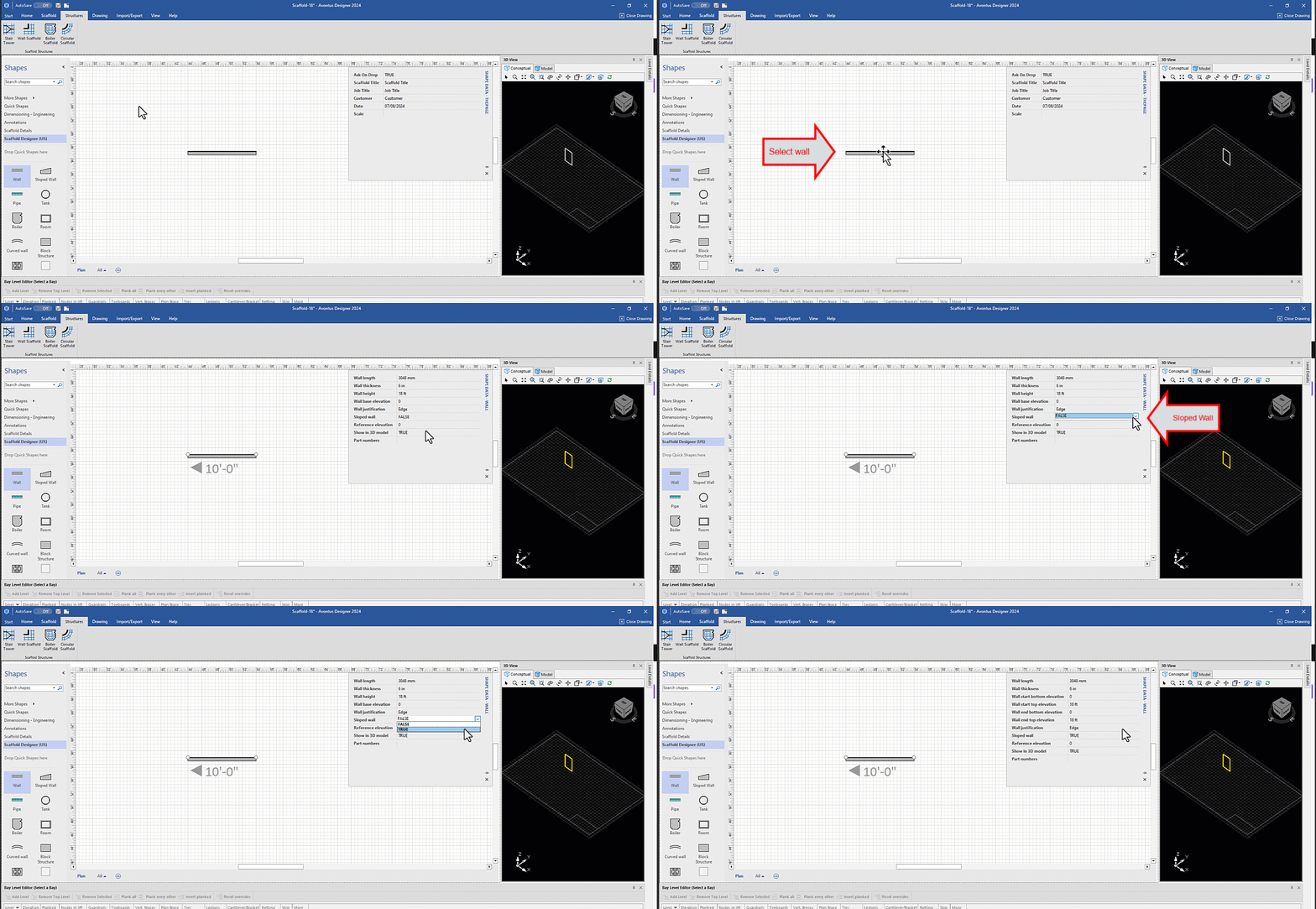
Avontus Designer converts the standard Wall to a Sloped Wall.
When you convert a standard wall to a sloped wall, new fields will be added to the Shape Data Dialog including Wall start bottom elevation, Wall start top elevation, Wall end bottom elevation, Wall end top elevation.
.png "image(48).png")
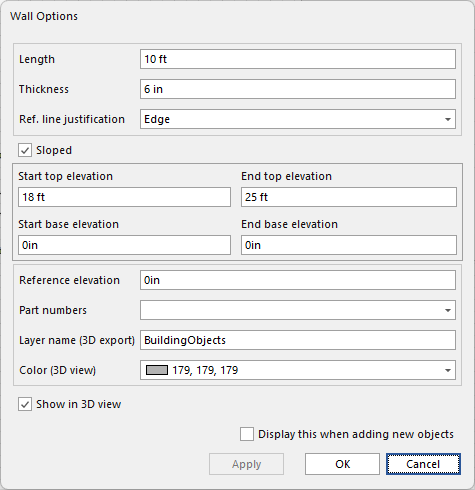
You can also click the Sloped checkbox to change the wall from a sloped wall to a standard wall and vice versa