Forecasting enables you to anticipate product allocation and demand up to a specific date.
Forecasting Calculations
In order to properly forecast Product balances, Quantify uses calculations to determine information such as current balance. These calculation examples are for a daily forecast.
Note: Future dated Delivery Shipments and Return Shipments affect the on-rent and available balances immediately and will not affect forecasting.
Definitions
Current Balance (CB)
This is the available balance for Products at a Branch Office or Sub-Branch, including re-rented Products currently stocked at the Branch Office or Sub-Branch.
Estimate Deliveries (ED)
These are Product quantities on Estimates included in forecasting. If distribution has not been defined, Quantify includes all quantities as of the delivery date. If distribution has been defined, Quantify includes quantities based upon the distribution schedule.
Estimate Returns (ER)
These are Product Quantities on estimates included in forecasting. If distribution has not been defined, Quantify includes all quantities as of the Return Date. If distribution has been defined, Quantify includes quantities based upon the distribution schedule.
Planned Returns (PR)
These are the on-rent product balances (including in-transit and re-rent quantities) for Job Sites/Groups under the selected stocking location where a Job Site end date has been defined. If Reservations exist for the Job Site/Group, Quantify includes reserved quantities based upon the planned delivery date.
This is also the on-rent Product balances (including re-rent quantities) for Scaffolds under the selected stocking location where a planned dismantle date has been defined.
Reserved Deliveries (RD)
These are Product Quantities in Reservations. Reservation quantities affect the forecast on the planned ship date.
Staging Area Balance (SAB)
This is the available balance for Products at all Staging Areas under the selected Branch Office or Sub-Branch.
Starting Balance
This is the beginning balance on today's date. Quantify ignores discrepancies.
Starting Balance = CB + In Transit + Reserved + SAB
Projected Daily Balance (PDB)
This is the projected balance for a given date. Quantify ignores discrepancies.
For the first day of the forecast:
Projected Daily Balance = SB - ED + ER - RD + PR
For subsequent days of the forecast:
Projected Daily Balance = Yesterday's PDB - ED + ER - RD + PR
Using the Forecasting Pivot
Forecasting enables you to anticipate Product allocation and demand through a specific date.
Note: Forecasting is available for Branch Offices and Sub-Branches.
To use the Forecasting pivot:
Click the appropriate Branch Office or Sub-Branch.
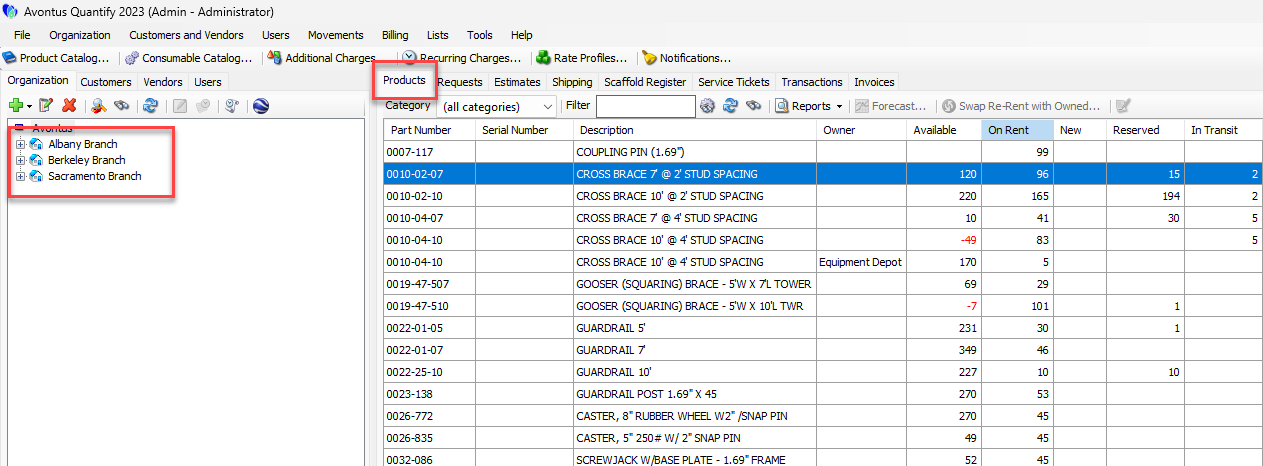
In the Products tab, then click Forecast.
The Forecasting dialog appears.Click the Choose Forecast End calendar icon (
 ).
).
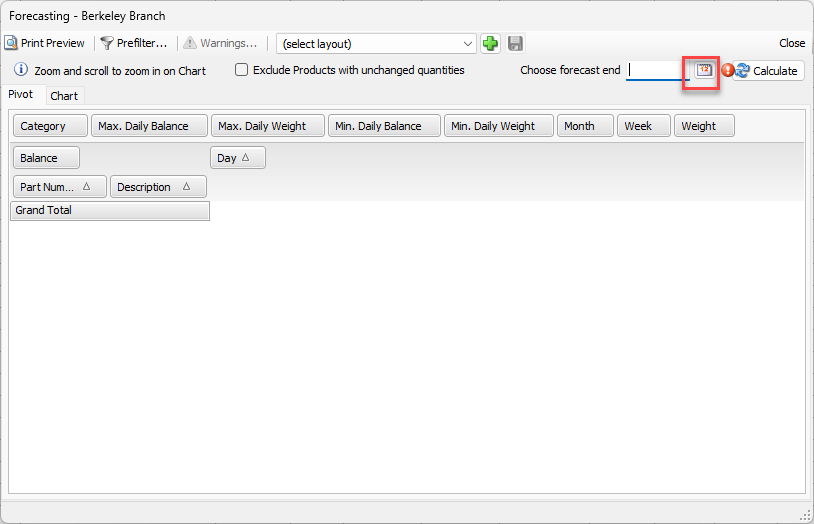
The calendar appears.
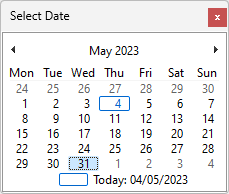
Locate and click the appropriate date for the end of the forecast. Quantify forecasts balances through this date.
Note: Click Exclude Products with unchanged quantities to display only Products that have a change in balance during the displayed time frame. This will update the pivot and chart results.
Click Calculate.
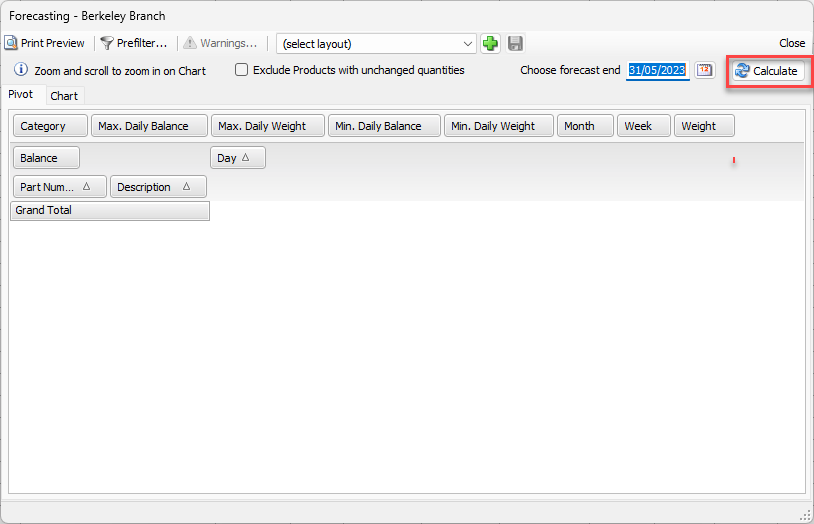
Quantify generates the report.
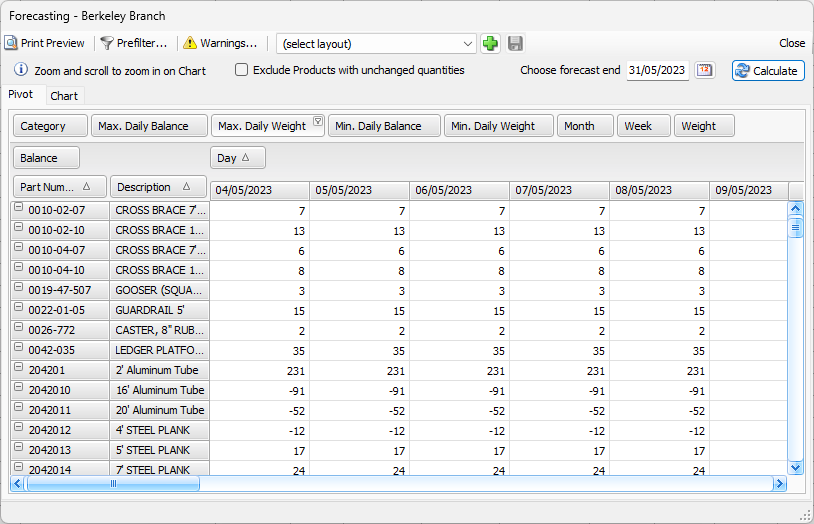
Note: Click Exclude Products with unchanged quantities to display only Products that have a change in balance during the displayed time frame. This will update the pivot and chart results.
Quantify can display results in either pivot or chart format. For more information about using pivot reports, refer to Creating and Managing Pivot Reports.
If enabled, click Warnings to view any warnings for the report. For additional information about warnings, refer to Forecasting Warnings below.
For additional information about charted results, refer to Viewing Forecasting Results in a Chart below.
For more information about how forecasting results are calculated, refer to Forecasting Calculations above.Note: Future dated delivery shipments and return shipments affect the on-rent and available balances immediately and will not affect forecasting.
Viewing Forecasting Results in a Chart
Quantify can display forecasting results in both pivot and chart format.
Note: You can print any chart, as displayed at the time.
To view forecasting results in a chart:
Click the Chart tab.
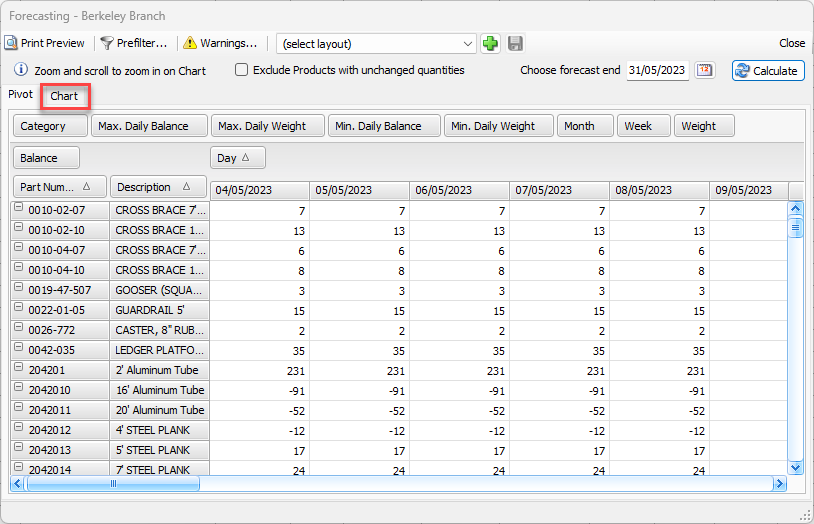
The Forecasting dialog refreshes, displaying the chart. Quantify applies existing filters and options to the chart.
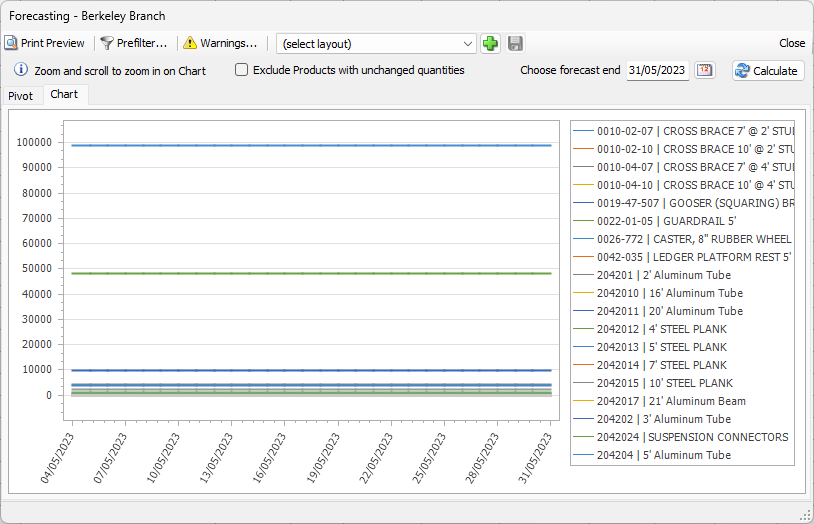
Hover your cursor over any date to see specific quantities.
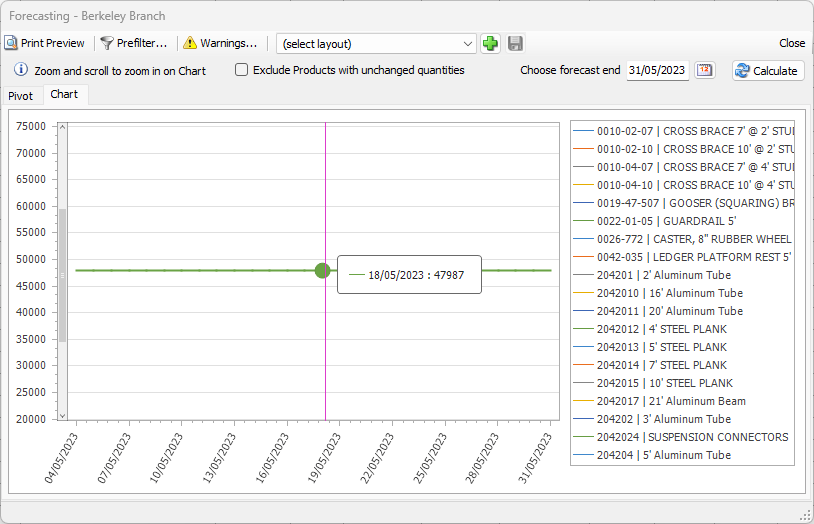
Zoom and scroll to focus on a specific product.
Forecasting Warnings
Forecasting reports display warnings when certain balances or settings affect the report results.
Warnings include:
Estimate [Estimate Number] has a planned delivery date prior to today's date [Date] and has been excluded from the forecast
This warning occurs when an Estimate is enabled for forecasting AND has a planned delivery date prior to the current date AND has a planned return date that falls within the forecast time frame.
Job Site/Group [Name] has an end date prior to today's date [Date] and has been excluded from the forecast
This warning occurs when the location has an end date that occurs prior to the current date. Quantify excludes all product balances associated with the location.
Reservation [Reservation Number] has a planned ship date prior to today's date [Date] and has been ignored in the forecast
This warning occurs when a Reservation has a planned ship date prior to the current date. Quantify includes Reservation quantities in the Branch Office balance for the forecast. This Reservation does not affect forecast results.
Reservation [Reservation Number] has a planned ship date that is after the end date [Date] on Job Site/Group [Name] and has been ignored in the forecast
This warning occurs when a Reservation has a planned ship date that occurs after the end date on the To location. Quantify includes Reservation quantities in the Branch Office balance as calculated for the forecast. This Reservation does not affect forecast results.
Scaffold [Tag] has a planned dismantle date prior to today's date [Date] and has been excluded from the forecast
This warning occurs when the Scaffold has a planned dismantle date that occurs prior to the current date. Quantify excludes all product balances associated with the Scaffold.