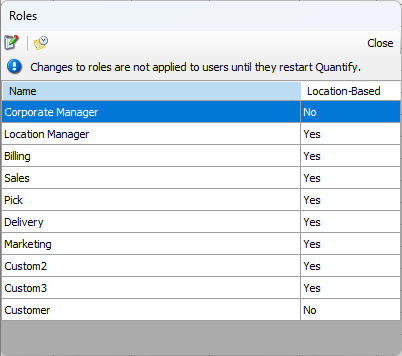
Each Quantify User has an account that has been created for them and a Role assigned to that account. Because of the permissions assigned to a Role, a Role dictates what that User can and cannot do when logged into Quantify. Refer to Working with User Accounts and Roles.
Roles and Permissions
A role is a group of permissions. Quantify comes with eight standard roles (including the Administrator role). You can create three additional custom roles, if necessary. Each role has a set of permissions that matches the tasks an end-user assigned that role has the ability to do in Quantify. The Administrator role has all permissions. You cannot customize the Administrator role, but you can customize any other role as needed.