Use the Additional Charges tab to add any additional fees required, e.g. freight or labor charges. In the example below, a credit fee and labor fee have been applied to the Estimate.
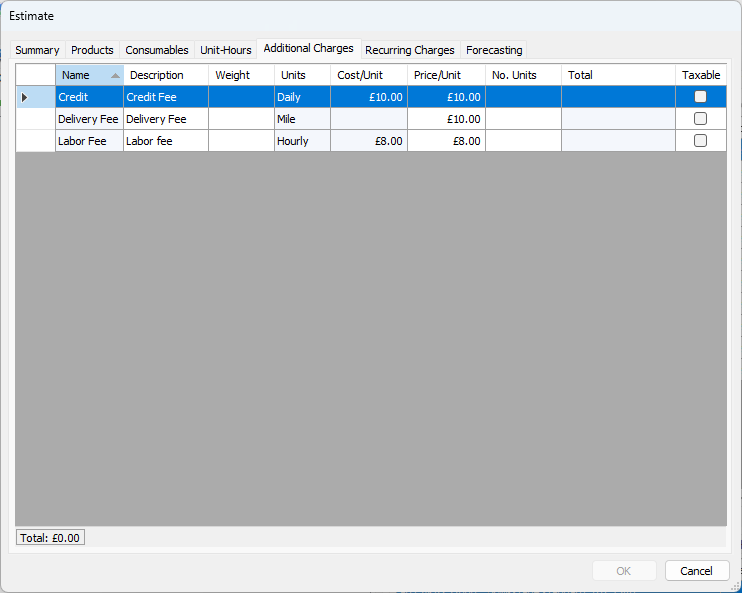
| Name | This column displays the name each current Additional Charge. |
| Description | This column displays a short description of each current Additional Charge. You can edit the entries in this column. |
| Weight | This column displays the weight (if any) of each current Additional Charge. You can edit the entries in this column. |
| Units | This column displays the type of unit for each current Additional Charge. |
| Cost/Unit | This column displays the cost of each unit for each current Additional Charge. |
| Price/Unit | This column displays the price charged for each current Additional Charge. You can edit the entries in this column. |
| No. Units | Use this column to enter the number of Additional Charges that will be used for the current Estimate. |
| Total | This column displays the total amount to be charged for each Additional Charge. |
| Taxable | Use the checkboxes in this column to declare that an Additional Charge is taxable. A check in a checkbox means the charge is taxable. |