You can change the location of a Scaffold, if it has been placed incorrectly or moved on the job site.
Instead of moving a Scaffold, you can also copy a Dismantled Scaffolded but this can only be done on the Desktop app.
To change the location of a Scaffold
Go to the Scaffolds screen.
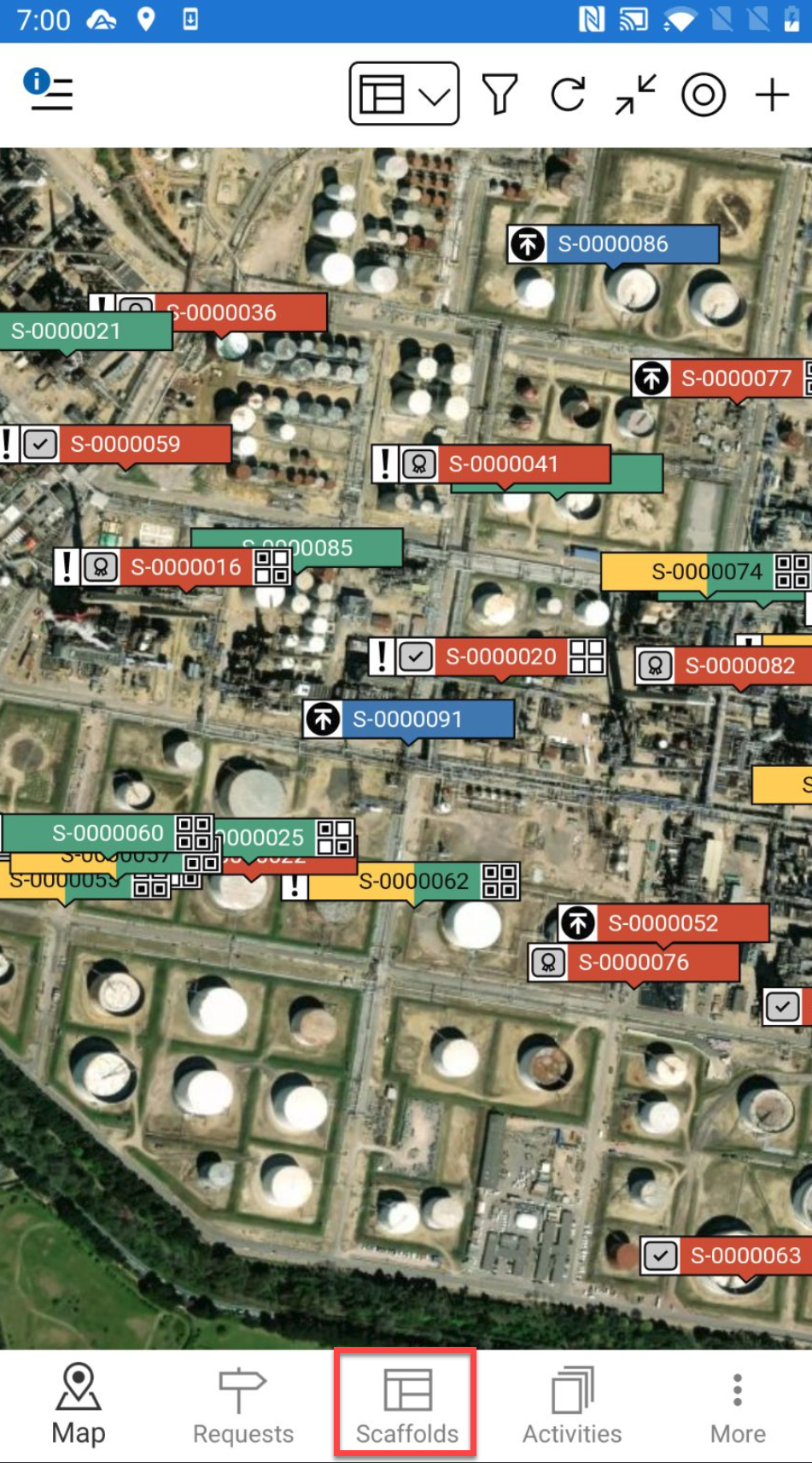
Locate the scaffold you are looking for via its ID or any other known details.
Tap the request or scaffold to open.
In the Scaffold Details, tap the ... in the top right.
Select Edit.
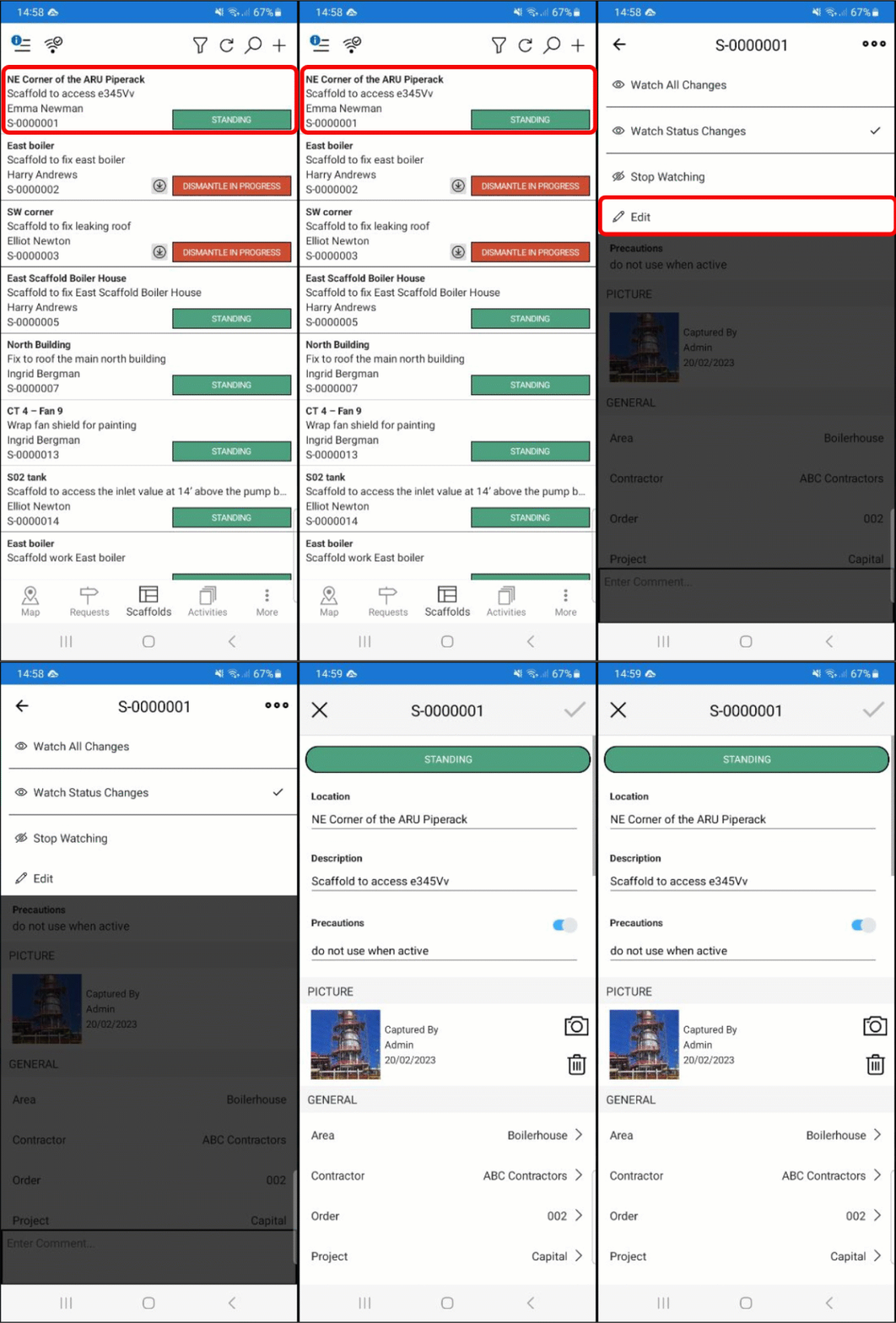
Scroll down and tap the Location section.
You will be taken to the map screen where you can specify the new location of the scaffold.Drag the crosshair to the new location and tap the tick icon.
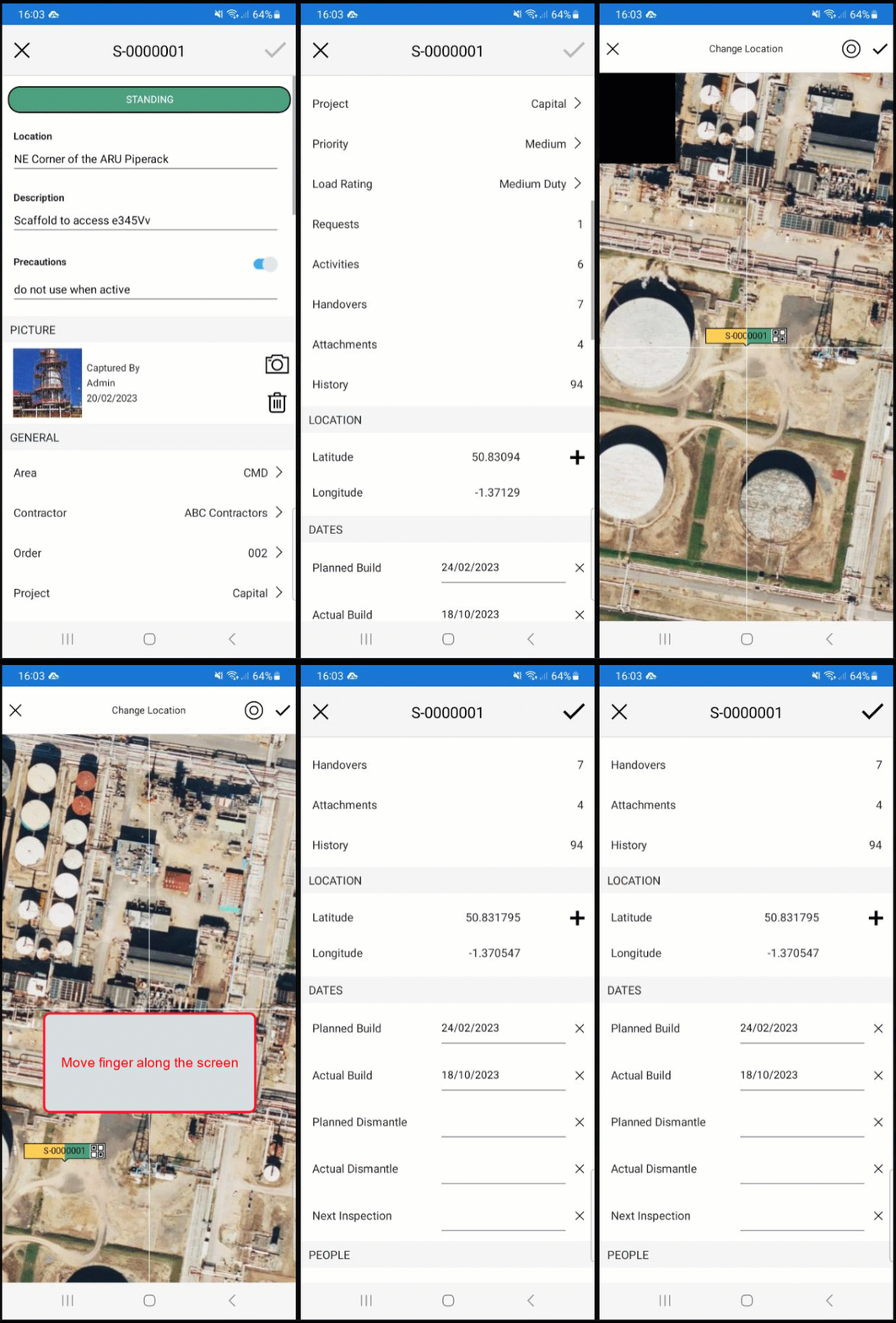
Note: You can select the My Location icon (
) to be taken to your location.