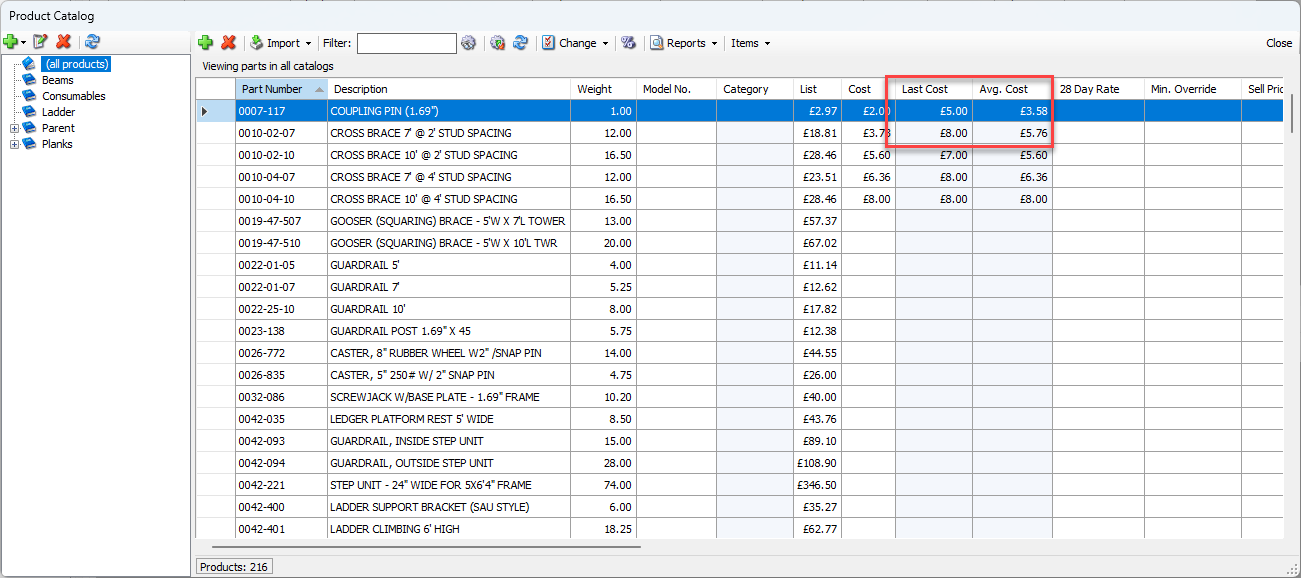
Create a transaction in Quantify when you want to purchase available or new Products and Consumables. Based on the completed Transaction, Quantify will adjust inventory levels as appropriate. Quantify also updates last cost and average cost information when you purchase available inventory.
Note: The procedures in this section uses the purchase available Transaction. However they are identical for purchasing new and purchasing Consumables transactions.
To create a Transaction:
Click the Transactions tab.
Click the Add button (
 ) and select Purchase Available Products from the menu that appears.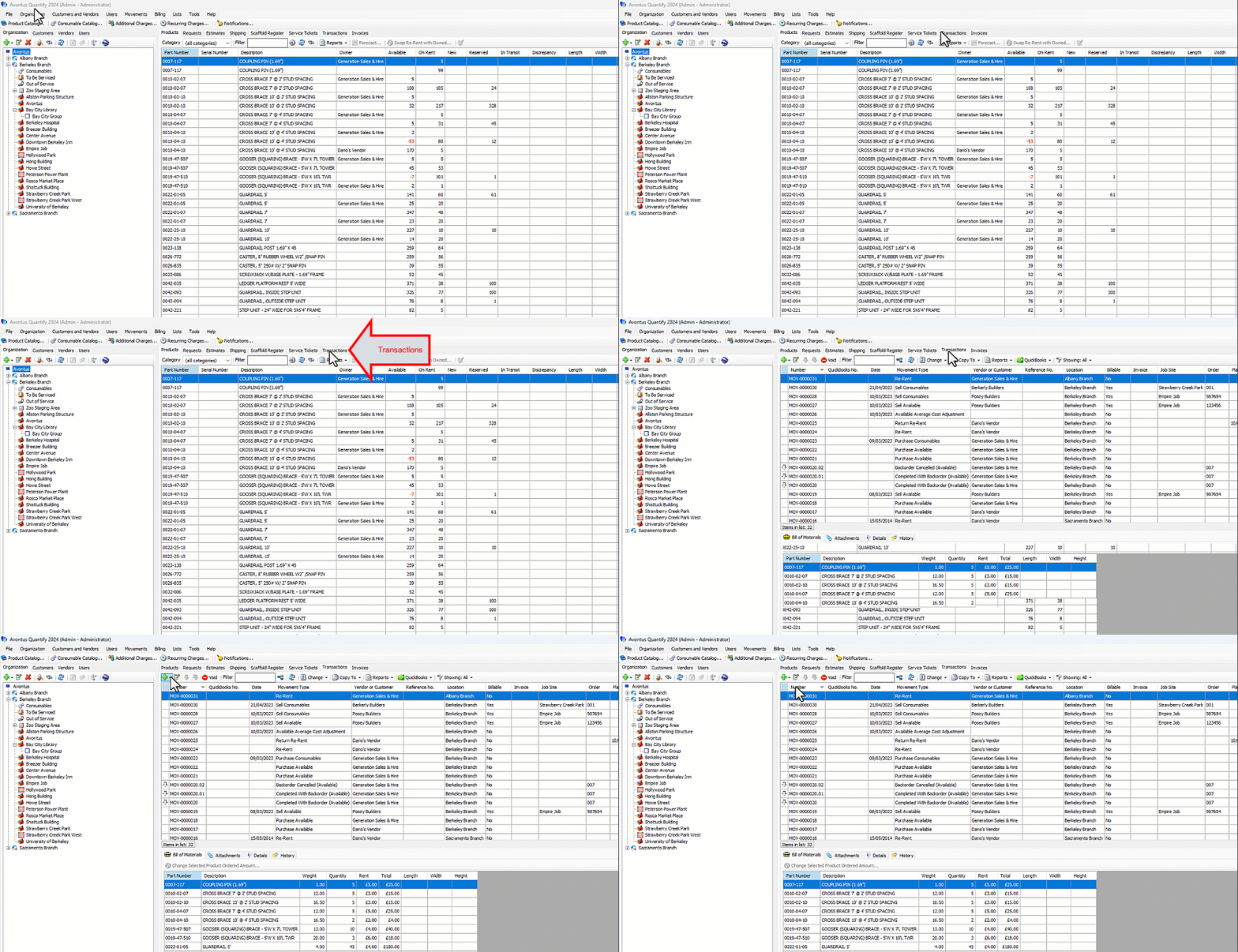
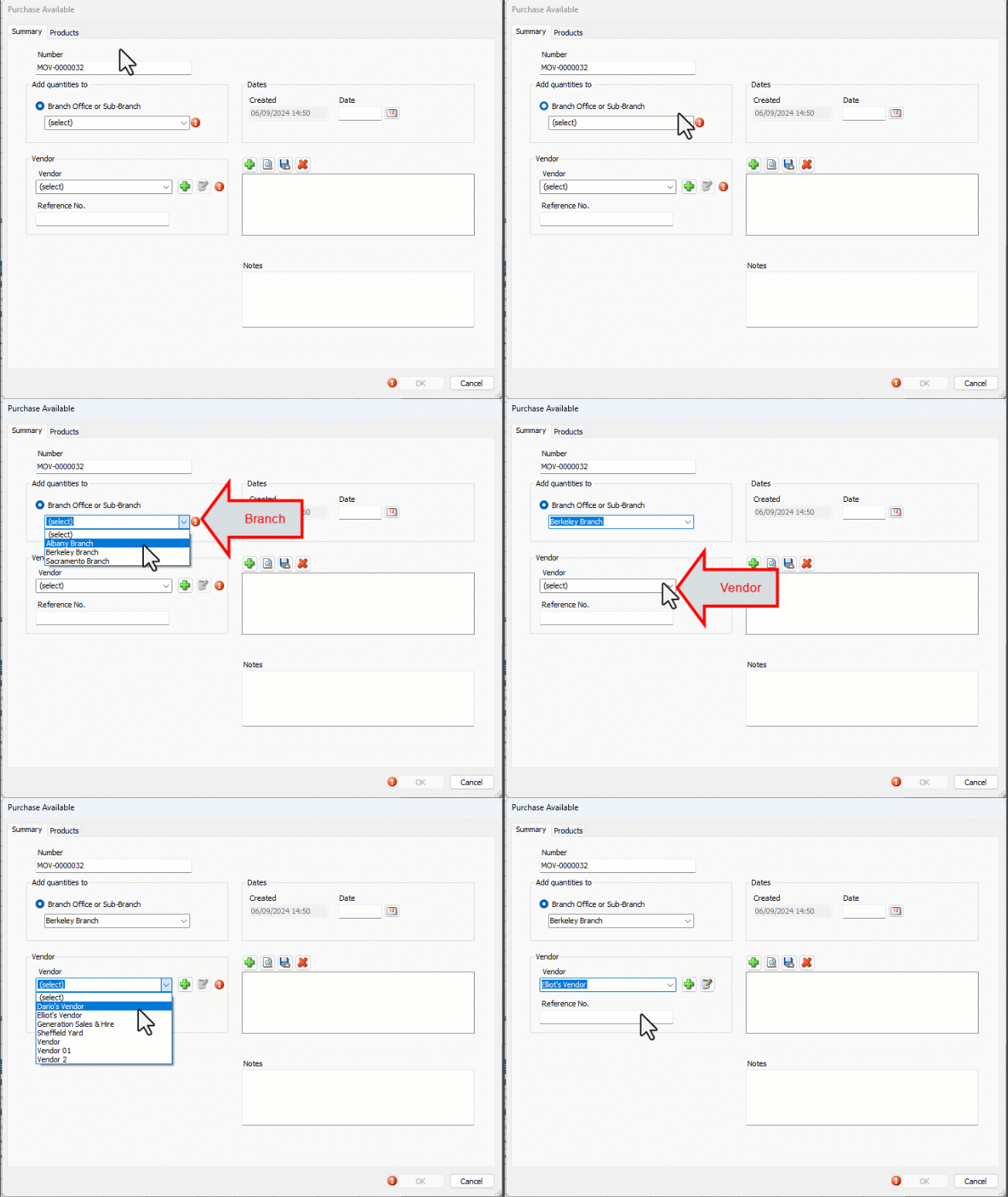
The Purchase Available dialog appears.Note: The procedures below only contain the required fields.
Click the Branch Office or Sub-Branch dropdown and select the appropriate Branch Office or Sub-Branch.
Click the Vendor dropdown and select the appropriate vendor.
Note: You can add the vendor to database by clicking the Add button (
).
Click the Products tab.
The Purchase Available dialog refreshes.Locate the appropriate Product, click in its cell in the Quantity column and enter the quantity to purchase.
Click in its cell in the Cost Ea. column and enter the cost of each one piece.
Click OK.
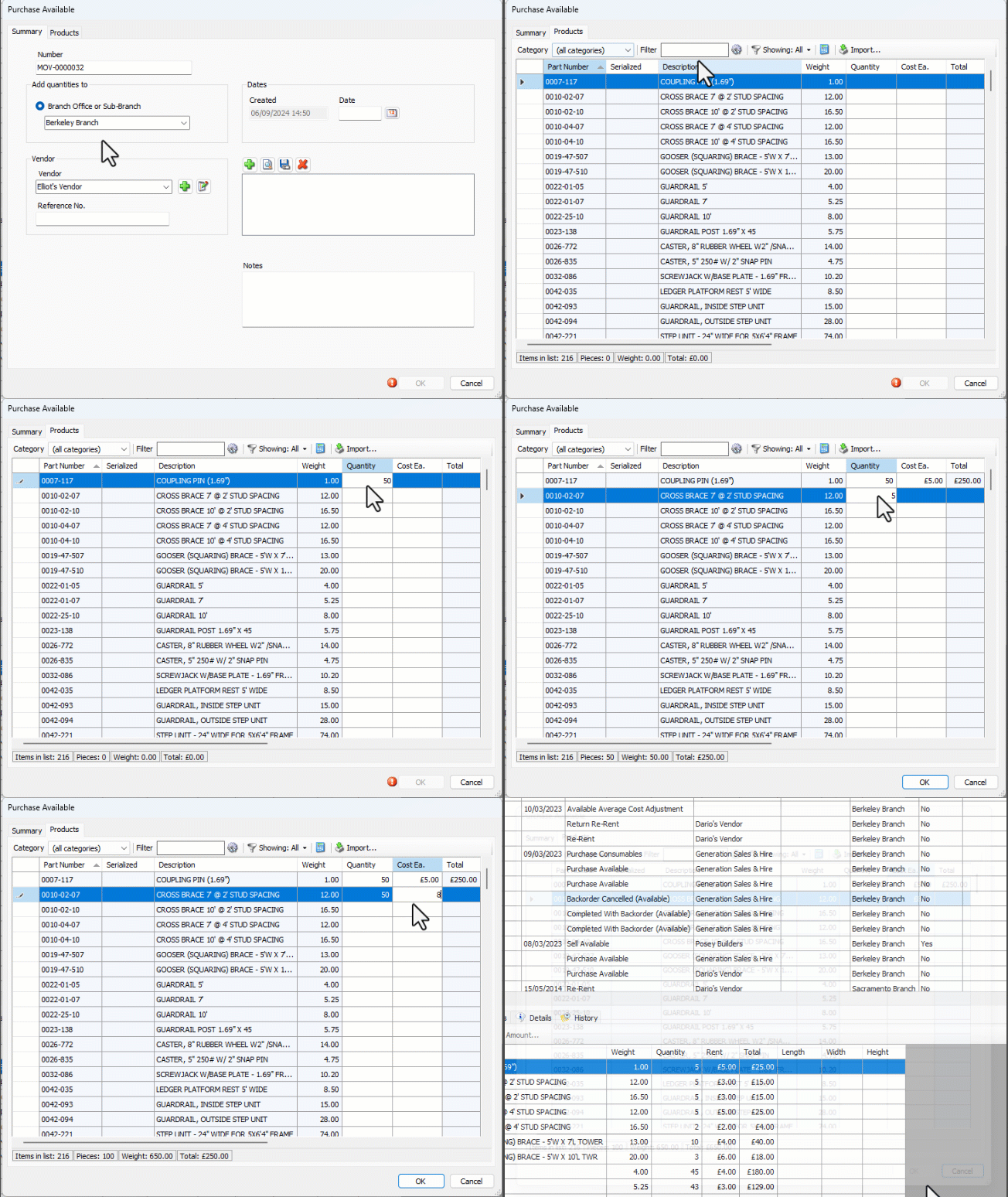
Quantify updates inventory balances.
Quantify also updates the last cost and average cost for purchased Products. You can view these numbers in the Product Catalog.