llllYou can add a regular and Scaffold Tracking Job Sites to a Branch Office, a Laydown Yard or a Staging Area. You can add as many billable and non-billable Job Sites as you like. Quantify applies Billing Methods, Rate Profiles and Taxes to regular and Scaffold Tracking Job Sites and to Groups. The three work together to create a Job Site that is billable and to create applicable invoices.
Note: Because Job Sites and Groups contain the same functionalities, their dialogs are identical, except for the names, Job Site and Group. Therefore, explanations and procedures that apply to one also apply to the other.
Important: The procedures below only use the default required fields for a Job Site. Some accounting software packages require more information for successful integration. For example, some packages require that the Job Site have an ID assigned, so you must also enter the appropriate ID into the ID in accounting software text field of the General tab.
To create a Regular Job Site :
Note: This will only detail how create a job site with the minimum settings completed. For a more complete explanation on setting just a Job Site, please see Configuring the Job Site General Tab and the preceding articles. You can also check out the Add Job Site video.
Click the appropriate Branch Office, Laydown Yard or Staging Area in your Organization Tree.
Click the Add button
Select Add Job Site from the dropdown that appears.
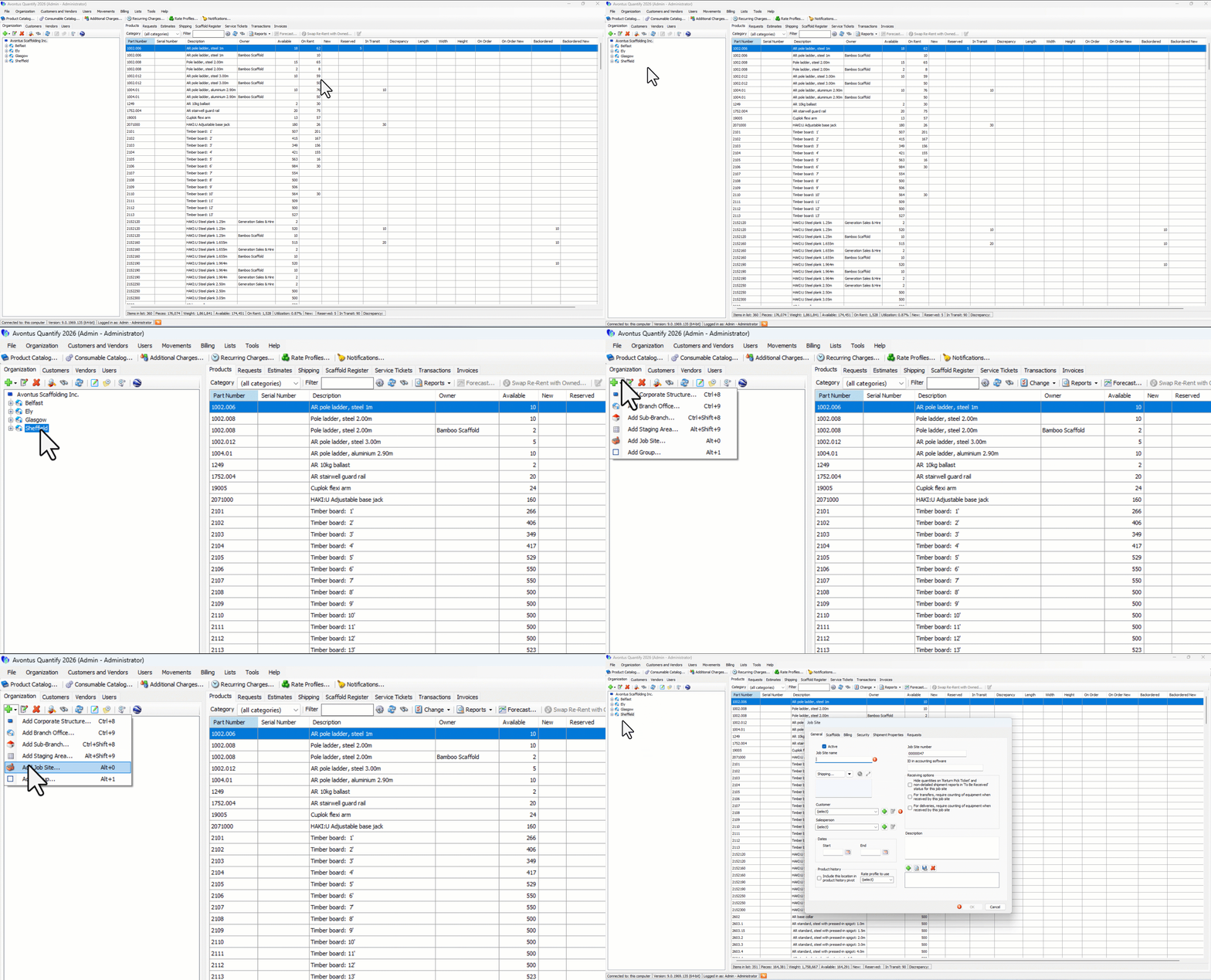
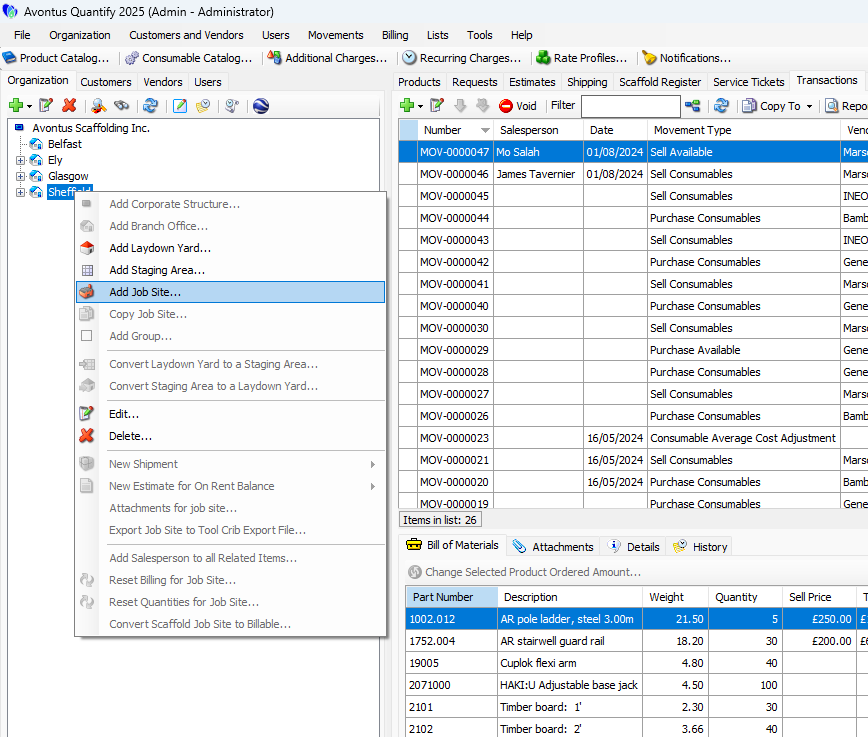
Note: You can also right-click the Branch Office and then select Add Job Site
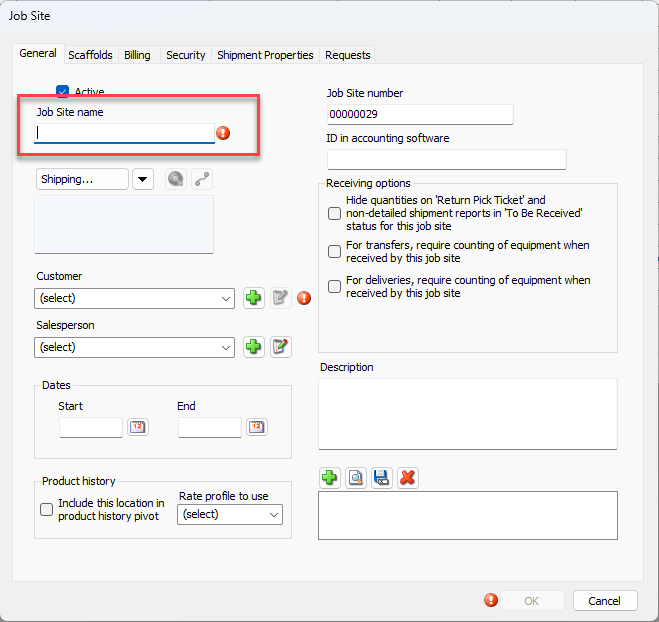
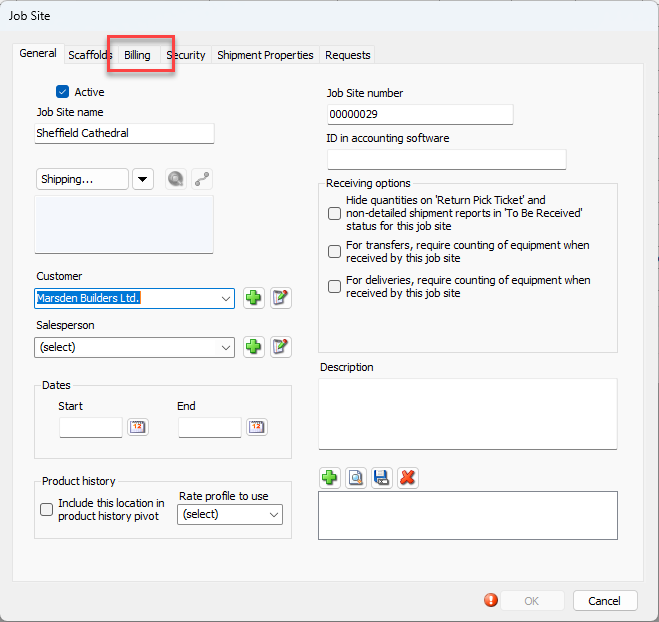
The Job Site dialog appears. The mandatory fields for a Job Site are:Job Site Name
Customer
If the Job Site is Billable, Billing Method details and Rate Profile
Note: Required fields may vary based upon company settings.
Click in the Job Site Name text field and enter the name for the new Job Site.
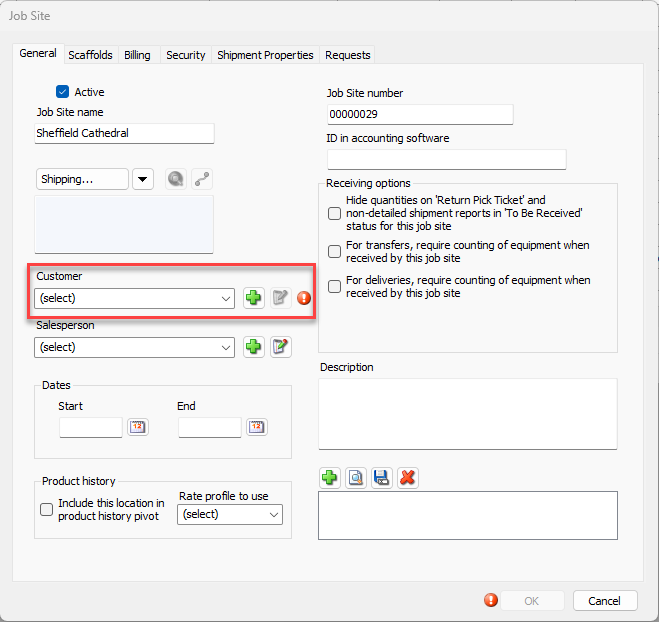
Click the Customer dropdown and select the appropriate customer.
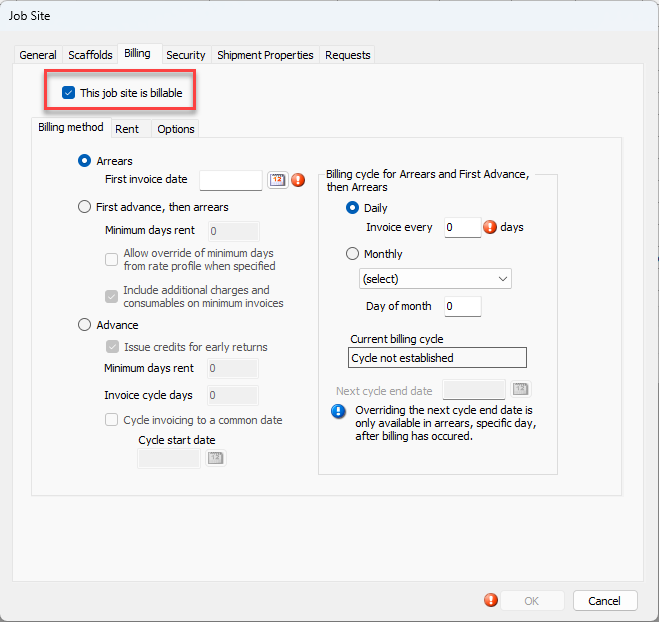
Go to the Billing tab
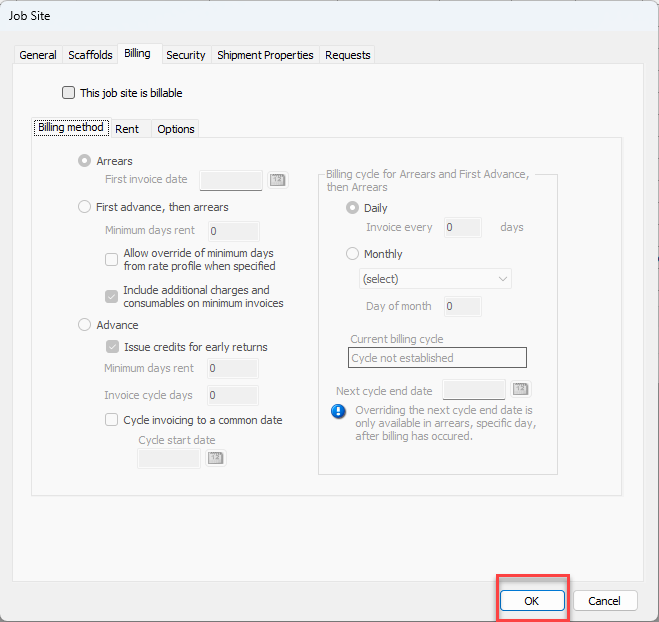
Disable the This Job Site is Billable checkbox
Click OK.
The Job Site dialog has six tabs with which you can configure the Job Site. Use these articles to help you finish the configuration of your Job Site.