The Bay Level Editor allows you to make changes to specific levels of a bay.

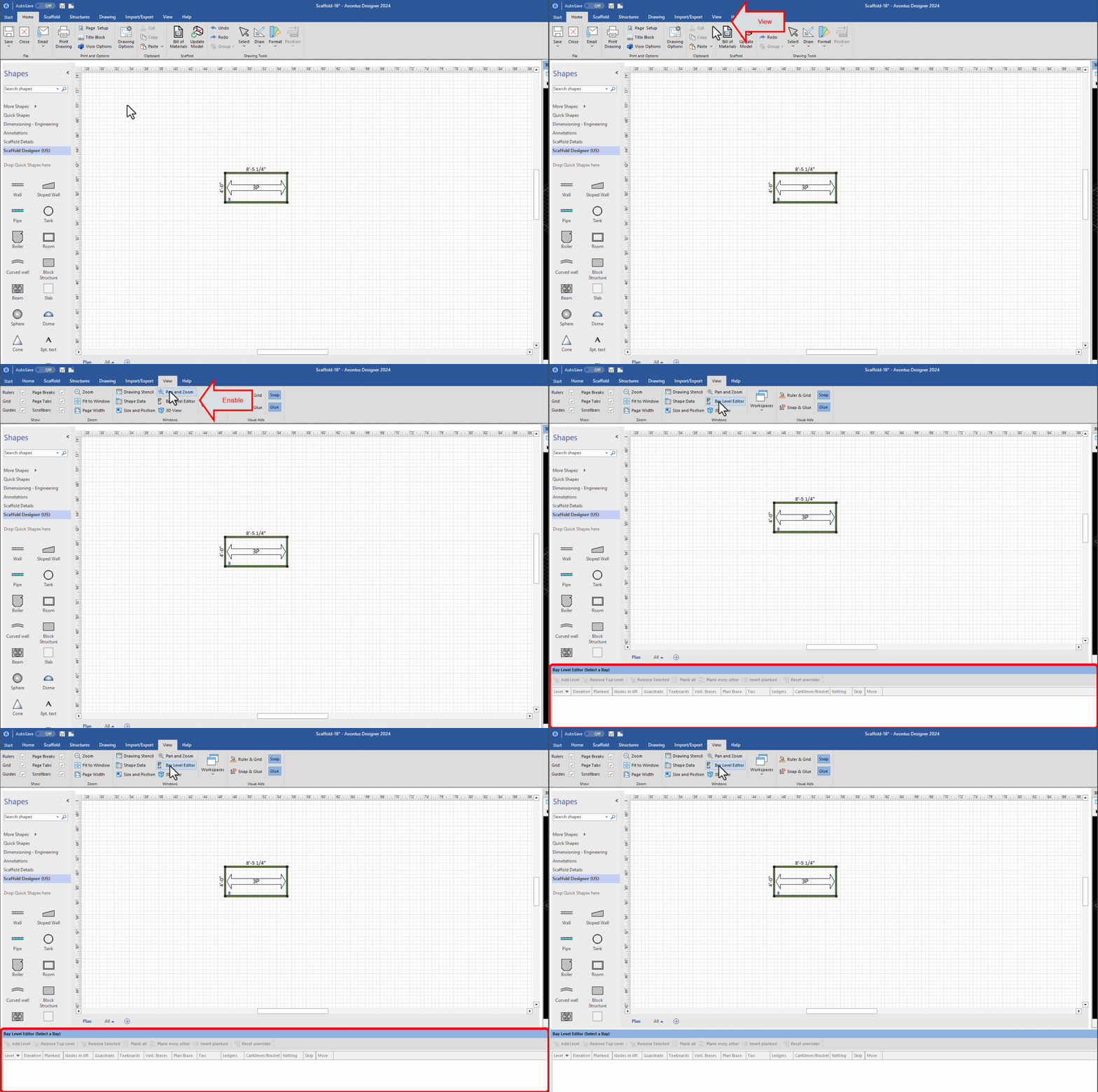
To enable the Bay Level Editor:
In the toolbar, select View
Select Bay Level Editor
The Bay Level Editor will appear in the bottom panel of Avontus Designer.
The Bay Level Editor allows you to make changes to specific levels of a bay.
To enable the Bay Level Editor:
In the toolbar, select View
Select Bay Level Editor
The Bay Level Editor will appear in the bottom panel of Avontus Designer.