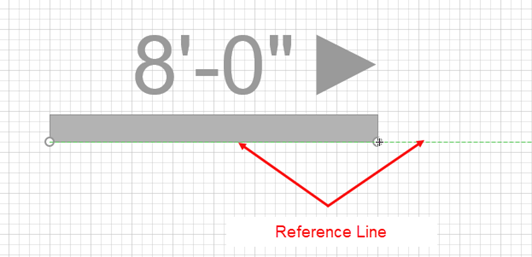
Sometimes you may need to reverse the direction of a Wall shape. You can flip the Wall along the green, dashed reference line that appears when you grab the shape at one its circular endpoints. Reference lines are a key concept in understanding how to work with Walls. For more information about reference lines, see the Reference Lines topic.
To reverse the direction of a Wall:
- Right-click the appropriate Wall and select Flip Wall on Reference Line from the menu that appears.

After flipping the Wall, you can see that the reference line is below the Wall and that the Wall direction is facing the opposite direction: