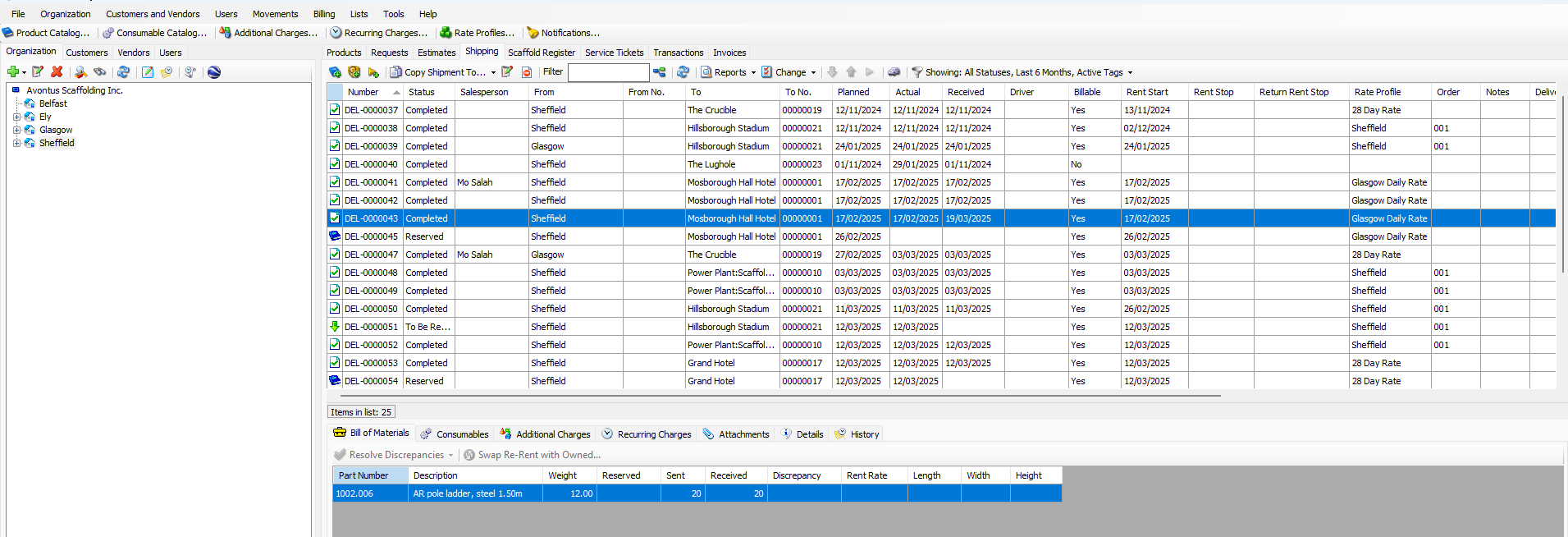
When the count received is different than the Shipment count, there is a discrepancy in the Shipment. When this happens, the Shipment's icon has a red check ( ) and its status is Completed with Discrepancies. The Bill of Materials shows the Shipment's actual discrepancy count.
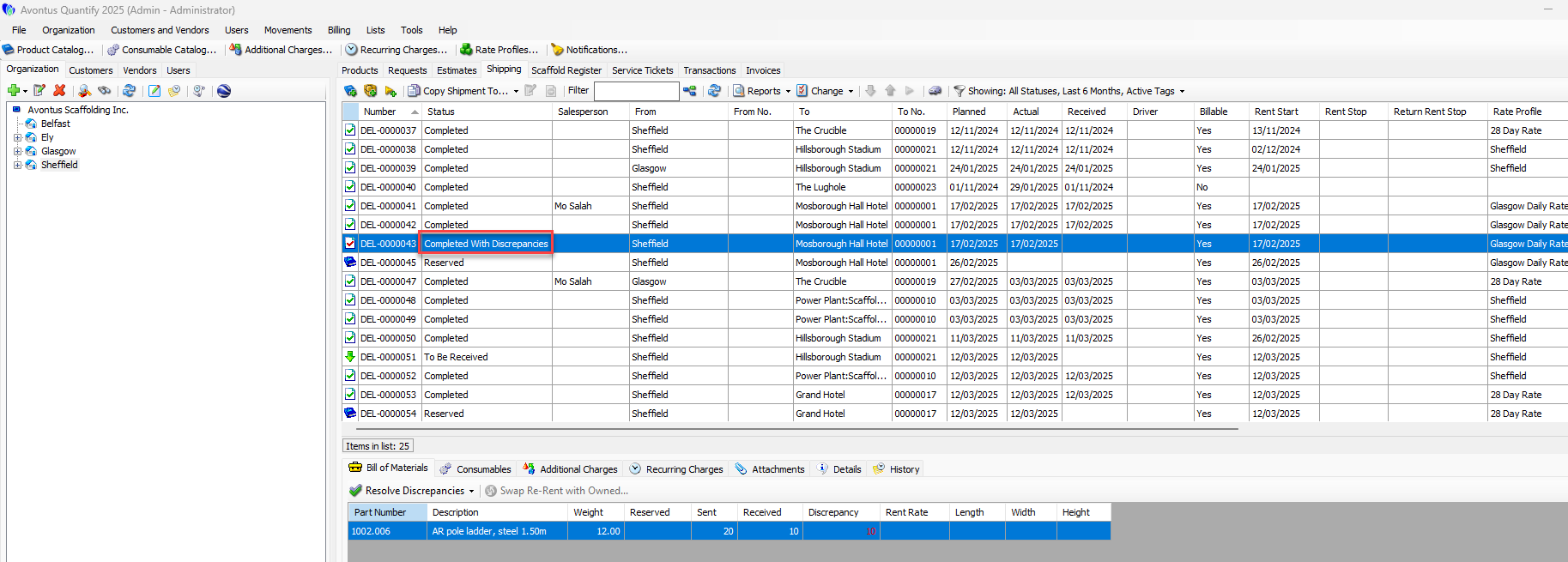
Note: Invoicing will not include Shipments that are in the Completed with Discrepancies status.
To resolve a discrepancy:
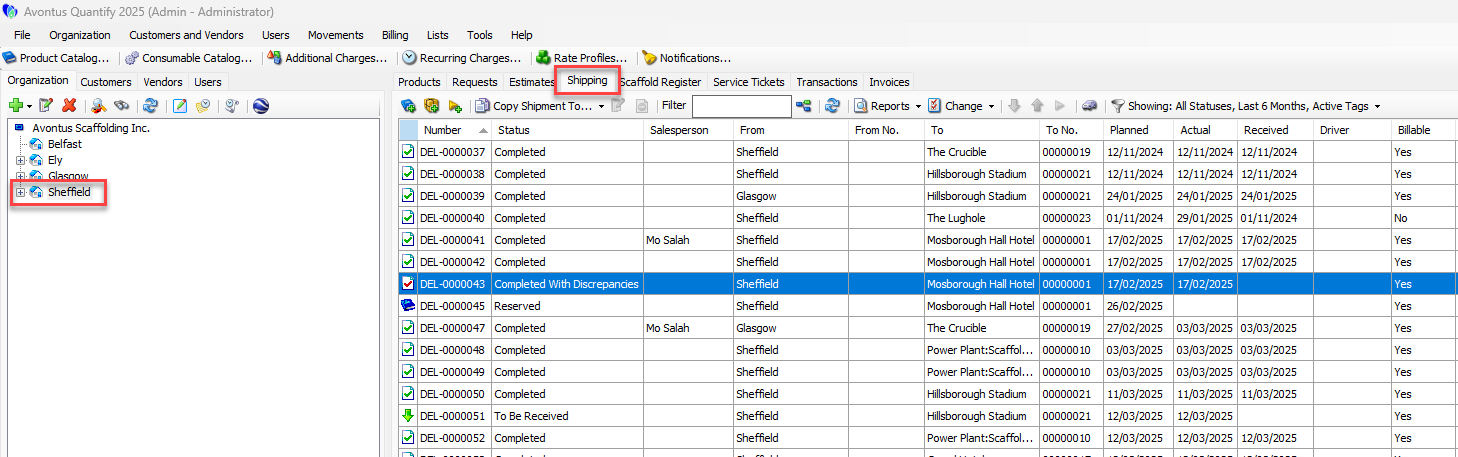
Locate and click the appropriate location and click the Shipping tab.
Click the appropriate Shipment(s), then click the Bill of Materials tab in the bottom of the interface.
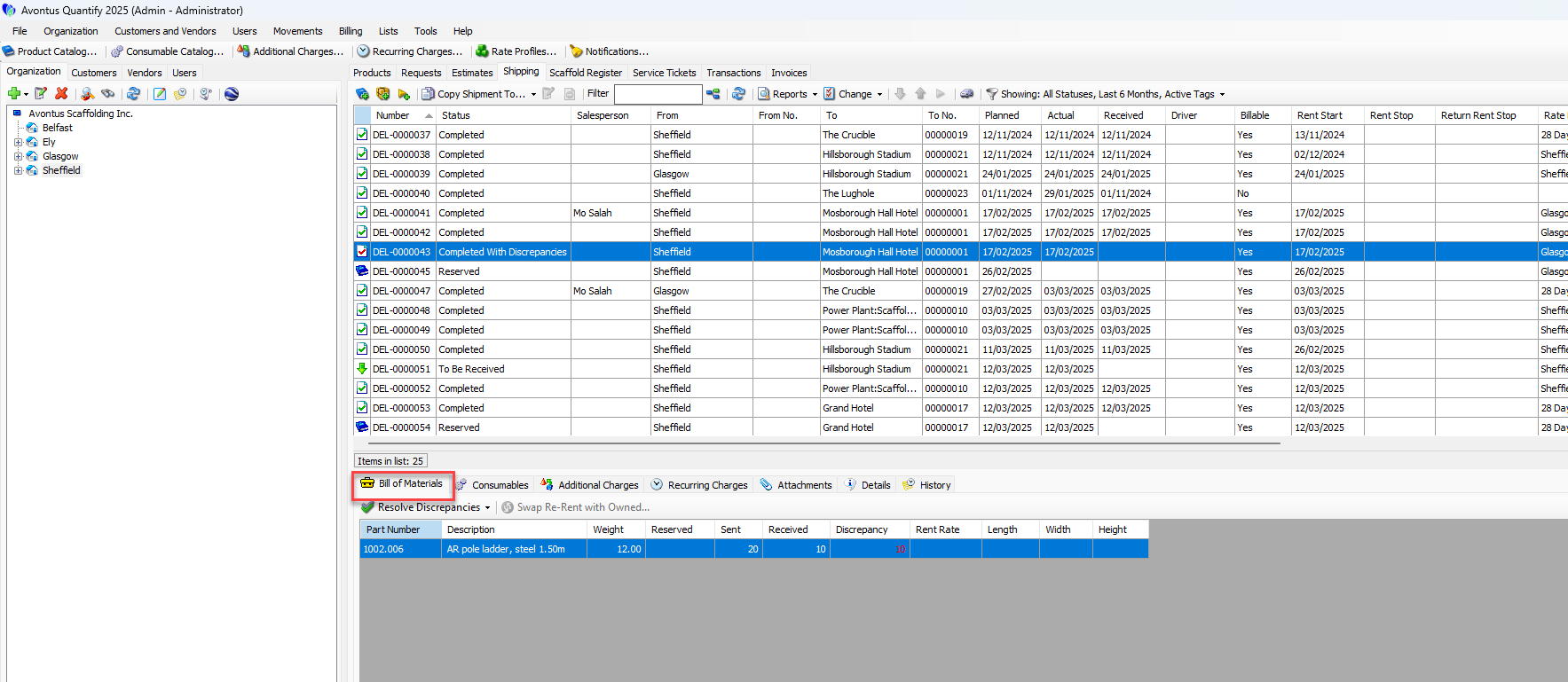
Click the appropriate item in the Bill of Materials tab, then click the Resolve Discrepancies dropdown and select the appropriate resolution from the sub-menus.
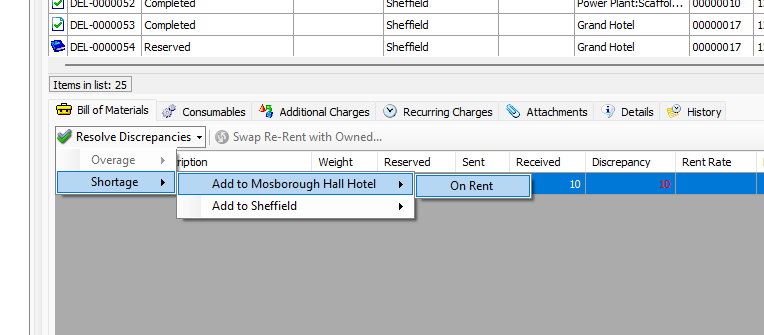
Repeat the above step for each appropriate item in the Bill of Materials tab.
When you have resolved all discrepancies, Quantify updates the status of the delivery to Completed.