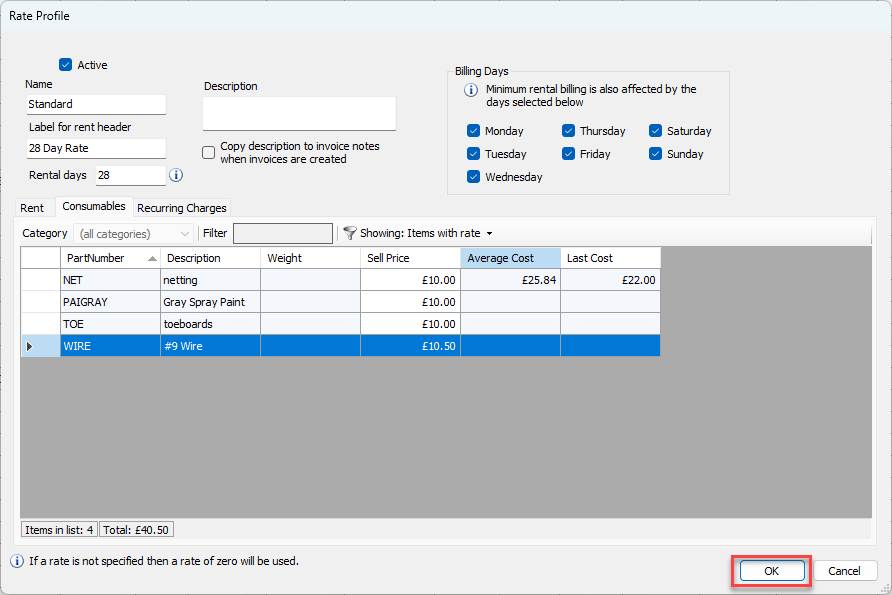
Once you have added Consumable items to the Consumable Catalog, you can add their associated pricing to Rate Profiles. Edit any existing Rate Profiles that should have pricing for Consumable items and click the Consumables tab.
You can find additional information on Rate Profiles in our 2-minute Tuesday videos series by viewing the Updating a Rate Profile video.
To update Rate Profiles with Consumable pricing:
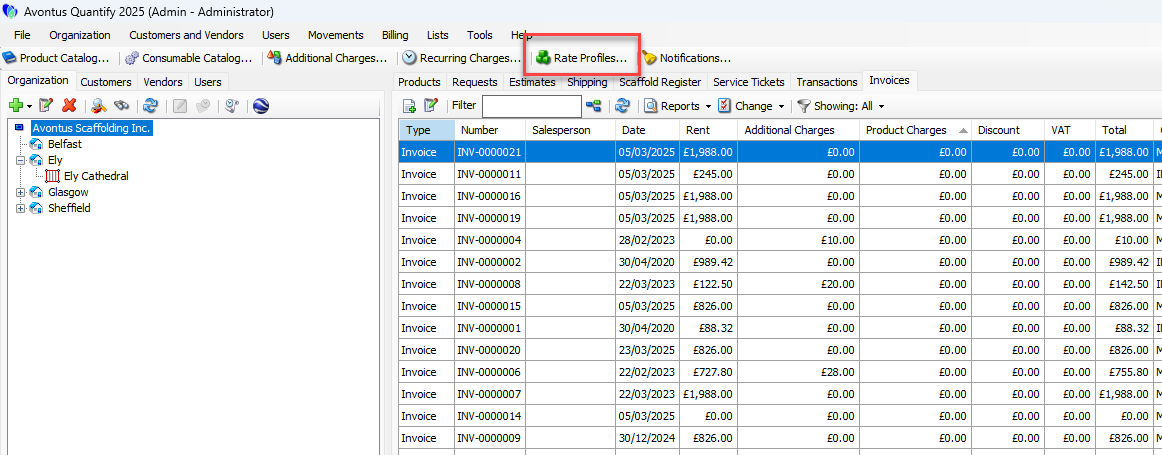
Click Rate Profiles.
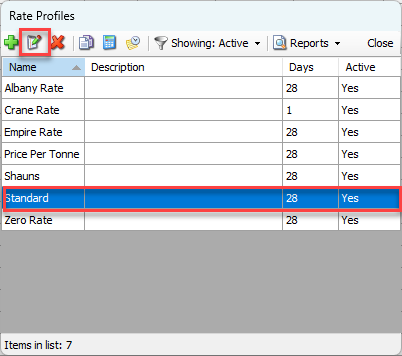
The Rate Profiles dialog appears.Click the Rate Profile you want to update and click the Edit button(
 ).
).
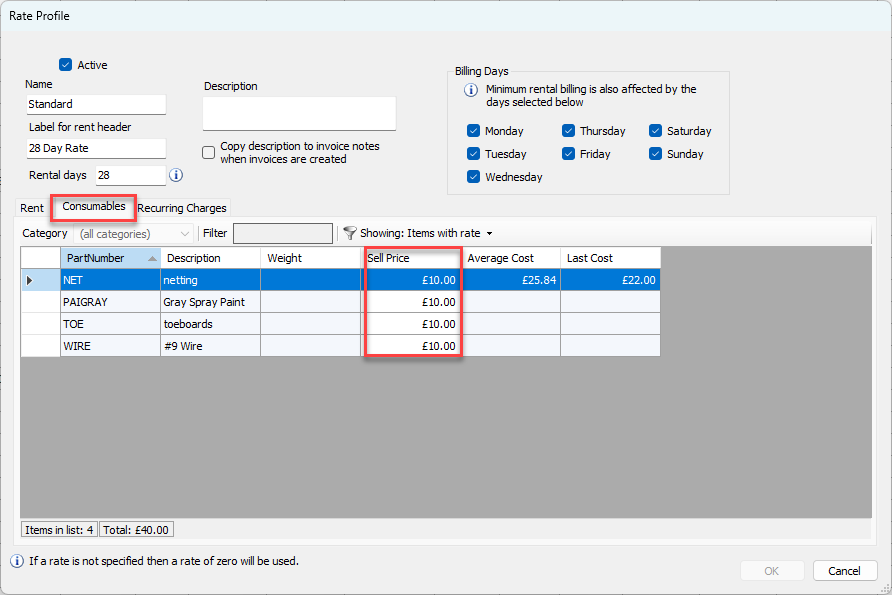
The Rate Profile dialog appears.Click the Consumables tab.
When editing a Rate Profile, Quantify lists only Consumables with rates in the grid of the Rate Profile dialog.Note: To display all Consumables in the Consumables Catalog, click the Showing dropdown and select All.
Click the appropriate cell in the Sell Price column and enter the new price for the Consumable.
Click OK.