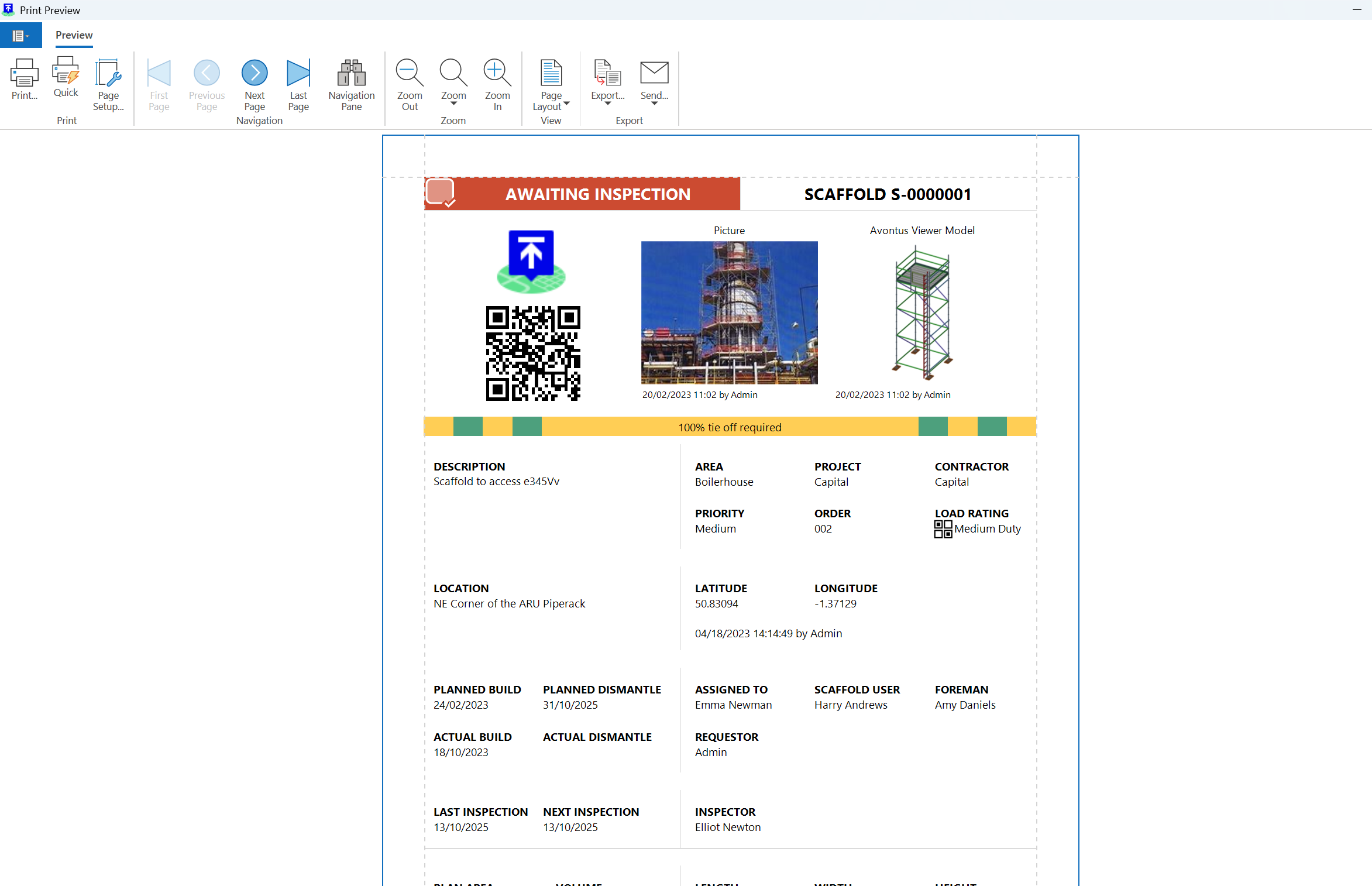
You can attach a QR code to a Scaffold. ScaffoldIQ users can scan the code with their phone, then jump to the Scaffold Details screen of that Scaffold.
Note: You can Print the Scaffold’s QR Code on its own. For more information, please see Printing a Scaffold QR Code
To generate a Scaffold Report:
From any screen, select Scaffolds.
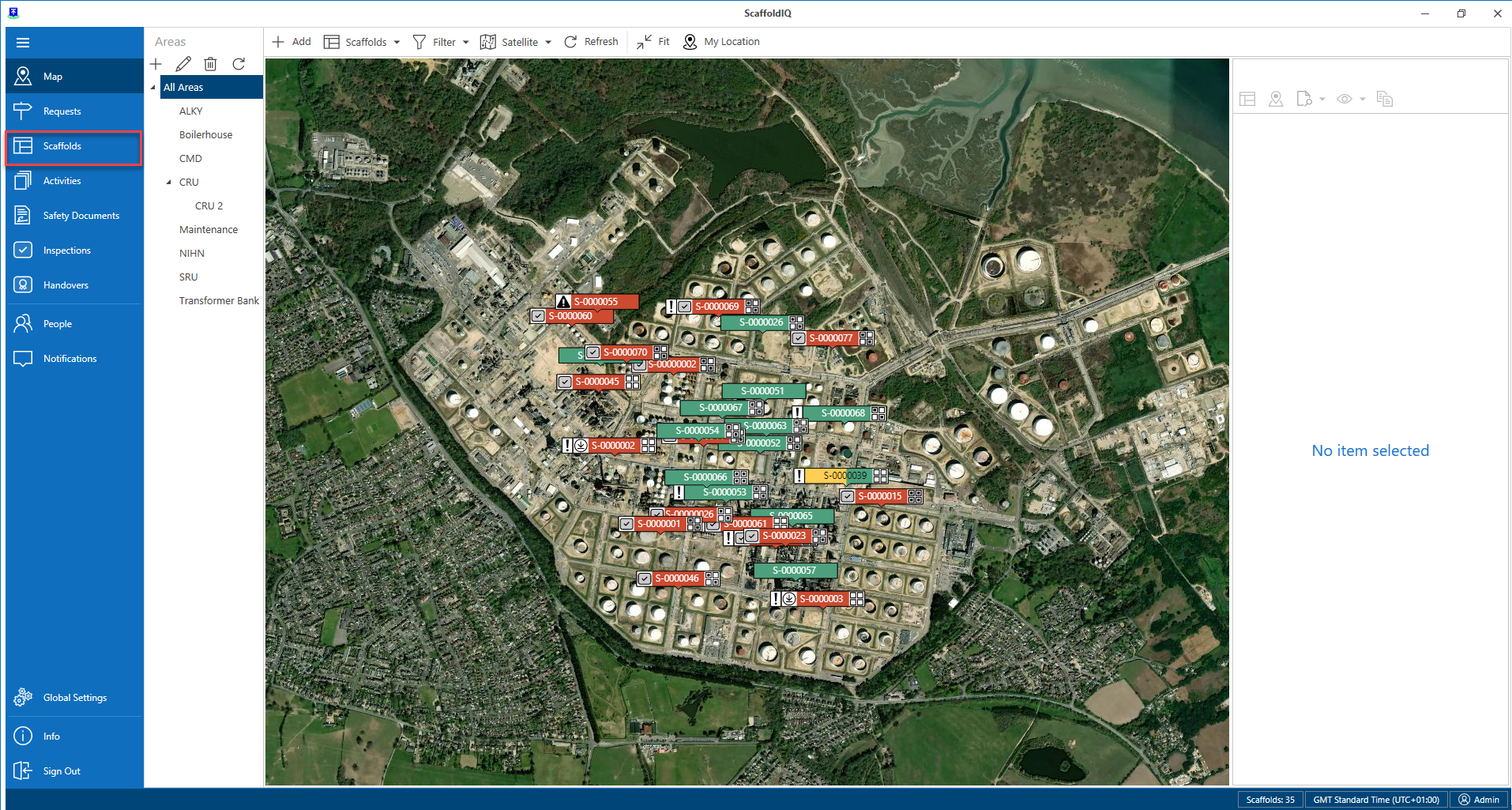
Select a Scaffold.
Select Reports and click Selected Scaffold
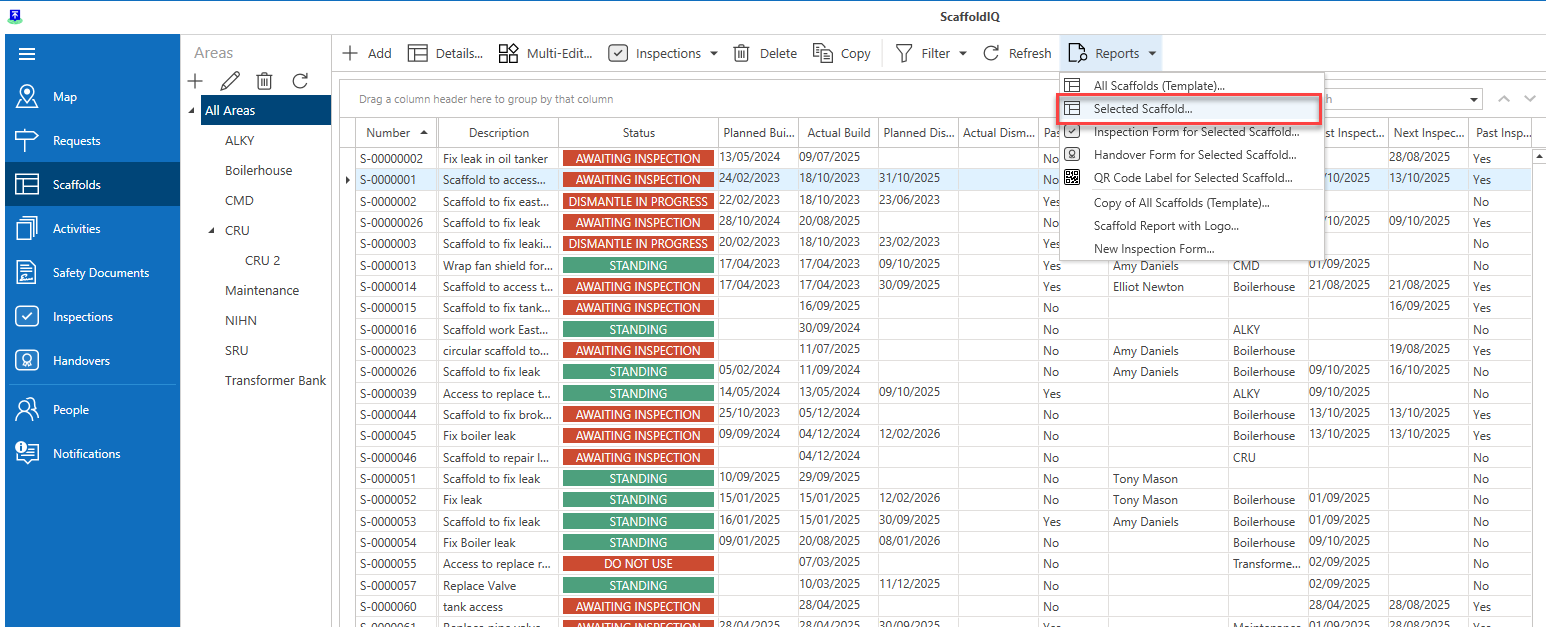
This will launch the Scaffold Report where you can see the Scaffold QR code.