You can "watch" a Scaffold so that whenever a change is made to the Scaffold, you will receive a notification. This could be when another user reassigns who the Scaffold is assigned to.
To watch a Scaffold
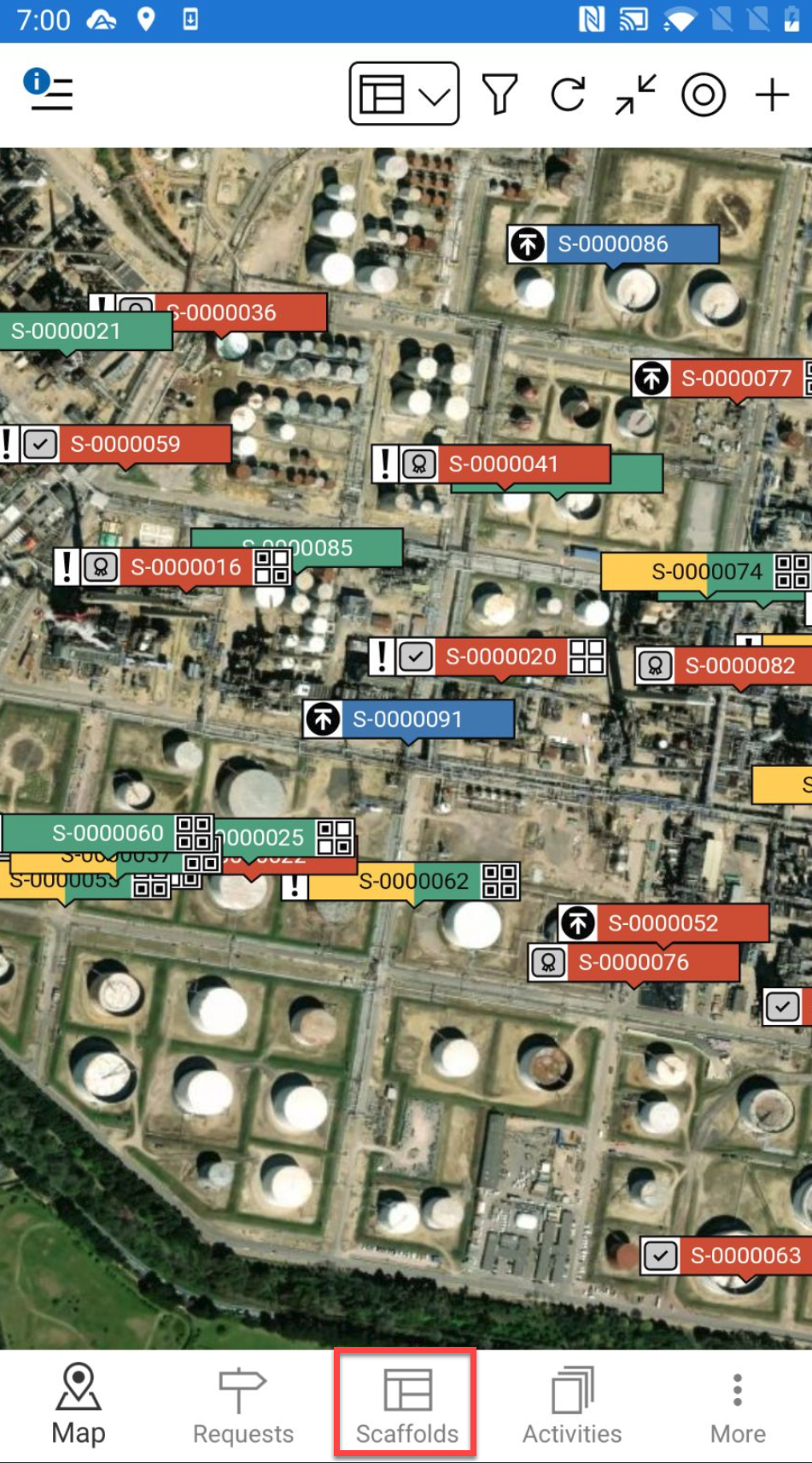
Go to the Scaffolds screen.
Alternatively, you can select a Scaffold pin and select the details to go to the Scaffold Details
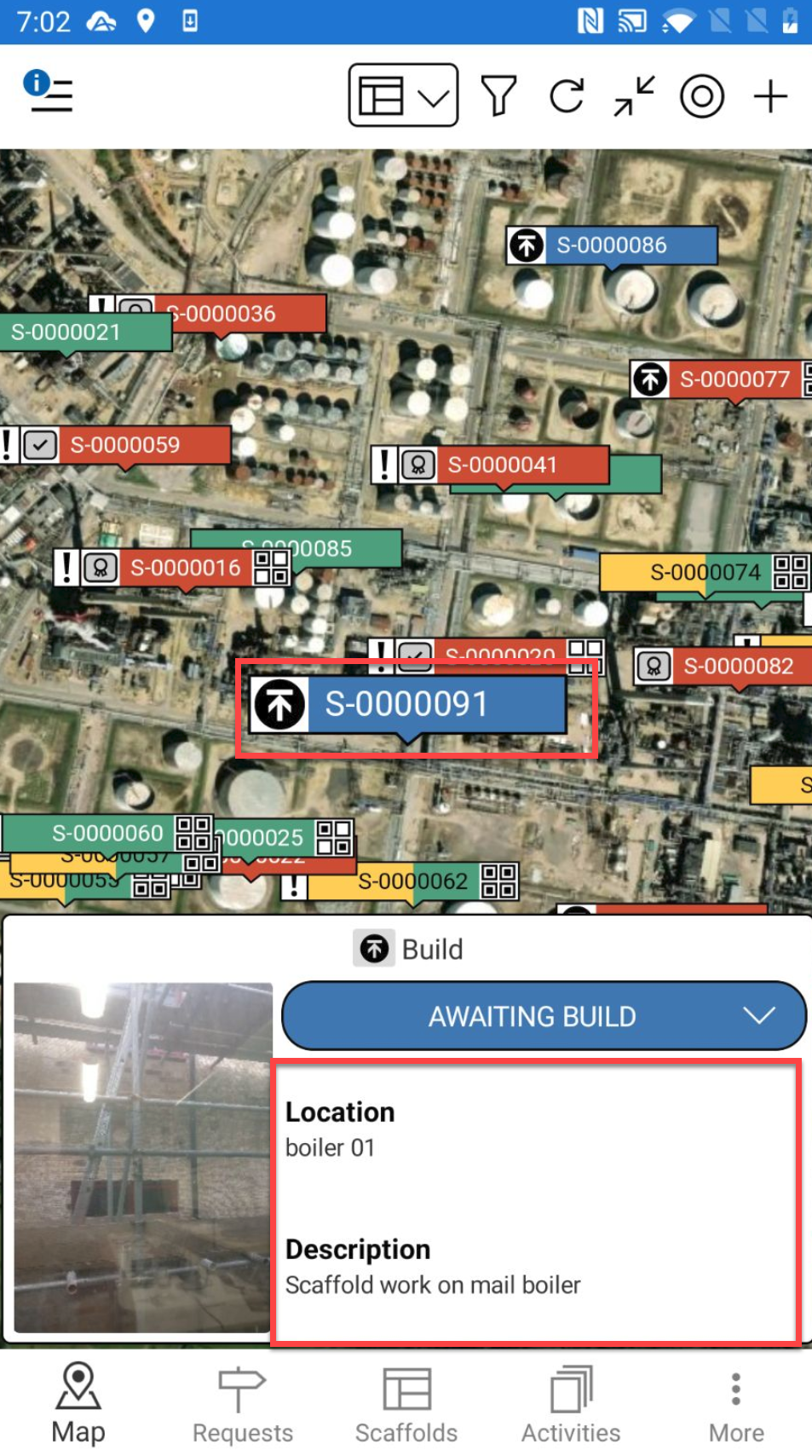
Tap a Scaffold
In the Scaffold screen, tap the … in the top right
Tap either Watch All Changes to watch all changes including status changes or Watch Status Changes to watch only status changes
For more information on "watching" Scaffolds, please visit Scaffold Details (Android)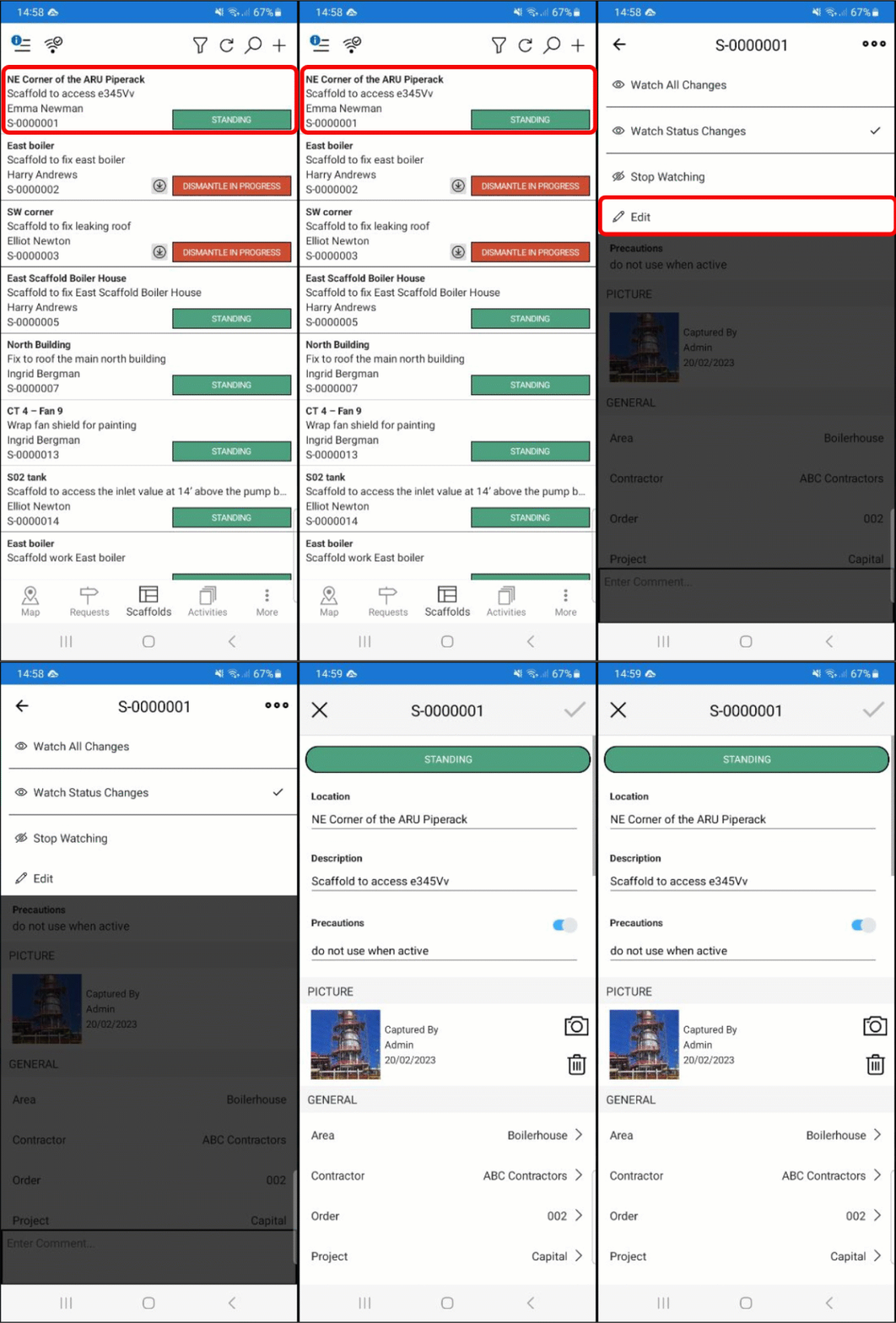
Note: To stop watching the scaffold, tap the selected watch option again.