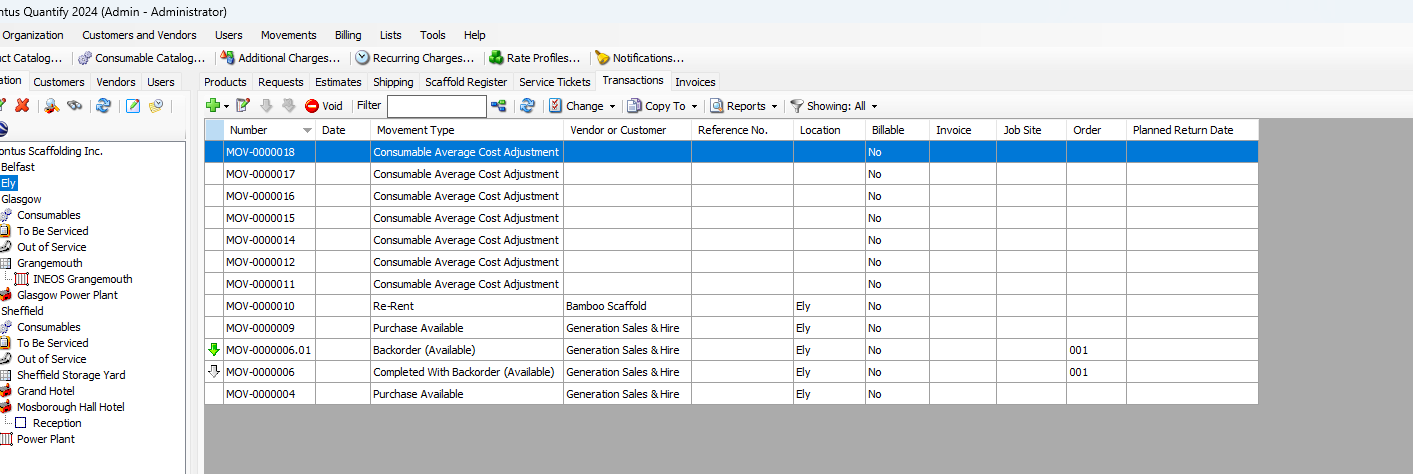
Use Transactions to record the purchase or sale of available inventory, new Products and Consumables. You can also use Transactions to record re-rented inventory from other vendors. Order Transactions can be used track ordering new, available, and re-rent inventory. Transactions are related to a Branch Office or Sub-Branch, and can also be related to a Job Site and/or Customer. Once a Transaction completes, Quantify adjusts inventory levels as appropriate. When you purchase available inventory, Quantify updates last cost and average cost information.
Quantify enables you to export and import sell Transactions for new or used equipment from one Quantify database to another. You can also export a sell Transaction for new or used equipment into a file that you can then send to the purchaser and they can import the file into a purchase transaction for used equipment into their Quantify database. If you import or export a transaction, the part numbers for the items in the transaction must match the part numbers in the two Quantify databases, otherwise the import/export will not succeed.
Finally, Quantify's Order/Backorder feature tracks material that has been ordered but all parts are not received at the same time.