Workspaces allow you to modify and capture your Avontus Designer layout which can be tailored to your preferences. For example, if you are using two monitors you can display the 3D view one on monitor whilst working on the drawing page on the other.
This allows you to flick between workspaces depending on your circumstances.
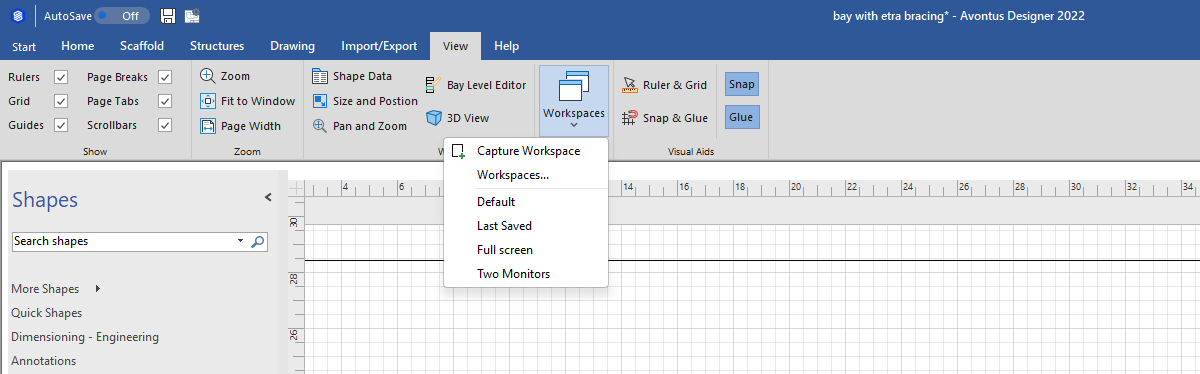
Selecting Workspaces allows you to monitor all the workspaces in the system.
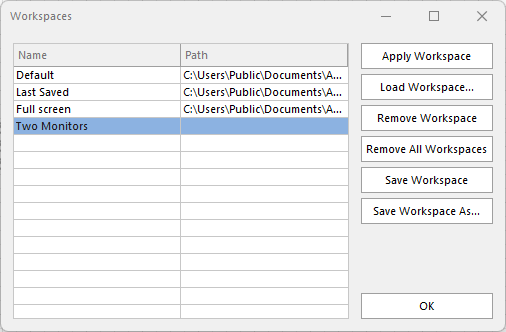
| Apply Workspace | Applies the selected Workspace layout to designer |
| Load Workspace | Load any workspaces |
| Remove Workspace | Remove the selected Workspaces |
| Remove all Workspaces | Remove all Workspaces |
| Save Workspace | Saved the selected Workspace as an xml file - for any newly created Workspaces you will need to select a file path. This allows you to send the layout to another user. |
| Save Workspace as | Save the selected workspace with a new name |