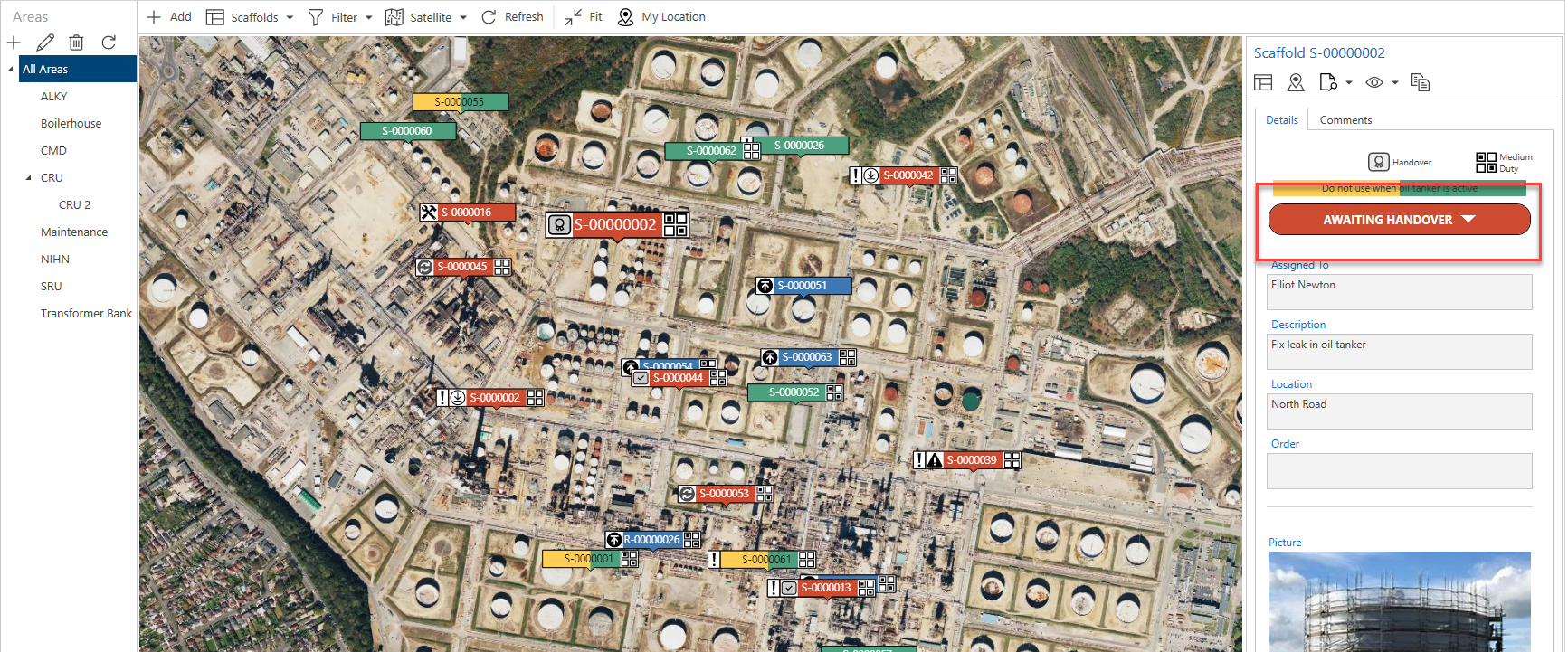
When a build request has been approved, the next step is to erect the scaffold. The Scaffold will be in the Awaiting Build status, the first step towards erecting the Scaffold is to begin the Build. You can begin the Build Activity from the Scaffold Details screen or from the Map screen.
From the Map screen
From the Map screen, select the Scaffold pin and click select the status
Select Begin Build.
The Activity Screen will appear.
Make any changes or click OK
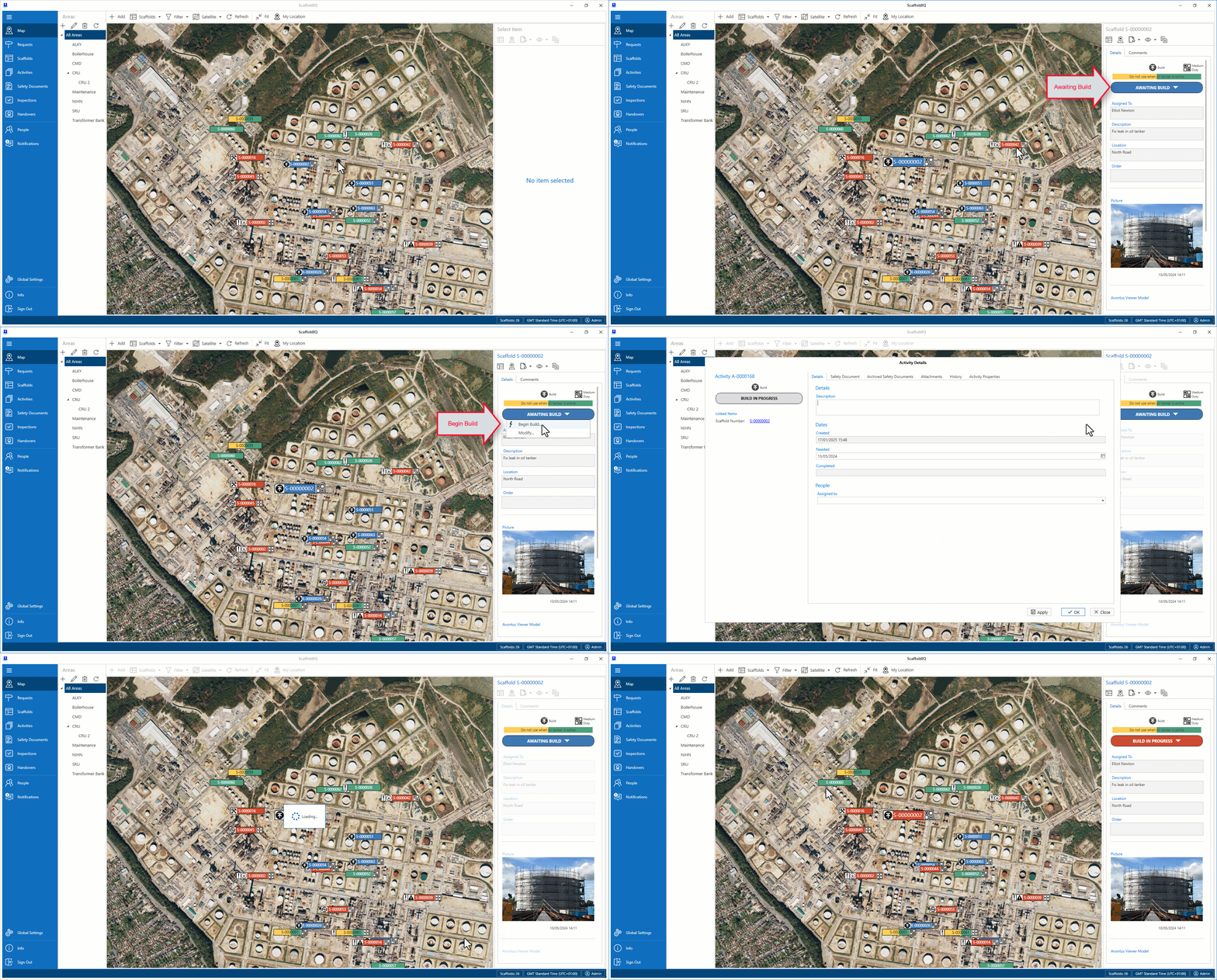
The status of the Scaffold will change to Build in ProgressClick the Scaffold Pin and select Build in Progress
Click Complete Build
Click OK
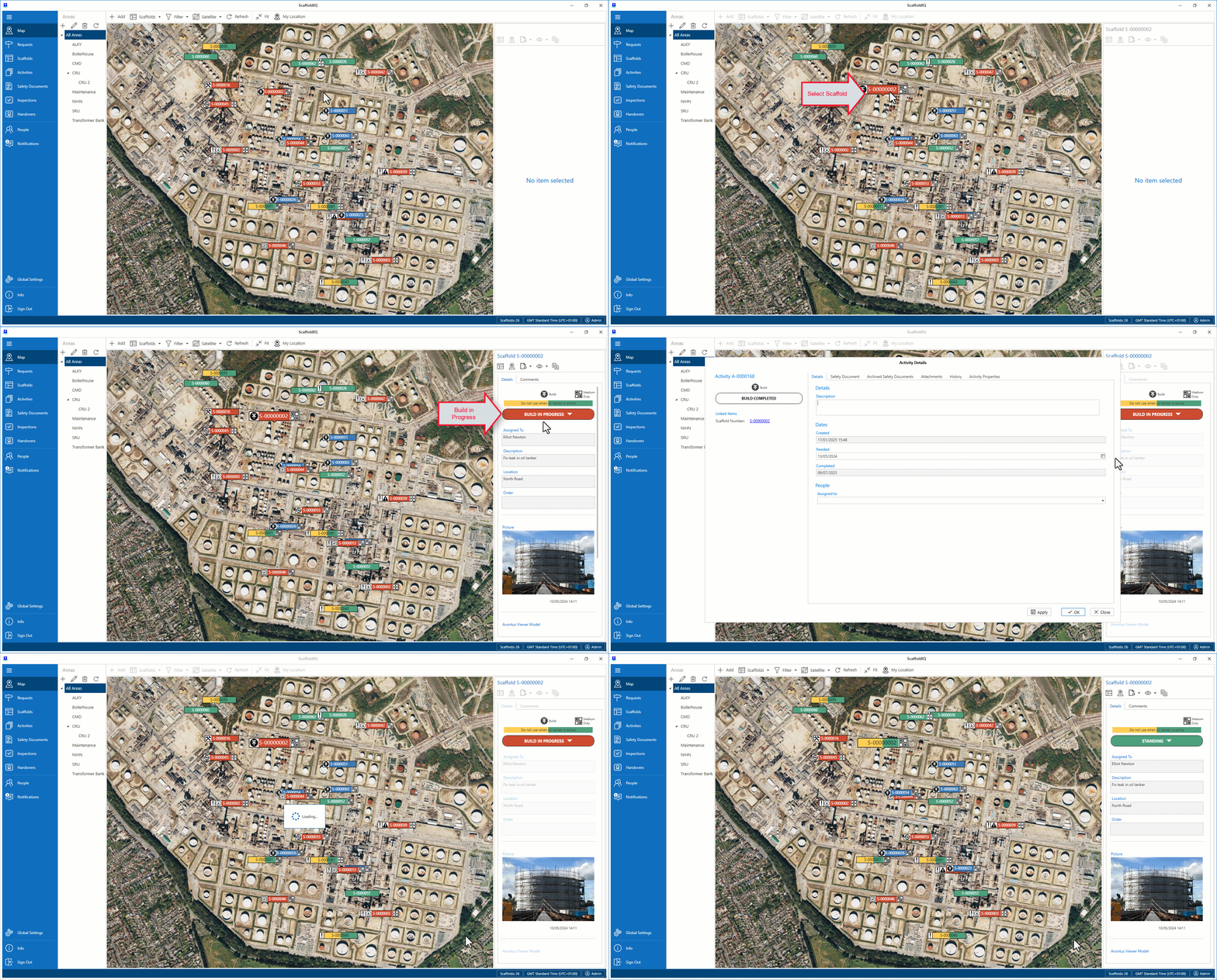
The status will change to either Awaiting Handover, Standing or Awaiting Inspection.
For more information on Handovers, please see Passing or Failing a Handover
For more information on Inspection, please see Working With InspectionsNote: Admin users have the ability to specify what happens after a build is completed in the Scaffold Settings.