Below is a brief description of the data that Oracle requires. Each heading in this article corresponds to a column exported into the export file. Some columns are not included in this document, either because they are hard-coded or not used.
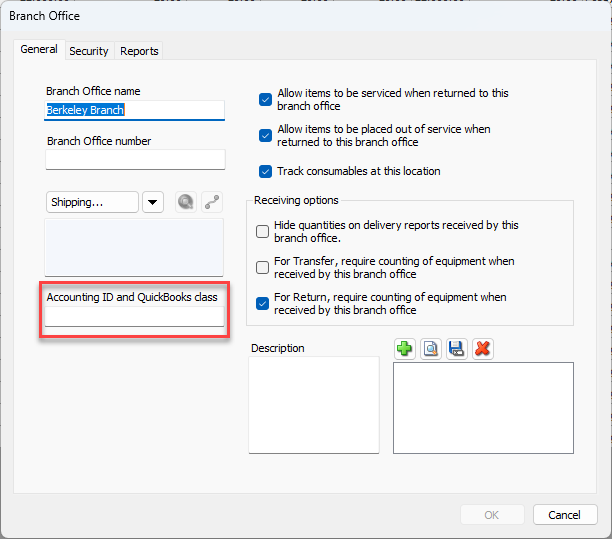
COMPANY_CODE
Quantify refers to each business unit as a Branch Office. The Invoices for Job Sites under a Branch Office use this location's Accounting ID in this field (Segment 1 of GL). To add the Accounting ID, edit the parent Branch Office or Sub-Branch and enter the appropriate ID into the Accounting ID and QuickBooks Class text field. Refer to Adding a Branch Office/Sub-Branch.
SALES_PERSON
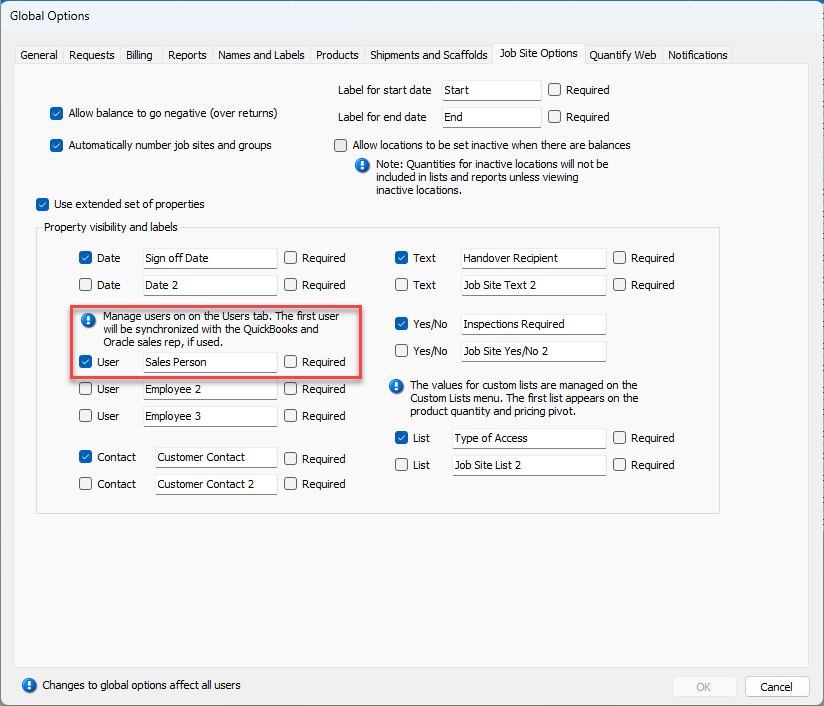
If you are tracking a sales person via invoicing, put a check in the Manage users on the Users tab. The first user will be synchronized with the QuickBooks and Oracles sales rep, if used checkbox in the Job Site Options tab of the Global Options dialog. Then, the salesperson can be tracked on each Job Site on the Job Site Properties tab of the appropriate Job Site dialog. Note that the user's initials will be mapped within Oracle.
DEPARTMENT_CODE
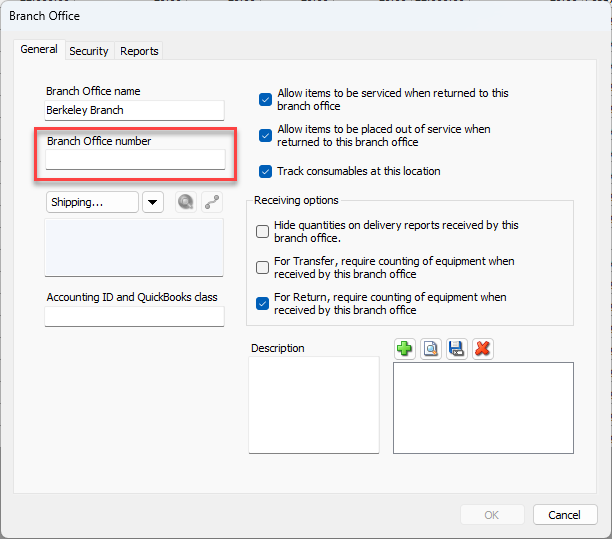
The Department Code within the export file is the Branch Office or Sub-Branch number. Refer to Adding a Branch Office/Sub-Branch.
TOTAL_VALUE
The total value exported is the value for each line item. If there are rent discounts in use for the Invoice, the line item for rent will be the amount after discounts have been applied.
SITE
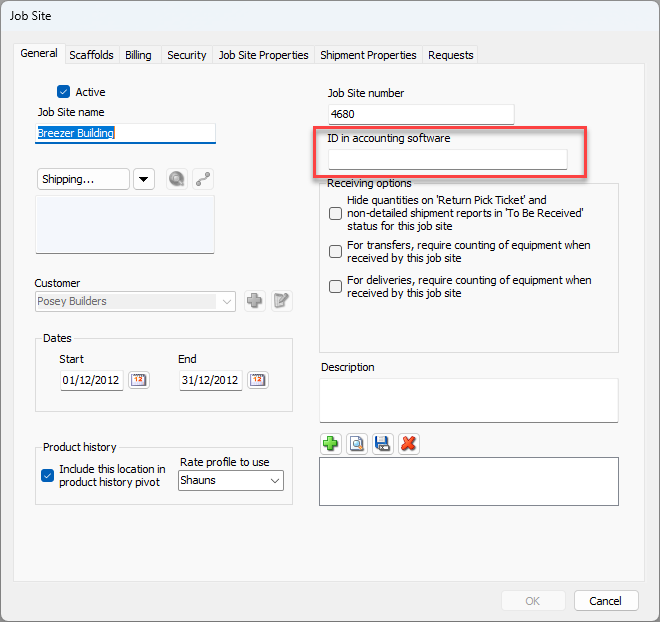
Oracle site number is used in the SITE column, and is taken from the ID in Accounting Software text field in the General tab of the Job Site dialog.
ACCOUNT_CODE
The Account Code is the Branch Office (or Sub-Branch) name with the word Invoice appended. For example, a location with the name Berkeley will export to this column as: Berkeley Invoice
TRANSACTION_TYPE (GLOBAL)
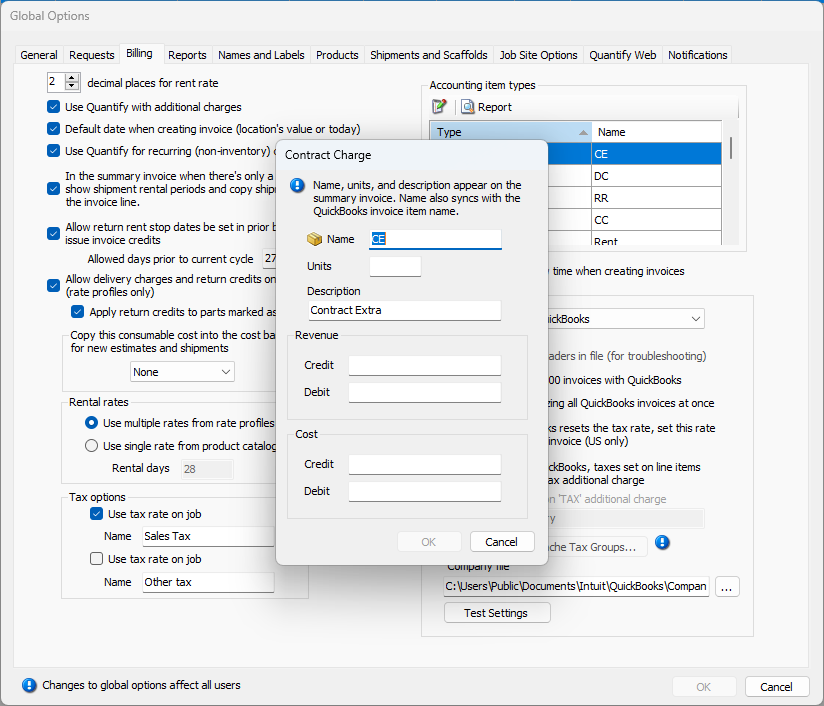
For global account types (consumable sales, rent, delivery and return charges, etc.), this column maps to the revenue credit code set in the Accounting Item Type area of the Billing tab in the Global Options dialog. The word Invoice is appended to this value. For example, a revenue credit of Hire will export to this column as: Hire Invoice
TRANSACTION_TYPE (ADDITIONAL CHARGES)
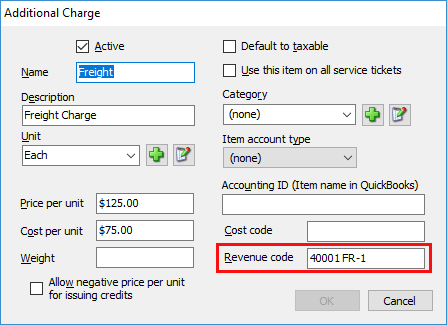
Additional Charges are non-inventory billing items and appear on an Invoice as an individual line item. An example of an Additional Charge would be freight or a charge for a service item. The revenue code for the Additional Charge is used here, and also has the text Invoice appended.
MEMO_LINE
The Memo Line is mapped to the first custom list, which must be set up in the Property Visibility and Labels area of the Job Site Options tab of the Global Options dialog and can optionally be made to be required, if needed.
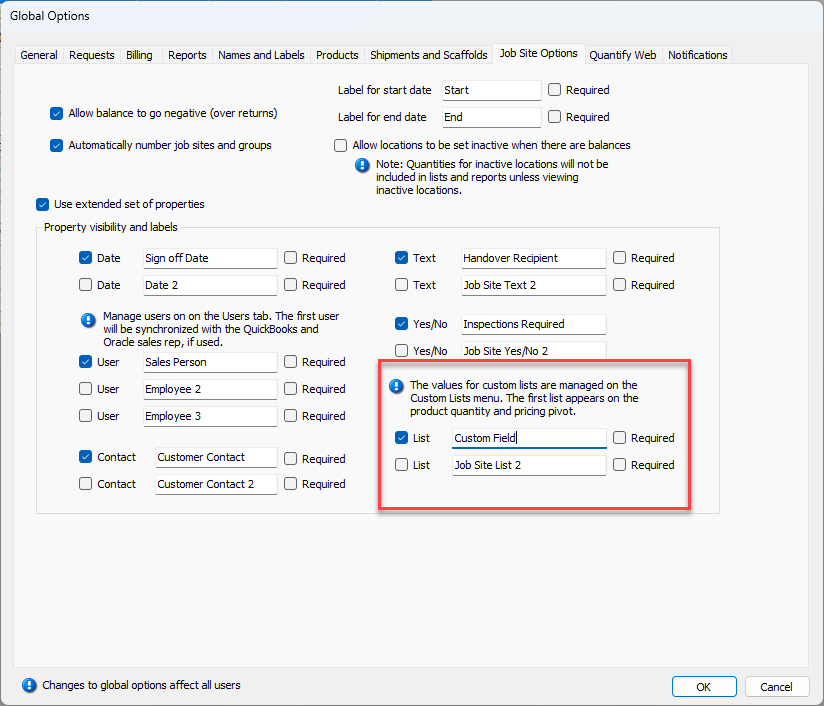
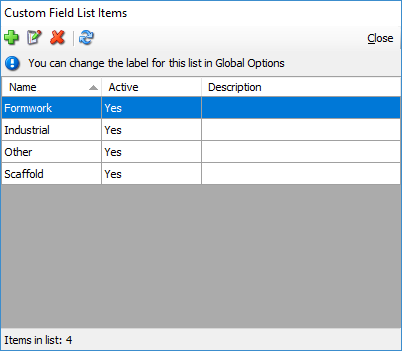
The values for the list are set up in the Custom Field List Items dialog. Commonly these lists will be Scaffold, Formwork or Industrial.
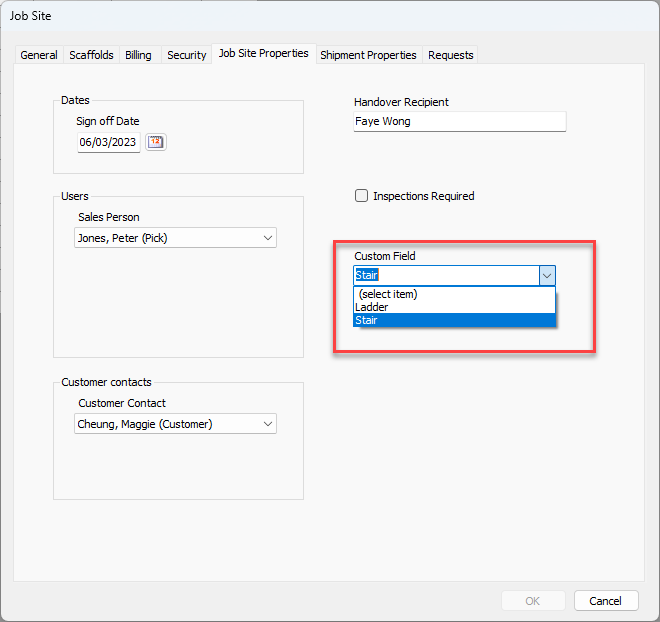
After these have been set up, they are selected for a Job Site within the Job Site Properties tab of the Job Site dialog.
When exported, the Transaction type (see description in TRANSACTION_TYPE above) is appended. For example, a scaffold hire invoice line will export to this column as: Scaffold – Hire.
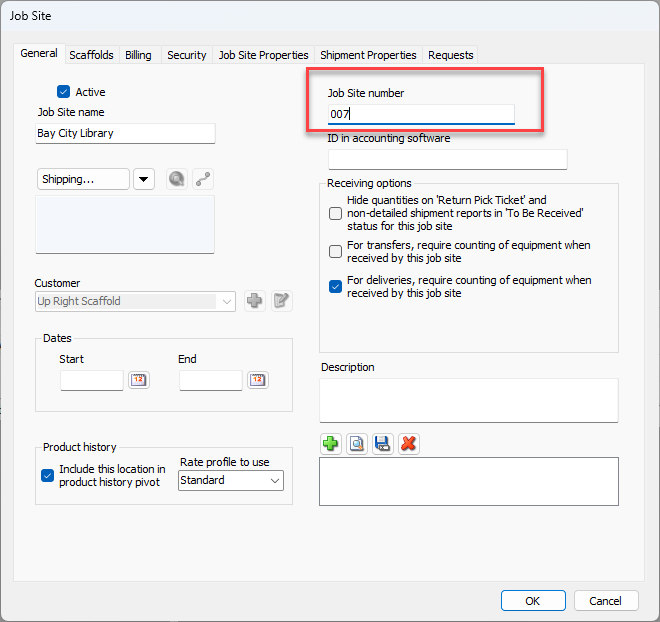
JOB_NUMBER
The Job Site number (project segment in Oracle) is entered into the Job Site Number text field in the General tab of the Job Site dialog. This value is used in the job number column when exported.