More often than not you will want Slab Edges to have the same elevation (thickness).
Note: Handset Designer does not support Formwork for stepped Slabs. Connected Slab Edges must share the same elevation values or Handset Designer will produce a warning when you draw the Formwork.
To set the elevations for a set of Slab Edges:
Click and drag across the Slab Edge shapes to select them. (For a single Slab Edge, click once to select.)
If necessary, click the Shape Data button in the Handset Designer toolbar.
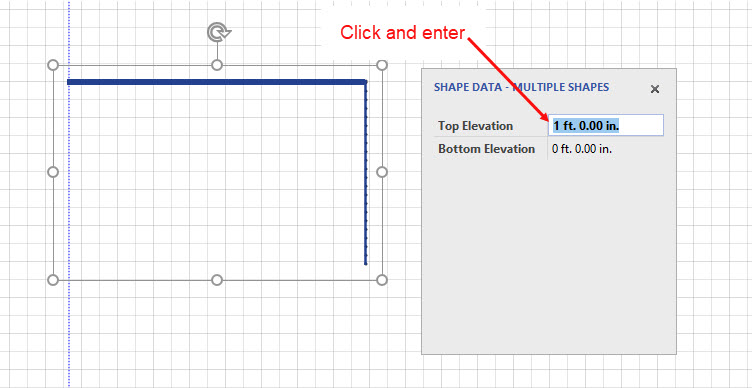
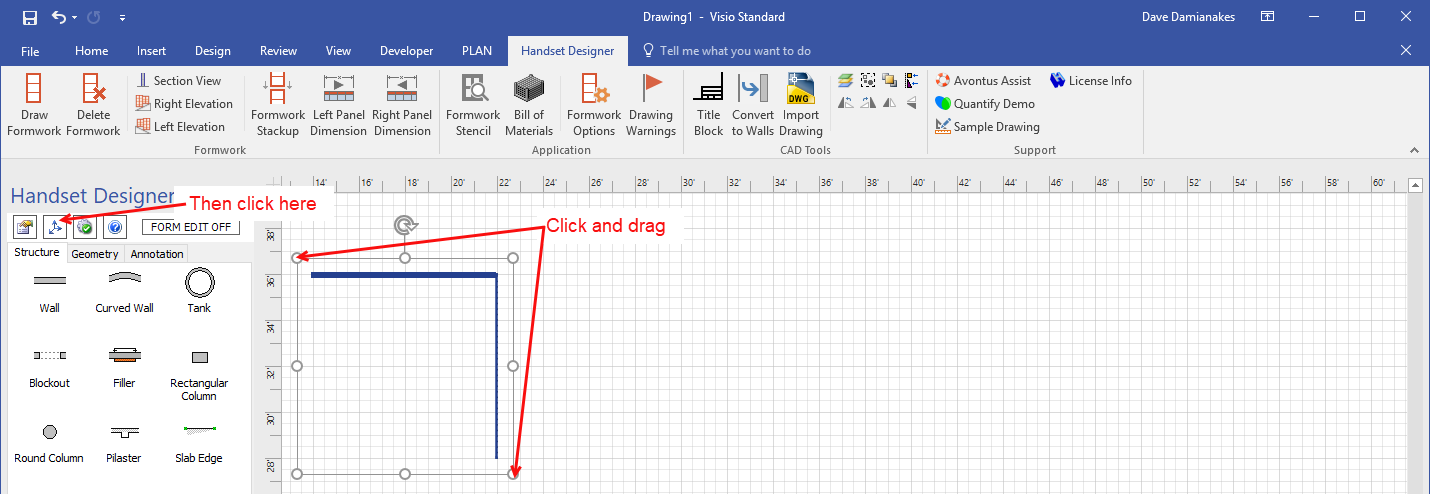 The Shape Data popup appears.
As necessary:Click in the Top Elevation text field and enter a new value.
Click in the Bottom Elevation text field and enter a new value.
Note: For measurements use ft. for feet, in. for inches and m. for meters.
You can also set the default value for the elevations to appear on Slab Edge shapes in the Drawing and Counting Tab of the Formwork Options dialog.