Quantify enables you to easily view a previously saved pivot report layout.
Note: For instructions on saving a pivot report layout, refer to Editing, Saving and Viewing Pivot Reports.
To view a saved pivot report layout:
Access the relevant pivot report type (Scaffold, Activity, Inspection).
Click the (select layout) dropdown and select the appropriate saved pivot report layout.
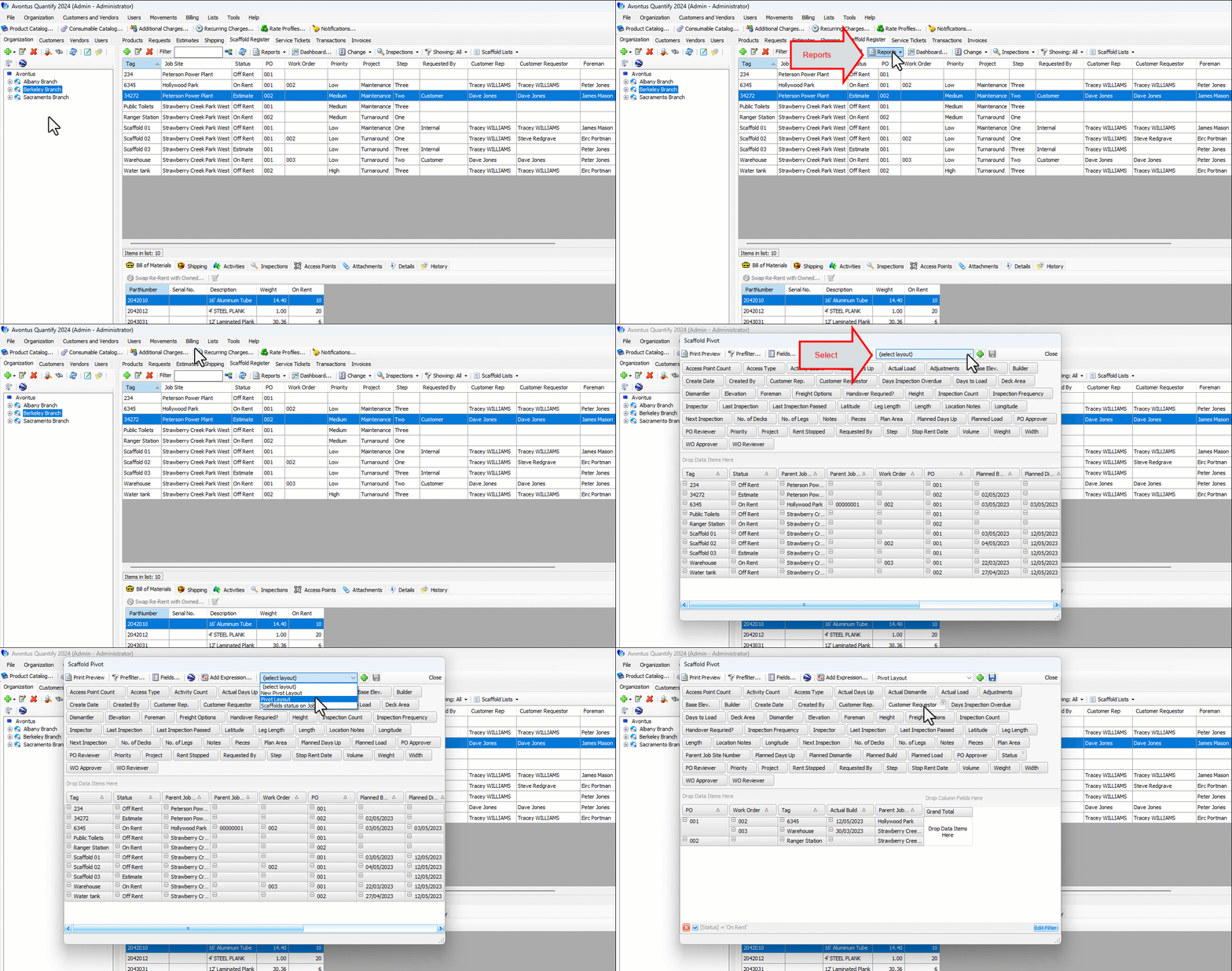
The pivot report refreshes, displaying the selected layout.