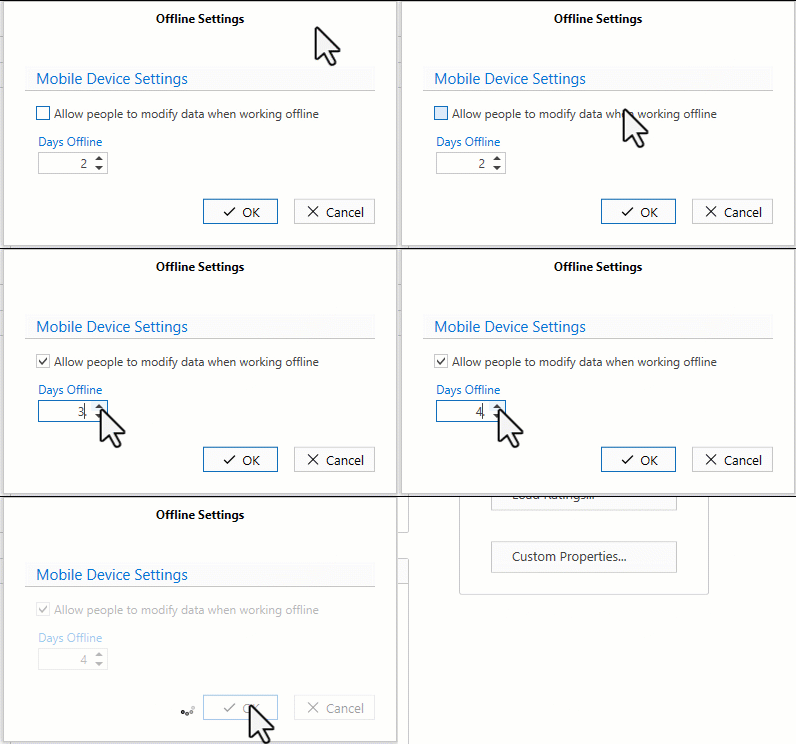
To allow users to work offline, and then synchronise their changes later, offline working needs to be activated in Global Settings. The maximum number of days you can be offline is 5.
For more information on going Offline visit https://docs.avontus.com/docs/offline and https://docs.avontus.com/docs/offline-working-ios.
To do this
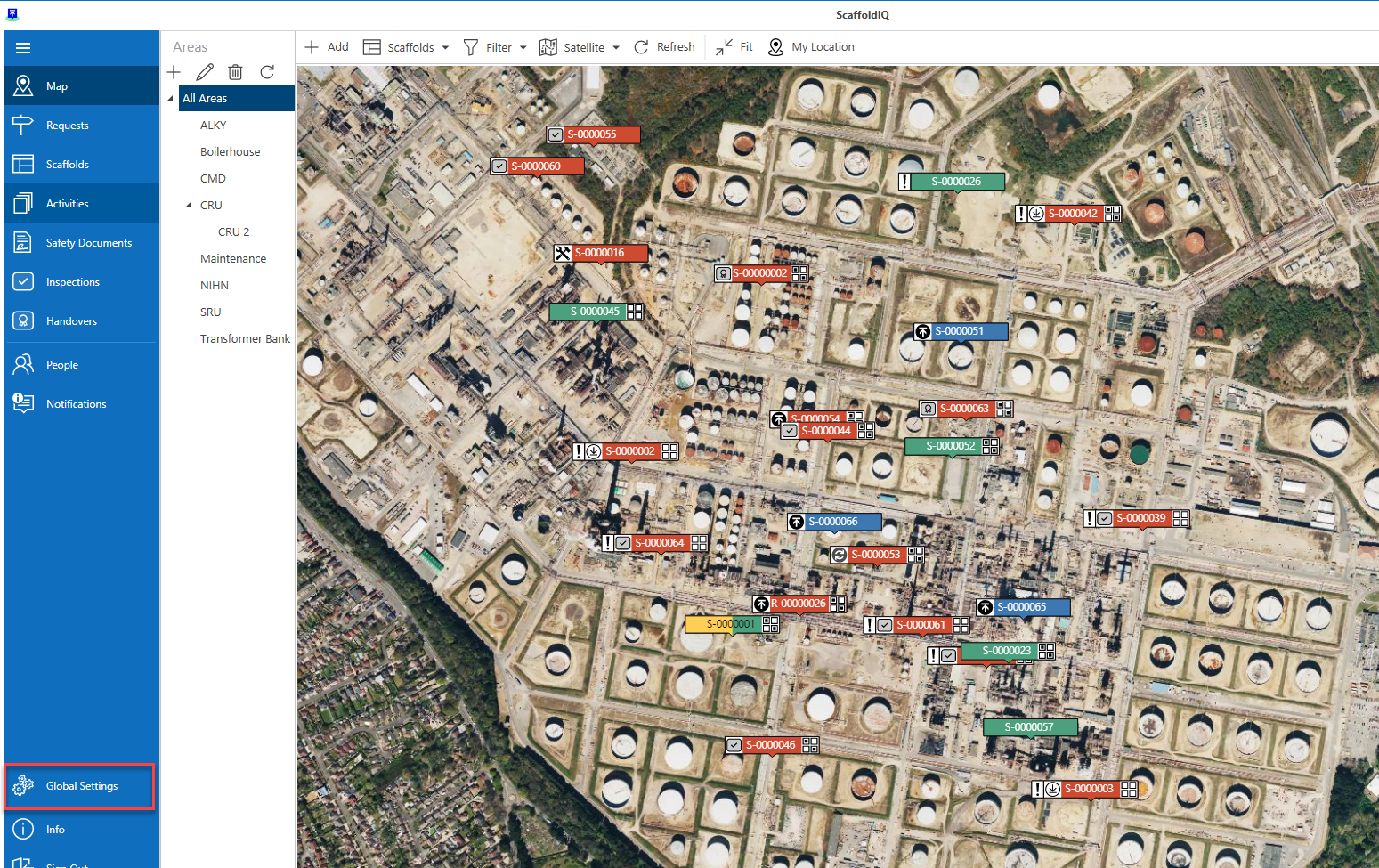
From any screen, select Global Settings
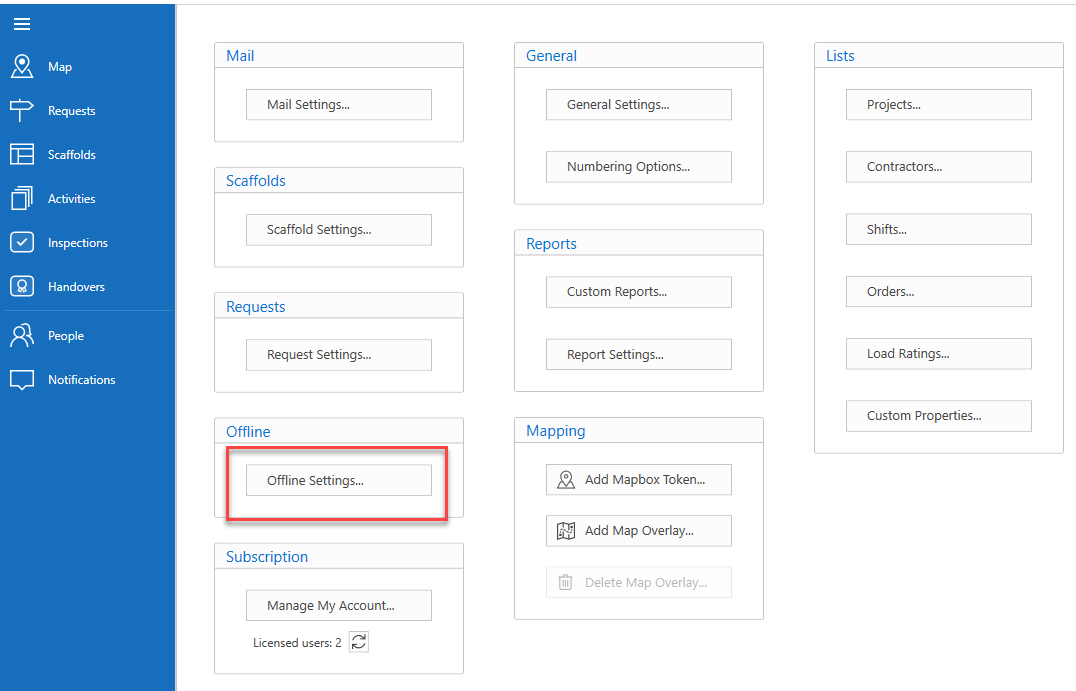
Select Offline Settings
In Offline Settings, select the Allow people to modify data when offline checkbox
Set the number of days a user can work offline before they must sync their data else they will lose their offline changes.
Click OK.