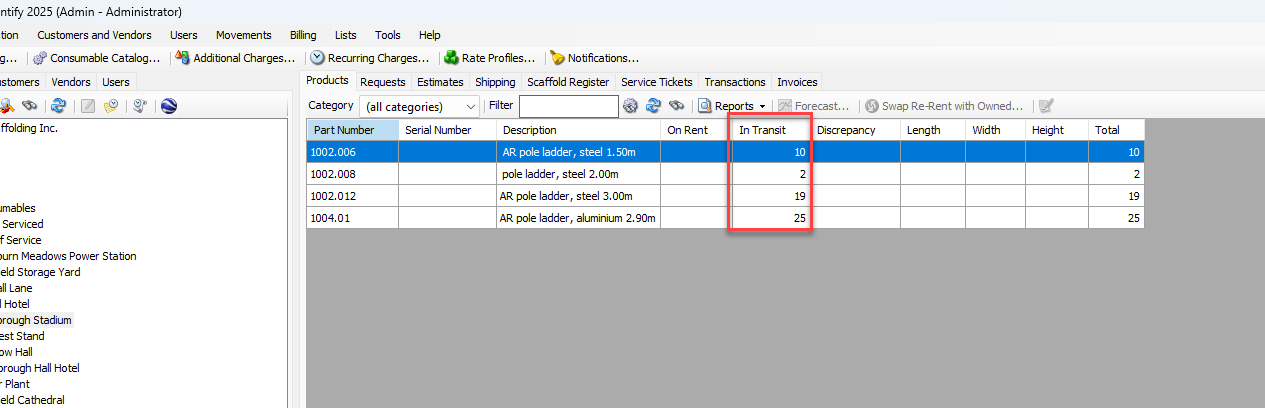
When the Receiving Options section of the General tab in the Job Site dialog are set to count equipment when received, the shipment is initially assigned the status of To Be Received. As equipment is moved from a location to a location using the require counting of equipment when received by this Job Site checkbox, it shows as In Transit status at the receiving location. These Shipments are not included in invoicing until the Shipment ticket is in Completed status.
To configure a Job Site to count Shipments upon receipt:
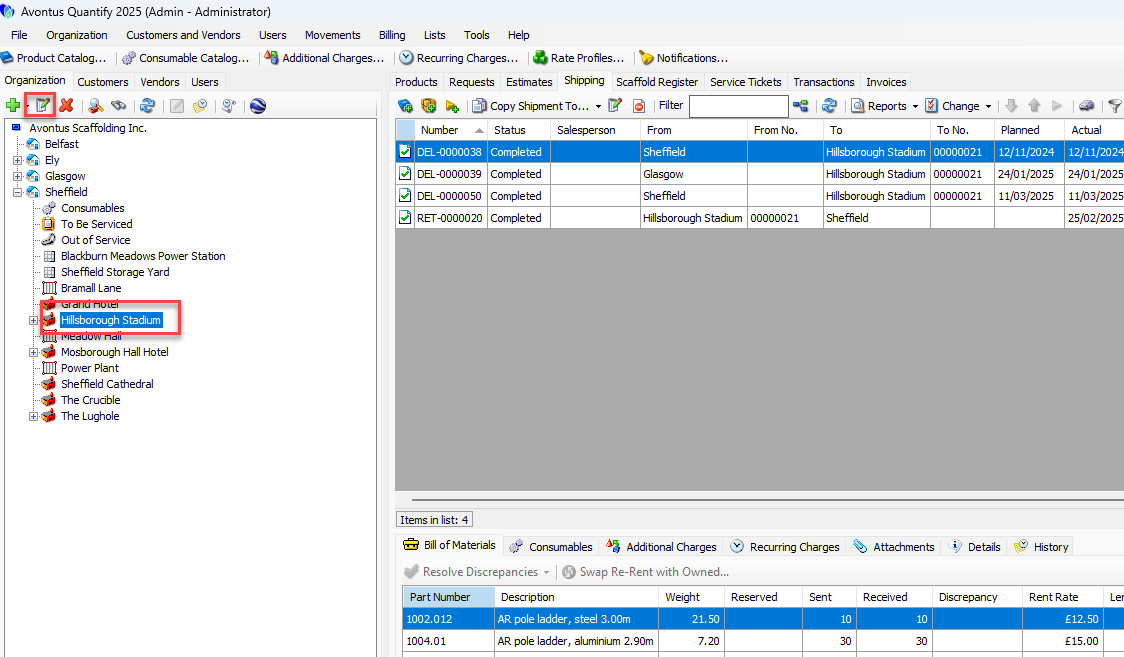
Locate and click the appropriate Job Site, then click the Edit selected item button (
 ).
).
You can also double-click the site.
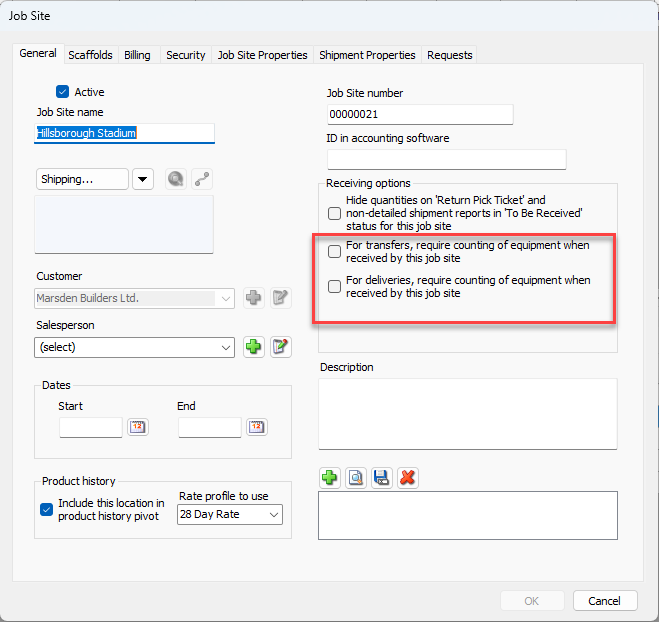
As necessary:Click the For transfers, require counting of equipment when received by this job site checkbox, to put a check in it.
Click the For deliveries, require counting of equipment when received by this job site checkbox, to put a check in it.
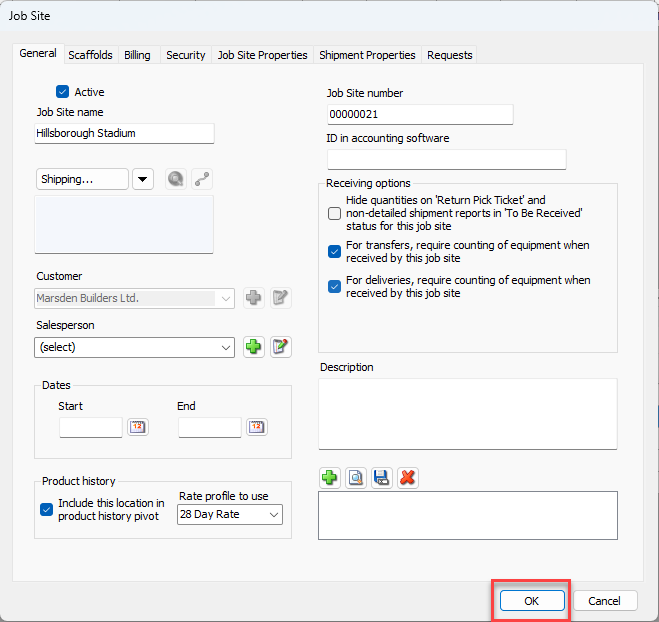
Click OK
When equipment is shipped to this Job Site, the shipment will have an initial status of To Be Received.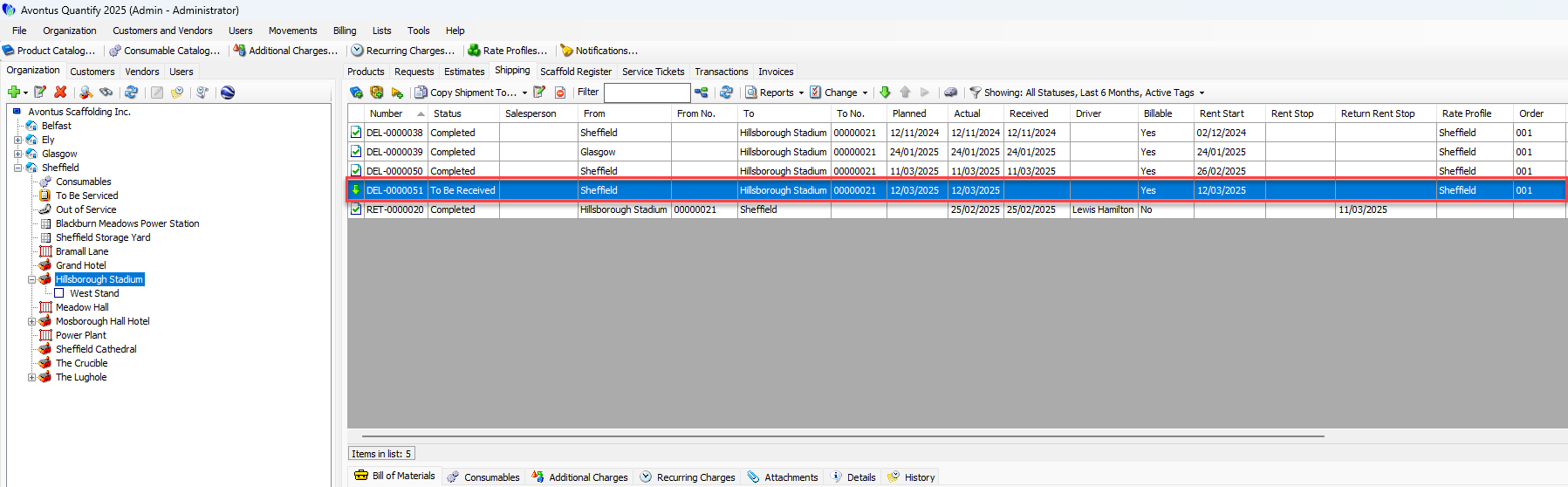
The Products tab for this site will show this equipment as In Transit.