When a scaffold has been erected, it will need to undergo a handover. Handovers are an agreement between the foreman/builder and the end user (requestor or craft representative) that the scaffold is built to serve its intended purpose, is safe, and is ready for use. At the time of the Handover both the scaffold and scaffold end user representatives should be present to discuss any issues.
When viewing Scaffolds on the Map screen, tap the Scaffold to undergo a handover
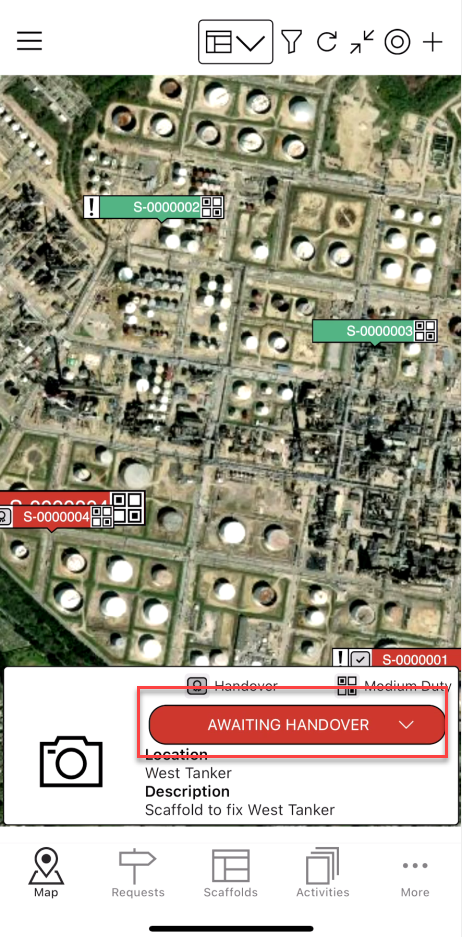
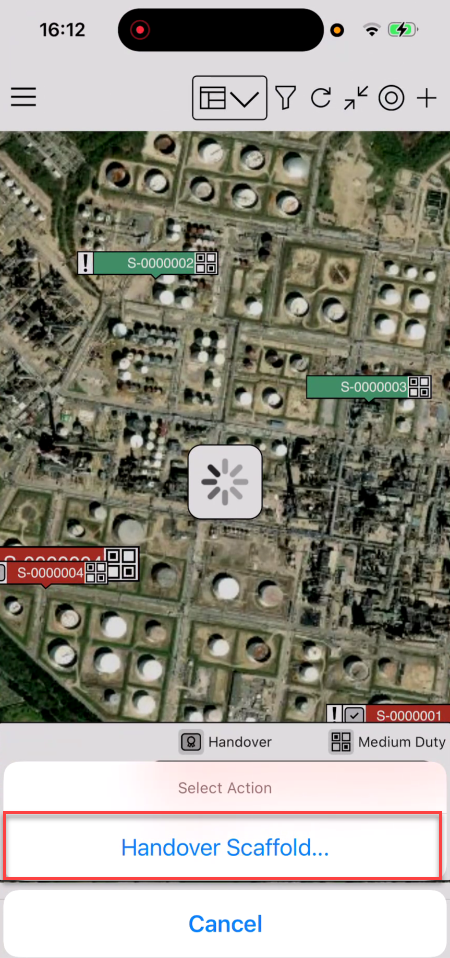
Tap Handover Scaffold
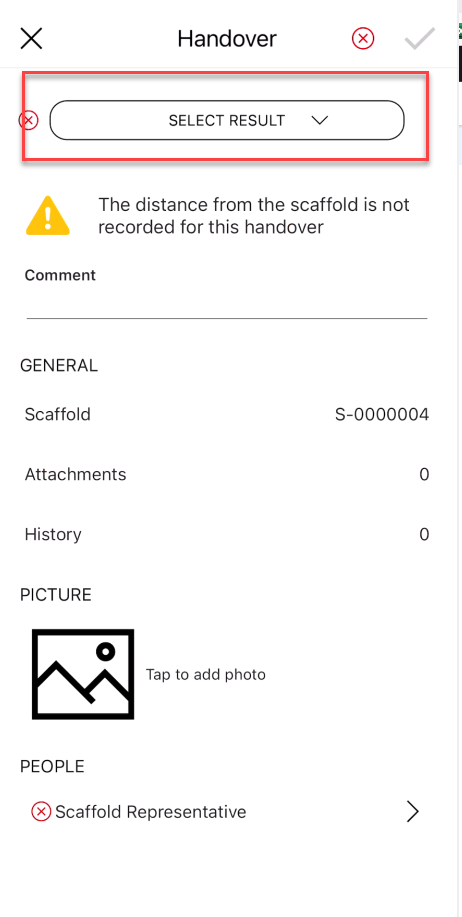
Next, complete the required information on the Handover form
Note: The Red indicates that this is a mandatory field
Tap Select result
Tap Pass or Fail
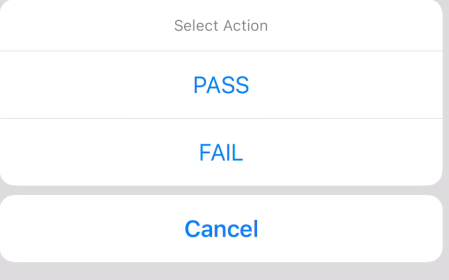
Note: If you select Fail, you must provide a commentSelect Scaffold Representative
Using your finger, provide a signature
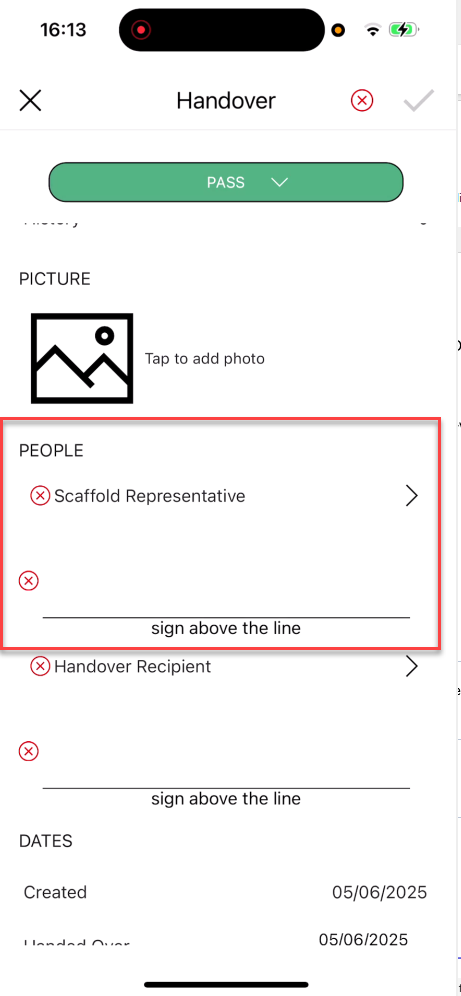
Tap Handover Recipient
Using your finger, provide the signature
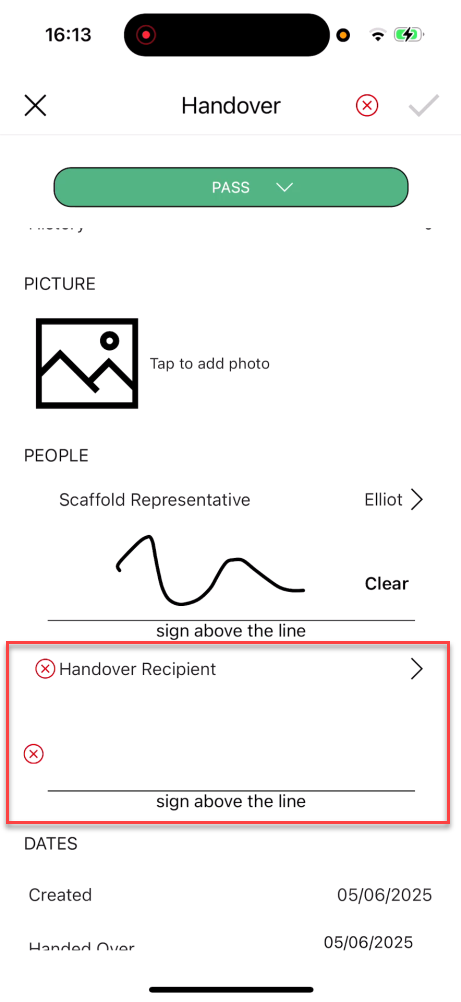
Tap the tick icon to complete the Handover
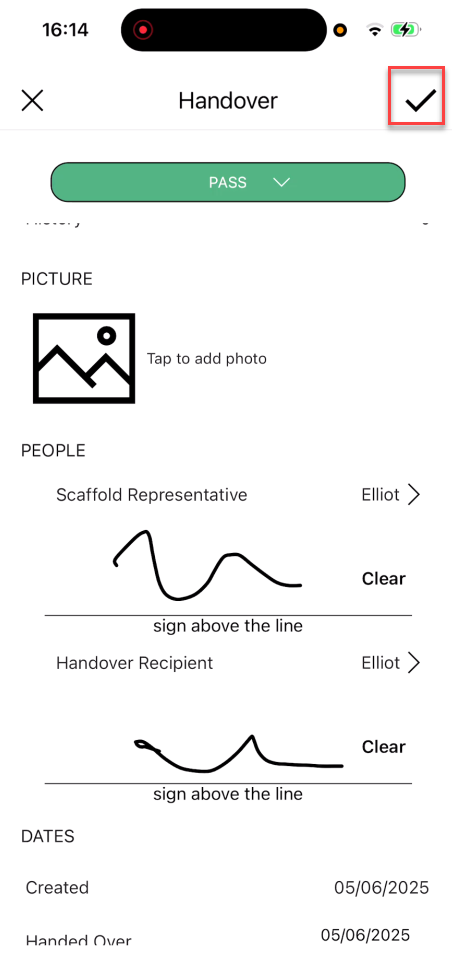
You can view the Handover in the Handover screen.
If you reject a handover, the scaffold's status will change to Awaiting Repair.
For more information, visit the Repairing a Scaffold guide.