The Consumables tab displays inventory counts of Consumable items at the selected Branch Office.
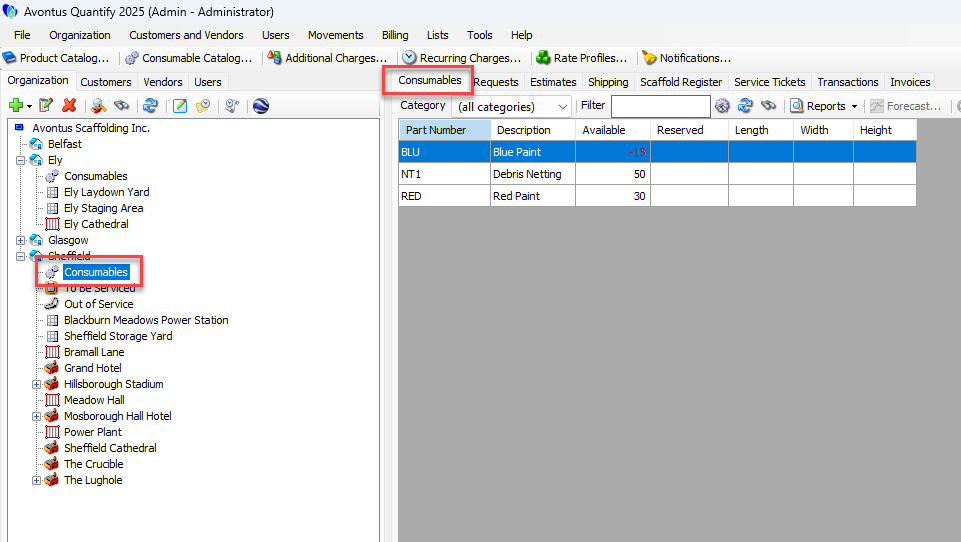
The Consumables tab is focus-sensitive. By default, it displays:
Part Number | Part number assigned to each item |
Description | Item description |
Available | The count of this part that is available. |
Reserved | The count of this part that is on reserve. |
If you enable the Length, Width, and Height fields in the Site Options, these fields will appear here.
About Consumable Markup and Margin
The Consumables tab in the New Direct Ship and the Estimate dialogs can calculate a sell price as well as the markup and margin of the items as you enter quantities and prices.
A markup is a percentage applied to a price that increases or decreases the price by a value.
A margin is the percent of the increase that will result in the profit of the item.
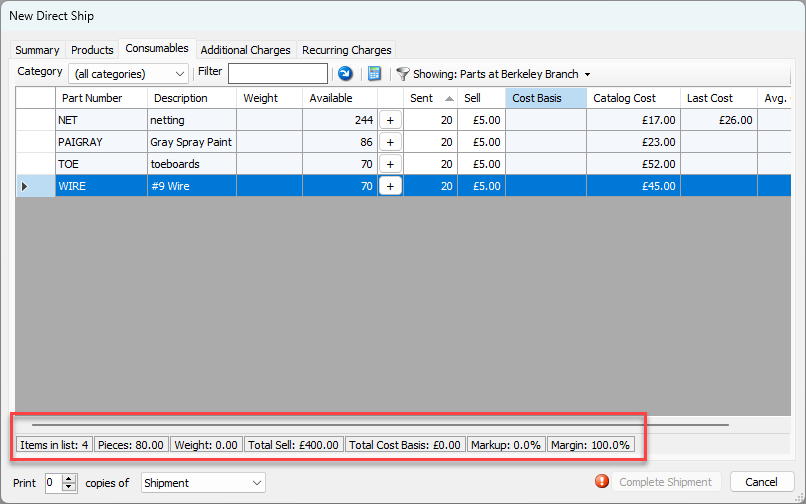
To use this feature, click the Calculate sell price for selected rows button ( ) . You must specify the cost to be used in the calculation. This will be the cost basis. You must select either the sell price, catalog cost, last cost or average cost as the cost basis for the item to be used to calculate the markup and margin. You can set a default value to be used as the cost basis in the Global Options dialog (refer to About the Global Options Dialog Billing Tab, specifically, the Copy this consumable cost into the cost basis for new estimates and shipments table entry ), and change it as needed (refer to Enabling the Editing of Consumable Sell Prices in Shipments and Setting the Consumables Default Cost Basis).