Scaffolds go into the Repair status whenever a scaffold fails an inspection or a handover. When the Scaffold has completed its repairs, you can change the Scaffold status back to Standing.
Note: You can bypass the Handover stage after a Repair by enabling the bypassing of the Repair stage in the Scaffold Settings screen.
To repair a scaffold
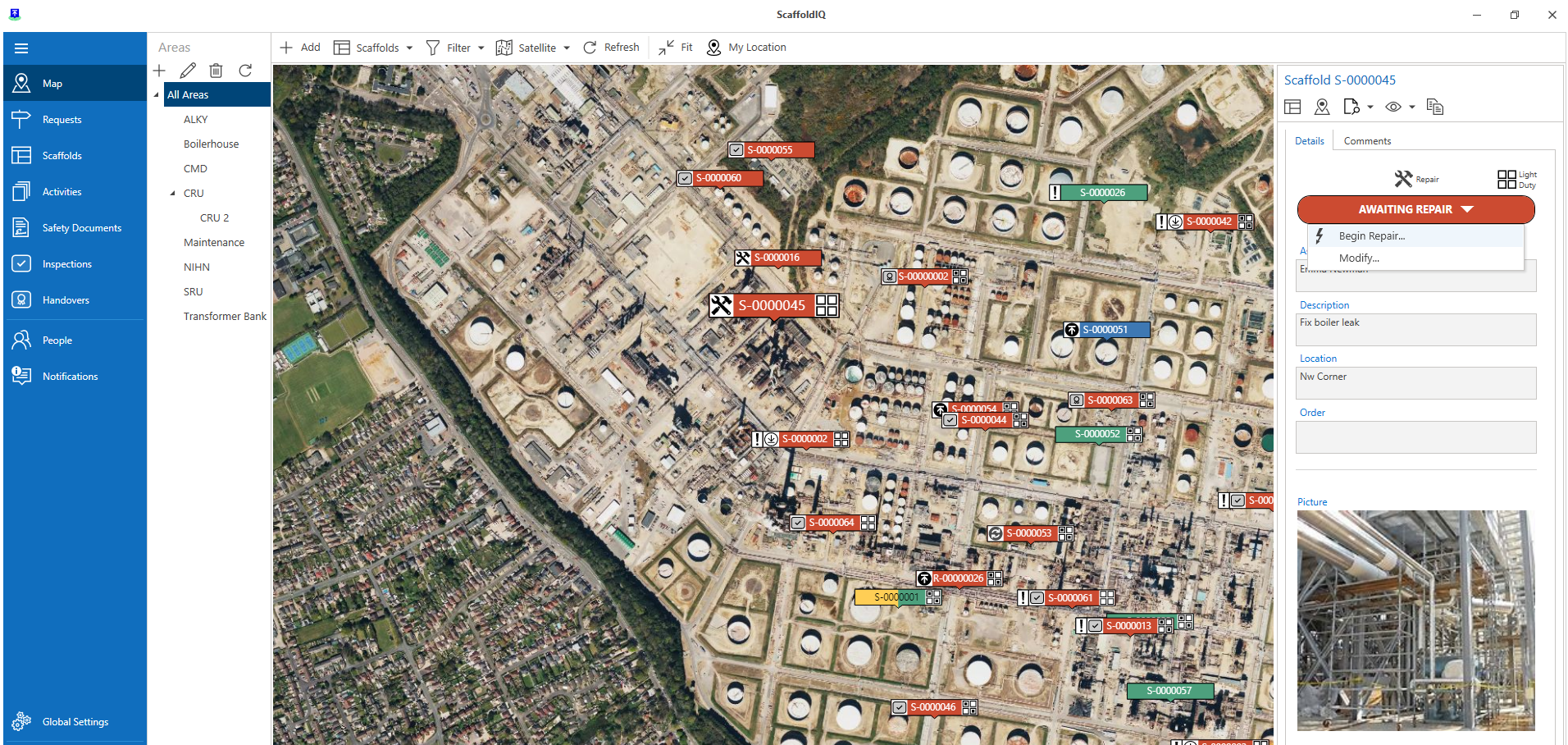
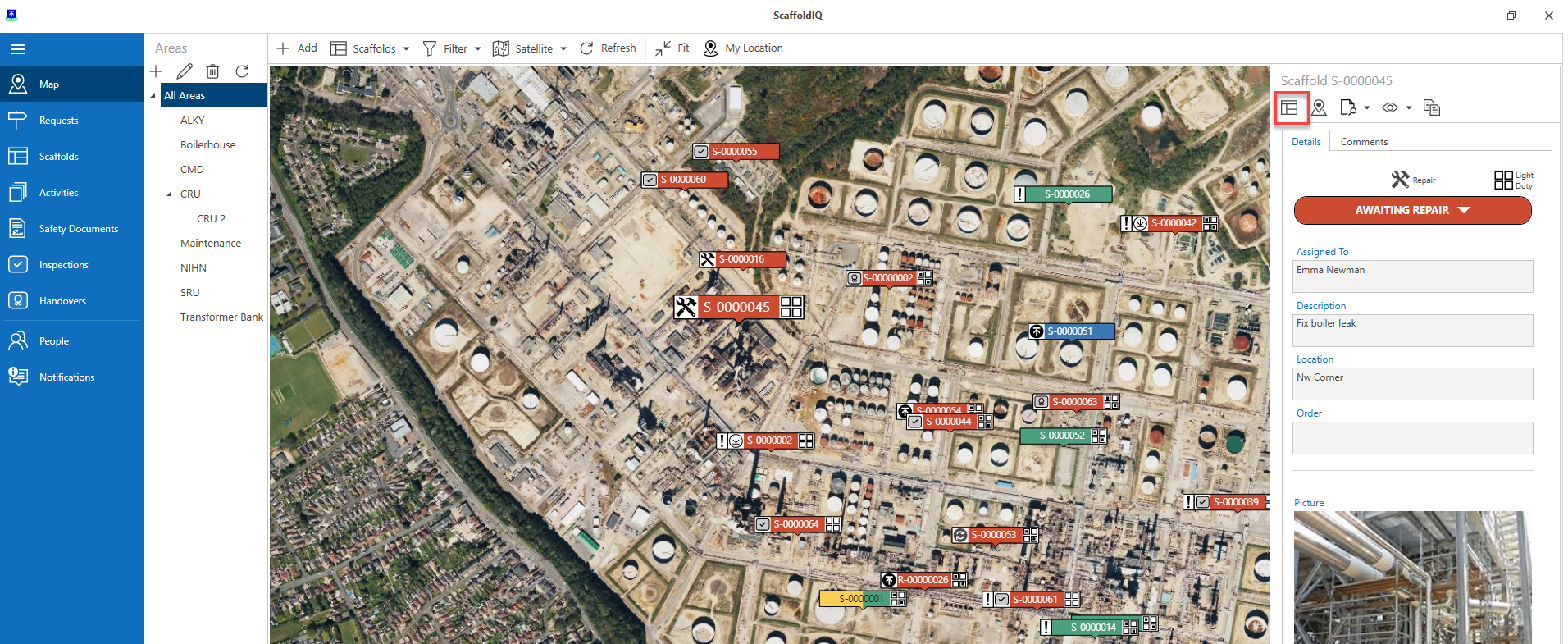
From the Map screen, select the Scaffold pin and click Awaiting Repair
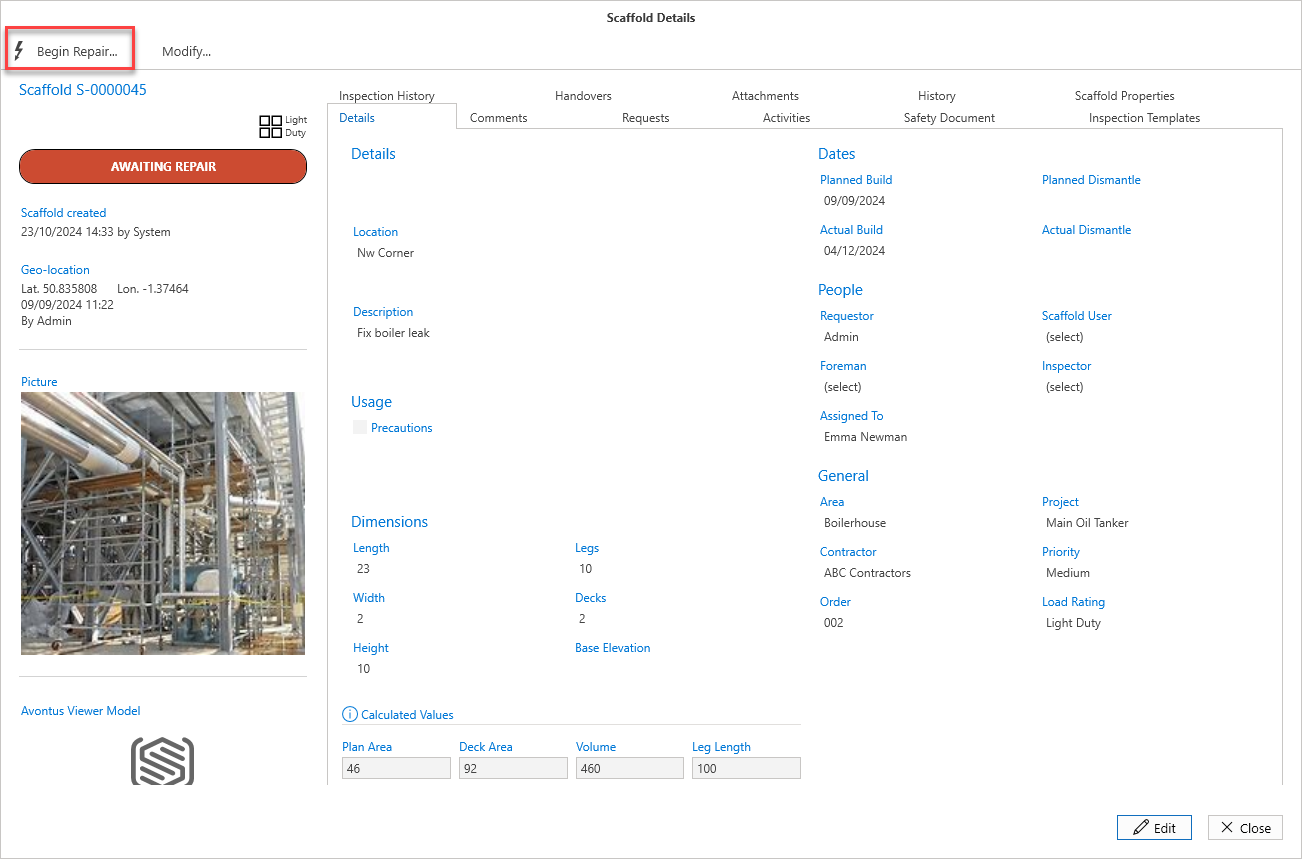
Select Begin Repair
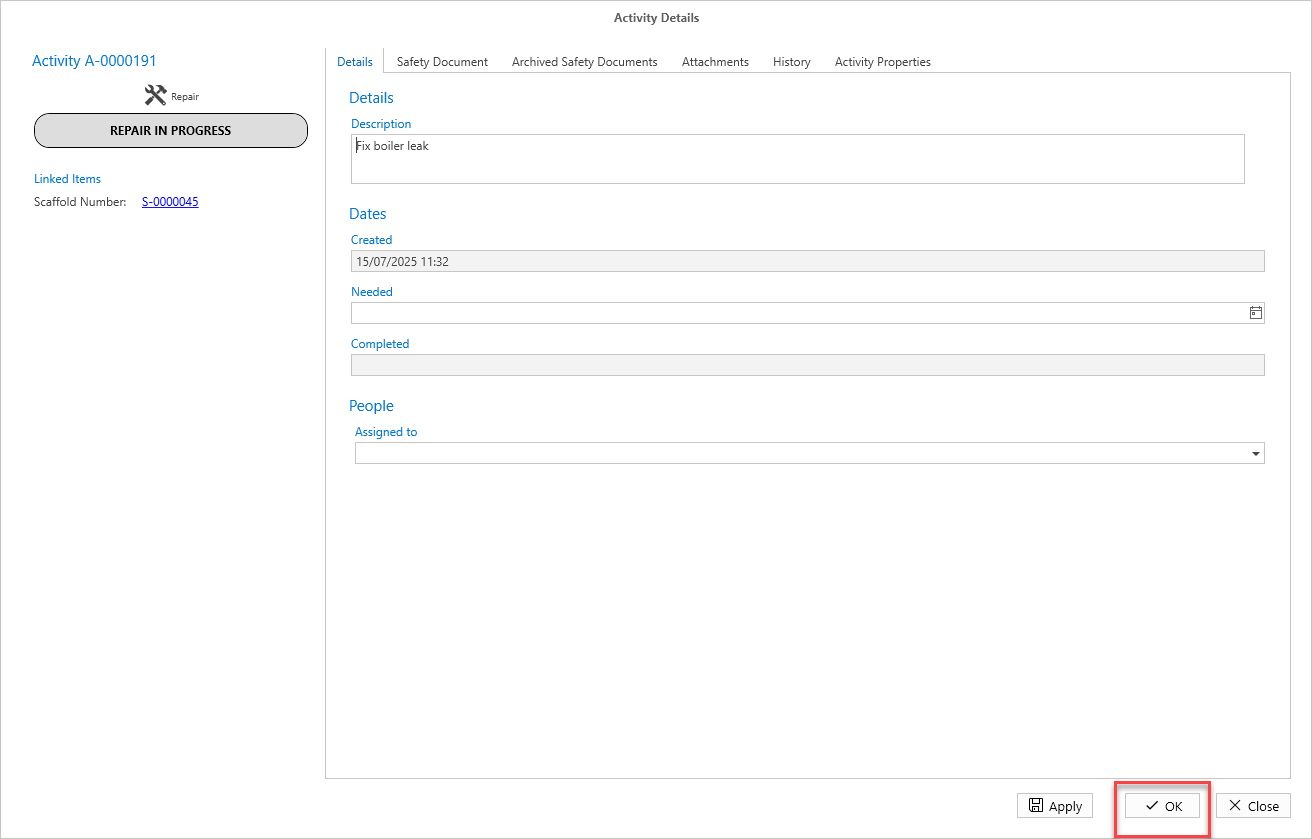
Click OK
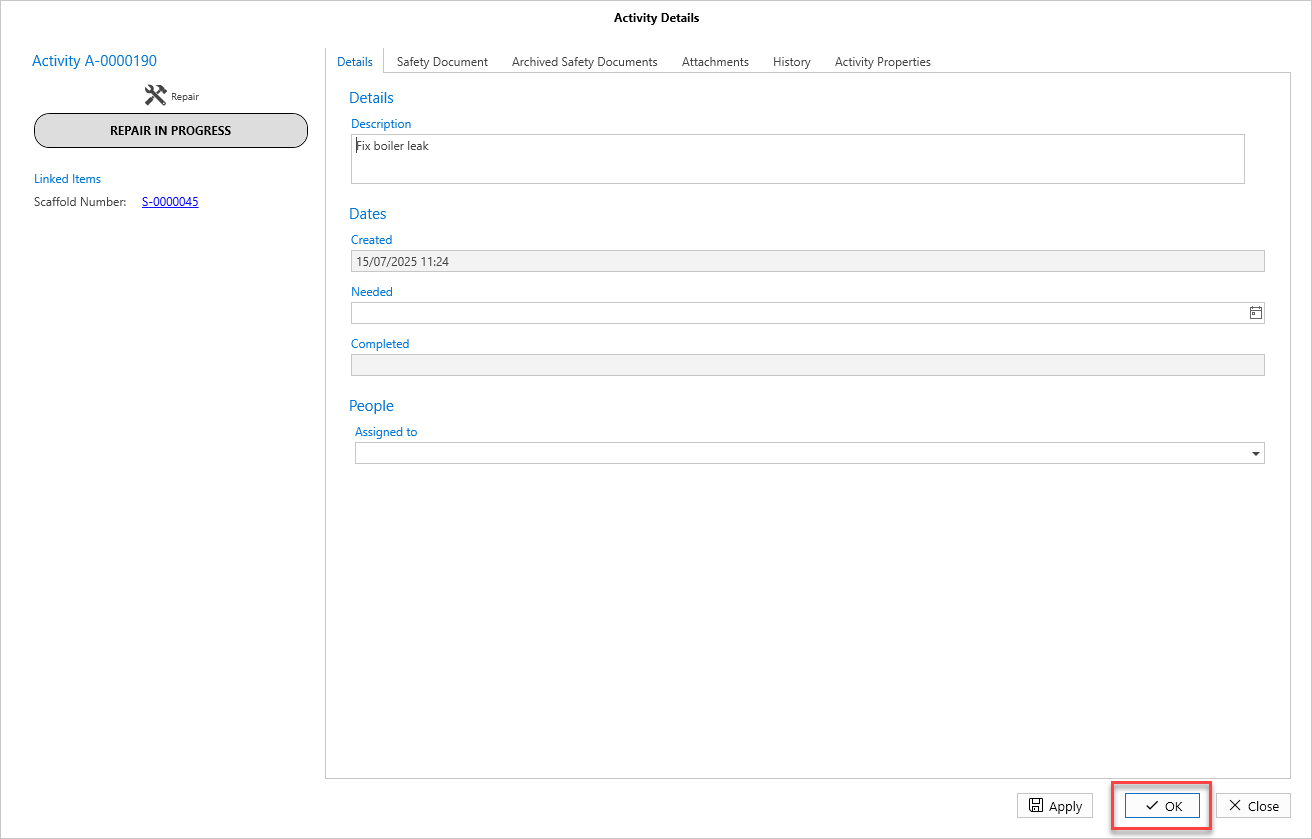
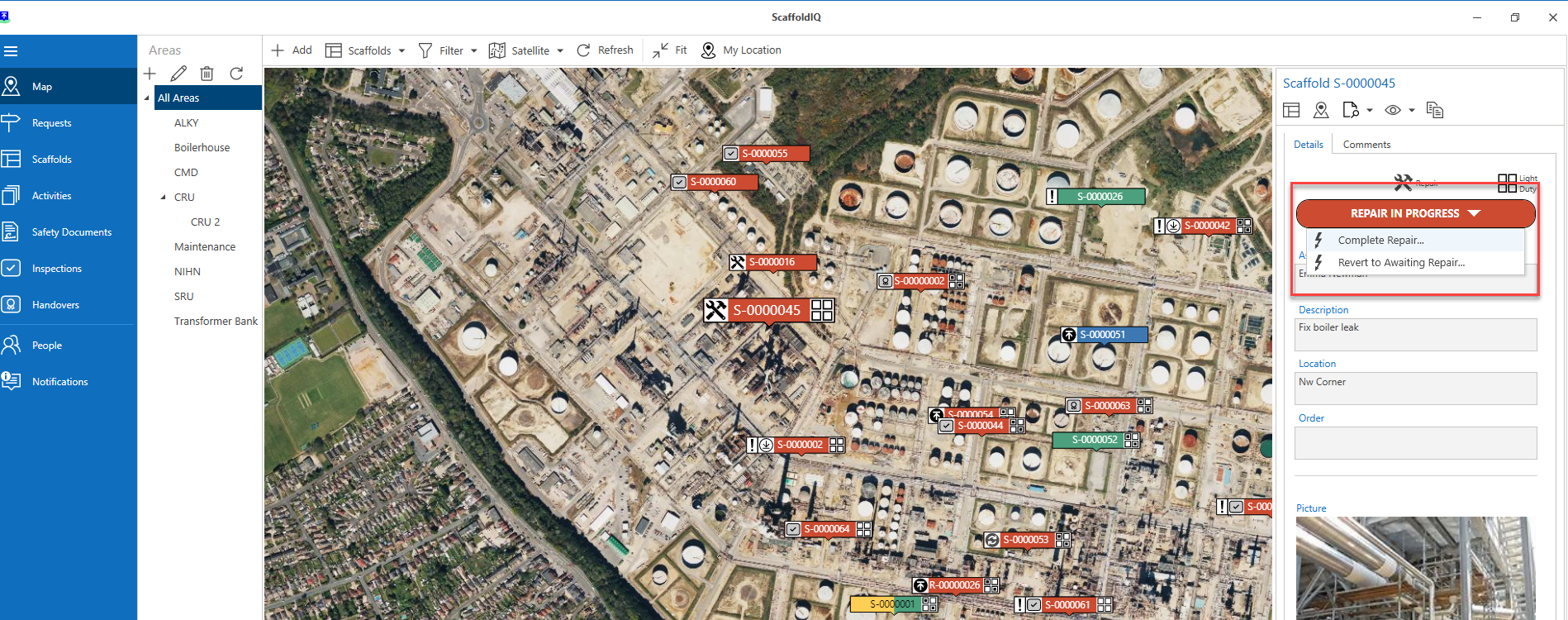
The status will change to Repair in ProgressSelect the Scaffold pin again and click Repair in Progress
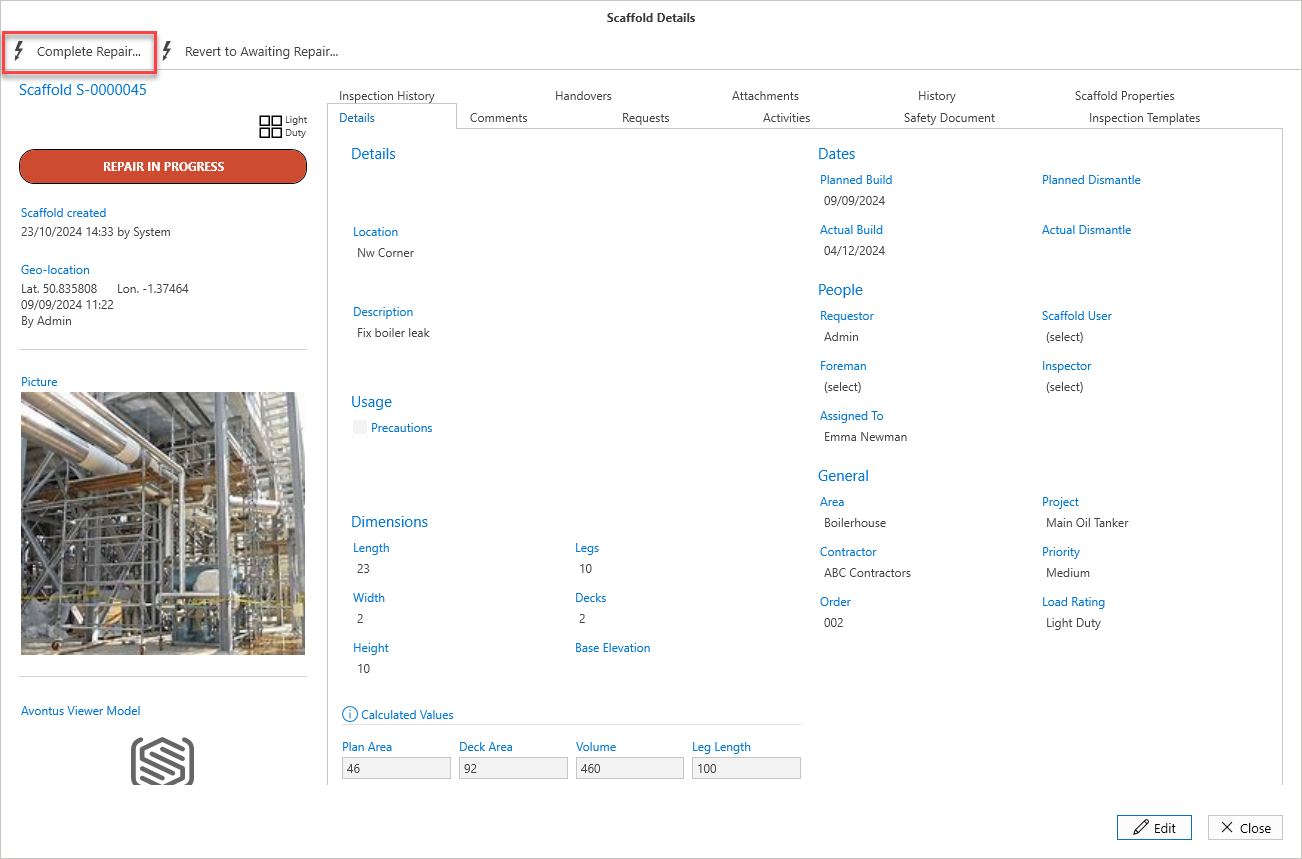
Click Complete Repair
Click OK
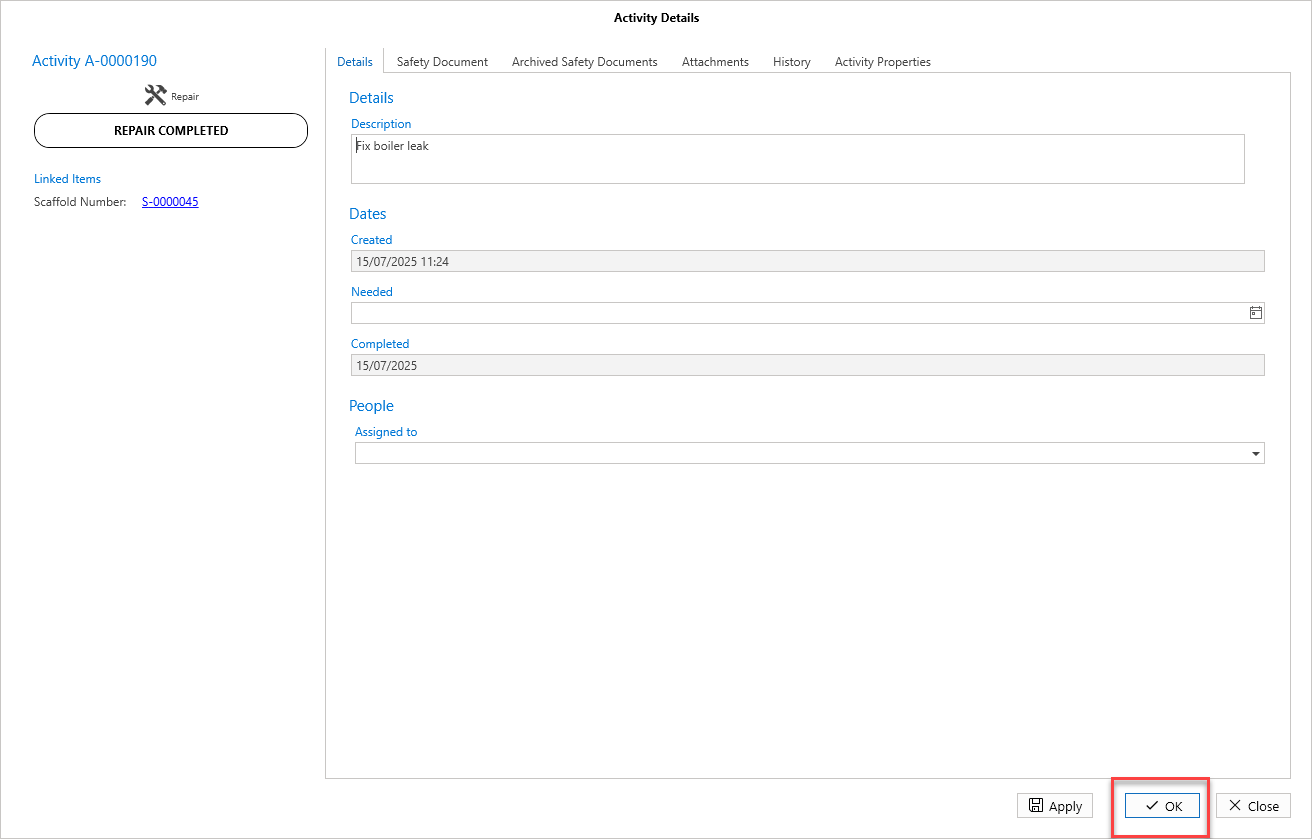
The Scaffold will change to Awaiting Inspection, Awaiting Handover or Standing.
For more information on Handovers, please see Passing or Failing a Handover
For more information on Inspection, please see Working With Inspections
Note: In Scaffold Settings, you can set the Scaffold to be either Awaiting Inspection or Awaiting Handover following a repair
Repairing a Scaffold via Scaffold Details
Select the Scaffold pin of the Scaffold to be repaired
Select Details
Select Begin Repair
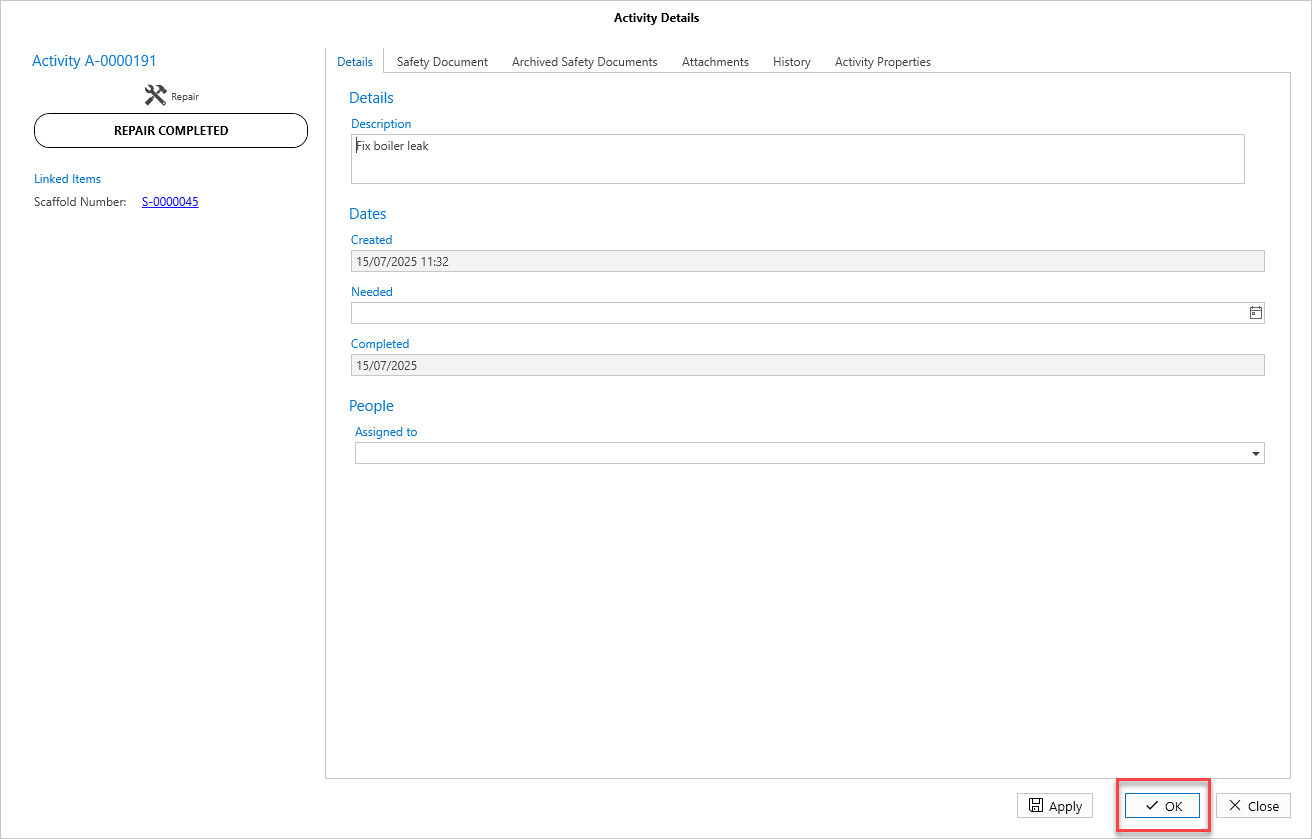
In the Activity screen, select OK
In the Scaffold Details screen, select Complete Repair
Click OK
The Scaffold will change to Awaiting Inspection, Awaiting Handover or Standing.
For more information on Handovers, please see Passing or Failing a Handover
For more information on Inspection, please see Working With Inspections