When a Request has been submitted, it will need to be approved. A request could be a request to erect a scaffold, modify a scaffold, or dismantle a scaffold. There are various stages to a Request, and these can be modified in the Request Settings screen
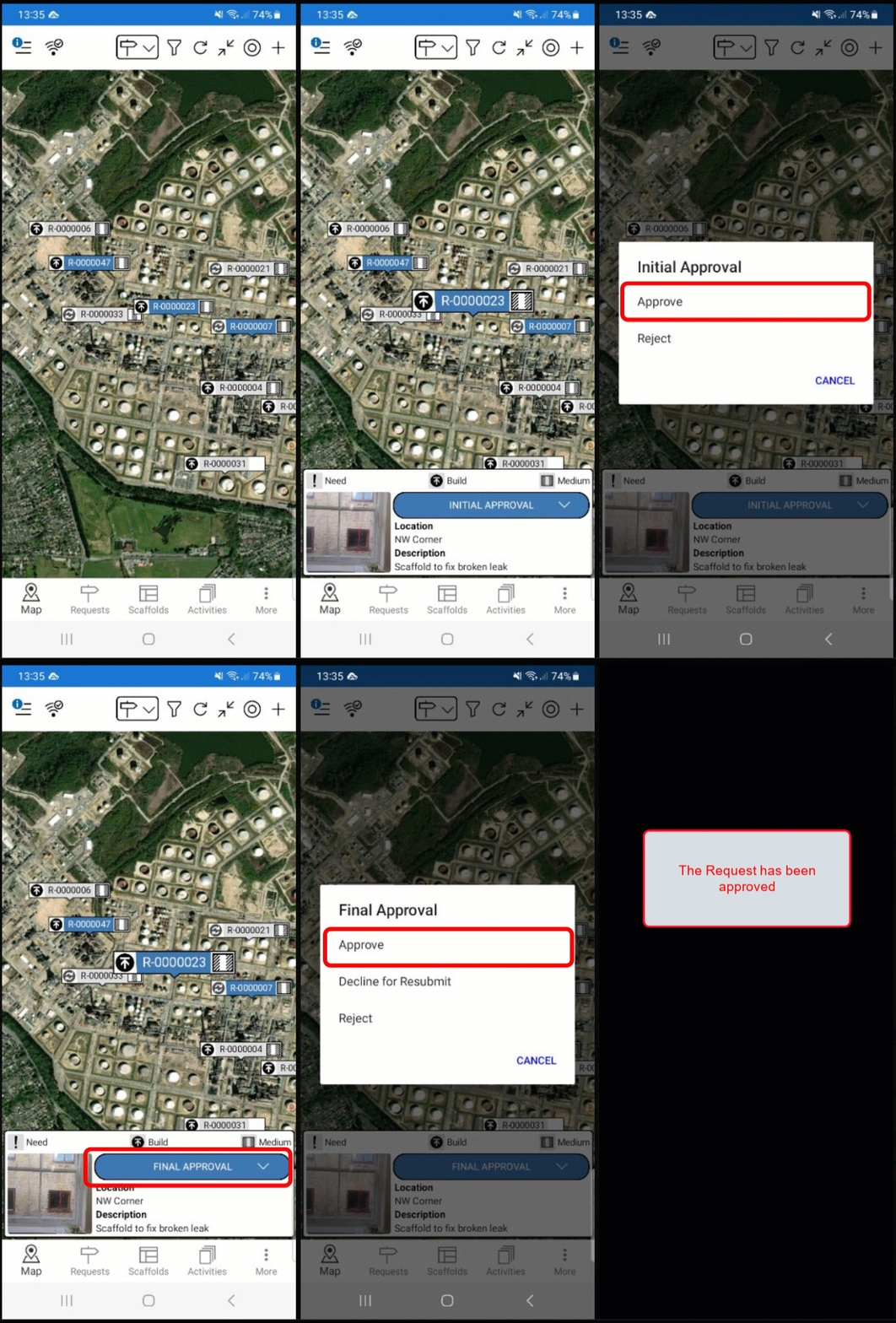
From the Map screen, tap the Request to Approve
Select the status
Select Approve
The status will change to the next stage in the process. This is dependent upon what is set in the Global Settings.
In this example, the status changed to Final Approval.Tap Final Approval
Tap Approve
The request will be in the Awaiting Build status. The next step will be to erect the scaffold. For more information on erecting a scaffold, please visit the Erecting a Scaffold guide.